In addition, a topic title should include a brief and meaningful description of the issue, and the initial post should include a detailed description with all the information the forum assistants need to help you. And this has also been told to you several times.
As always with you, both are missing from this topic. We are not standing behind you, looking over your shoulder to see what is happening on your system. You need to provide this information in order to get help with an issue. In this case, we still don’t know which bottom panel/dock you are using, what you have tried so far, etc. We are not clairvoyants.
@Edward78 Do not assume that this thread will be a question and answer game with 50 replies. If you do not provide useful information and meaningful feedback in your next posts, this topic will also end up in 4xx Client Error > 412 Precondition Failed.
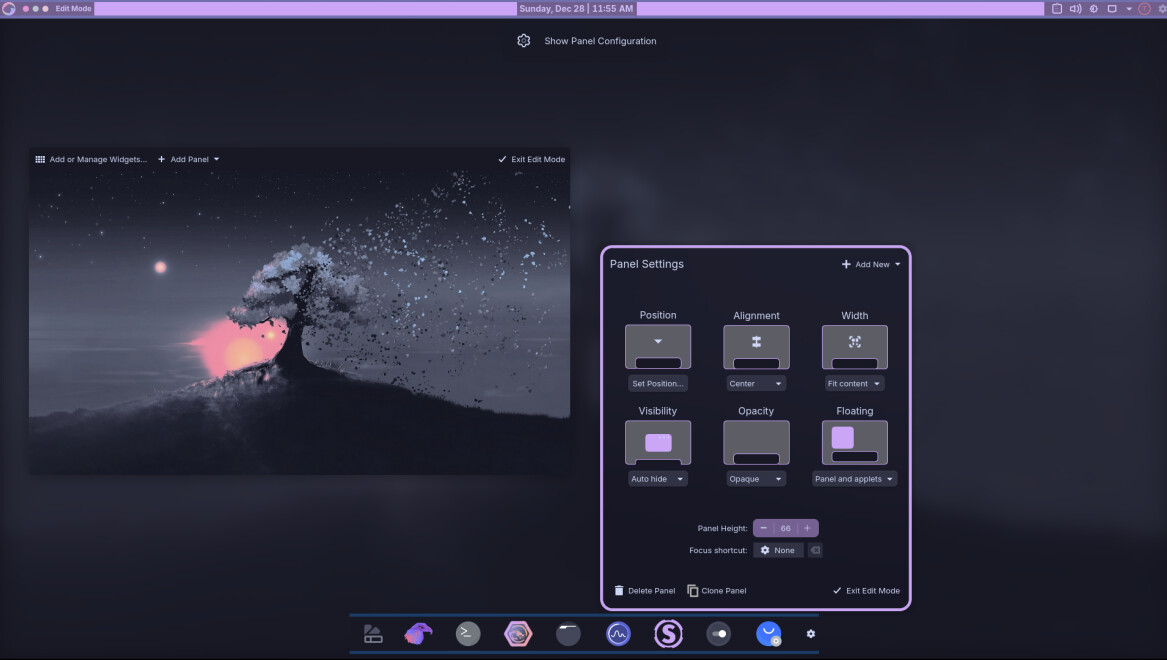
I have already described the procedure for the default Breeze bottom panel above. If you are using the Garuda dock instead of the Breeze panel, disable the “Panel Colorizer” in the bottom dock (or remove the widget from the bottom dock, as the Panel Colorizer overwrites the KDE settings) and set “Opacity” to “Opaque” in the Panel Settings (and “Visibility” to “Auto hide” if you want the dock to only be displayed when you hover over it):
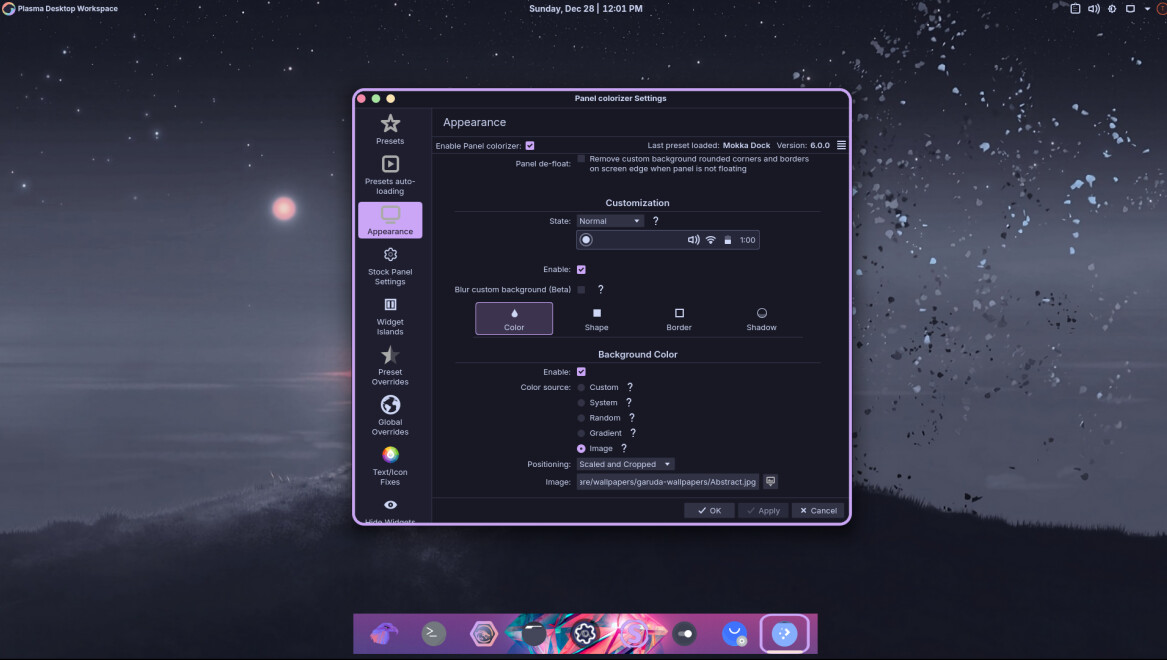
Alternatively, you can leave the “Panel Colorizer” enabled and play around with custom colours/backgrounds under ‘Appearance’:
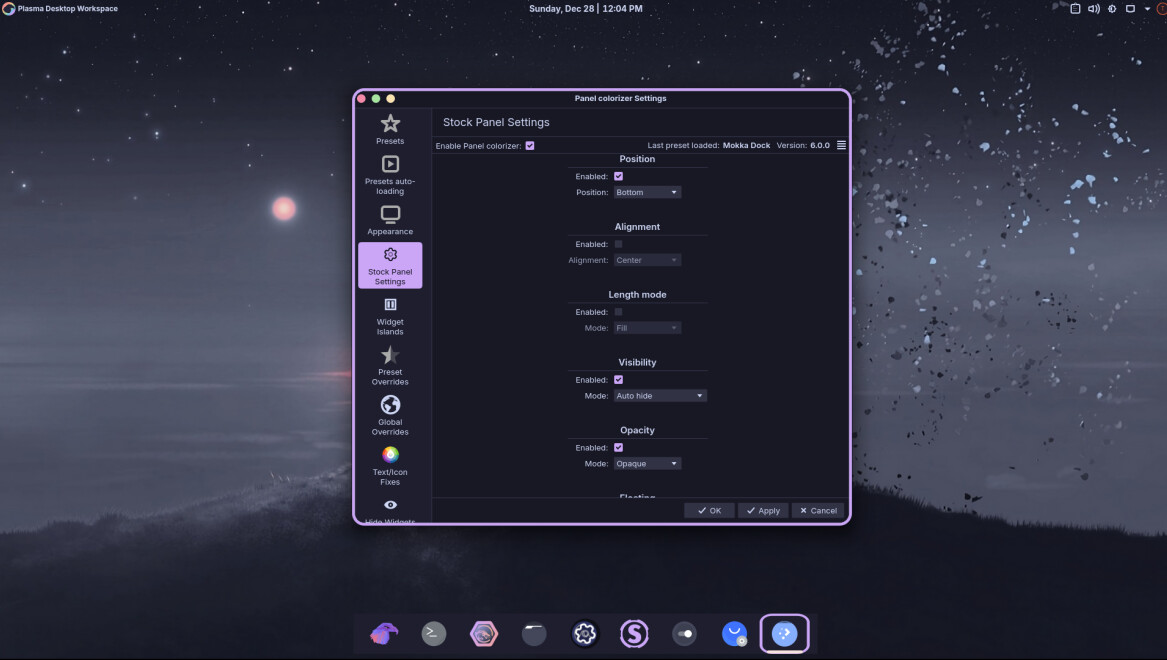
or with the “Stock Panel Settings”:
btw: we recently had a similar topic where I described exactly that. You should have just used the forum search function: