Intel AX201 Wi-Fi stops working intermittently on LTS kernel Garuda

inxi -SM; hwinfo --netcard --bluetooth | grep -Ei "(hotplug|speed|model|status|cmd|file|detected|driver:)" | grep -v "Config S"
System:
Host: mak-hl Kernel: 6.12.61-1-lts arch: x86_64 bits: 64
Desktop: KDE Plasma v: 6.5.4 Distro: Garuda Linux
Machine:
Type: Laptop System: ASUSTeK product: ASUS TUF Gaming F15 FX506LU_FX566LU
v: 1.0 serial: <superuser required>
Mobo: ASUSTeK model: FX506LU v: 1.0 serial: <superuser required>
Firmware: UEFI vendor: American Megatrends v: FX506LU.310 date: 11/26/2021
Model: "Intel Dual Band Wi-Fi 6(802.11ax) AX201 160MHz 2x2 [Harrison Peak]"
Driver: "iwlwifi"
Device File: wlan0
Link detected: no
Driver Status: iwlwifi is active
Driver Activation Cmd: "modprobe iwlwifi"
Model: "Realtek RTL8111/8168/8211/8411 PCI Express Gigabit Ethernet Controller"
Driver: "r8169"
Device File: enp4s0
Link detected: no
Driver Status: r8169 is active
Driver Activation Cmd: "modprobe r8169"
Model: "MediaTek Infinix X663"
Hotplug: USB
Driver: "rndis_host"
Device File: enp0s20f0u2
Speed: 480 Mbps
Link detected: yes
Driver Status: rndis_host is active
Driver Activation Cmd: "modprobe rndis_host"
Model: "Intel AX201 Bluetooth"
Hotplug: USB
Driver: "btusb"
Speed: 12 Mbps
Driver Status: btusb is active
Driver Activation Cmd: "modprobe btusb"
Model: "Intel AX201 Bluetooth"
Hotplug: USB
Driver: "btusb"
Speed: 12 Mbps
Driver Status: btusb is active
Driver Activation Cmd: "modprobe btusb"
garuda-inxi
System:
Kernel: 6.12.61-1-lts arch: x86_64 bits: 64 compiler: gcc v: 15.2.1
clocksource: tsc avail: acpi_pm
parameters: BOOT_IMAGE=/@/boot/vmlinuz-linux-lts
root=UUID=aba312ee-f8da-43b3-bafd-cb5aaf3a3fce rw rootflags=subvol=@
vt.default_red=30,243,166,249,137,245,148,186,88,243,166,249,137,245,148,166
vt.default_grn=30,139,227,226,180,194,226,194,91,139,227,226,180,194,226,173
vt.default_blu=46,168,161,175,250,231,213,222,112,168,161,175,250,231,213,200
quiet resume=UUID=28ecbe1c-3119-4c4c-b3cb-423dd75cb34e loglevel=3
Desktop: KDE Plasma v: 6.5.4 tk: Qt v: N/A info: frameworks v: 6.21.0
wm: kwin_wayland with: krunner vt: 2 dm: SDDM Distro: Garuda
base: Arch Linux
Machine:
Type: Laptop System: ASUSTeK product: ASUS TUF Gaming F15 FX506LU_FX566LU
v: 1.0 serial: <superuser required>
Mobo: ASUSTeK model: FX506LU v: 1.0 serial: <superuser required>
uuid: <superuser required> Firmware: UEFI vendor: American Megatrends
v: FX506LU.310 date: 11/26/2021
Battery:
ID-1: BAT1 charge: 0% condition: 69.2/90 Wh (76.9%) volts: 12.19 min: 15.4
model: ASUS A32-K55 type: Li-ion serial: N/A charging: status: charging
control: start: N/A end: 100% cycles: N/A
CPU:
Info: model: Intel Core i5-10300H bits: 64 type: MT MCP arch: Comet Lake
gen: core 10 level: v3 note: check built: 2020 process: Intel 14nm family: 6
model-id: 0xA5 (165) stepping: 2 microcode: 0x100
Topology: cpus: 1x dies: 1 clusters: 4 cores: 4 threads: 8 tpc: 2
smt: enabled cache: L1: 256 KiB desc: d-4x32 KiB; i-4x32 KiB L2: 1024 KiB
desc: 4x256 KiB L3: 8 MiB desc: 1x8 MiB
Speed (MHz): avg: 800 min/max: 800/4500 scaling: driver: intel_pstate
governor: powersave cores: 1: 800 2: 800 3: 800 4: 800 5: 800 6: 800 7: 800
8: 800 bogomips: 40009
Flags-basic: avx avx2 ht lm nx pae sse sse2 sse3 sse4_1 sse4_2 ssse3 vmx
Vulnerabilities: <filter>
Graphics:
Device-1: Intel CometLake-H GT2 [UHD Graphics] vendor: ASUSTeK driver: i915
v: kernel arch: Gen-9.5 process: Intel 14nm built: 2016-20 ports:
active: none off: eDP-1 empty: none bus-ID: 00:02.0 chip-ID: 8086:9bc4
class-ID: 0300
Device-2: NVIDIA TU116M [GeForce GTX 1660 Ti Mobile] vendor: ASUSTeK
driver: nvidia v: 580.105.08 alternate: nouveau,nvidia_drm
non-free: 550-580.xx+ status: current (as of 2025-11; EOL~2026-12-xx)
arch: Turing code: TUxxx process: TSMC 12nm FF built: 2018-2022 pcie:
gen: 1 speed: 2.5 GT/s lanes: 16 link-max: gen: 3 speed: 8 GT/s ports:
active: HDMI-A-1 empty: DP-1 bus-ID: 01:00.0 chip-ID: 10de:2191
class-ID: 0300
Device-3: IMC Networks USB2.0 HD UVC WebCam driver: uvcvideo type: USB
rev: 2.0 speed: 480 Mb/s lanes: 1 mode: 2.0 bus-ID: 1-7:5 chip-ID: 13d3:56a2
class-ID: 0e02 serial: <filter>
Display: wayland server: X.org v: 1.21.1.21 with: Xwayland v: 24.1.9
compositor: kwin_wayland driver:
gpu: i915,nv_platform,nvidia,nvidia-nvswitch display-ID: 0
Monitor-1: HDMI-A-1 model: LG (GoldStar) ULTRAGEAR serial: <filter>
built: 2023 res: mode: 1920x1080 hz: 144 scale: 100% (1) dpi: 93 gamma: 1.2
size: 527x296mm (20.75x11.65") diag: 604mm (23.8") ratio: 16:9 modes:
max: 1920x1080 min: 640x480
Monitor-2: eDP-1 model: ChiMei InnoLux 0x1521 built: 2020 res: 1920x1080
dpi: 142 gamma: 1.2 size: 344x193mm (13.54x7.6") diag: 394mm (15.5")
ratio: 16:9 modes: 1920x1080
API: EGL v: 1.5 hw: drv: intel iris drv: nvidia platforms: device: 0
drv: nvidia device: 1 drv: iris device: 3 drv: swrast gbm: drv: iris
surfaceless: drv: nvidia wayland: drv: iris x11: drv: iris
inactive: device-2
API: OpenGL v: 4.6.0 compat-v: 4.5 vendor: intel mesa v: 25.3.1-arch1.2
glx-v: 1.4 direct-render: yes renderer: Mesa Intel UHD Graphics (CML GT2)
device-ID: 8086:9bc4 memory: 15.09 GiB unified: yes display-ID: :0.0
API: Vulkan v: 1.4.335 layers: 16 device: 0 type: integrated-gpu
name: Intel UHD Graphics (CML GT2) driver: mesa intel v: 25.3.1-arch1.2
device-ID: 8086:9bc4 surfaces: N/A device: 1 type: discrete-gpu
name: NVIDIA GeForce GTX 1660 Ti driver: nvidia v: 580.105.08
device-ID: 10de:2191 surfaces: N/A device: 2 type: cpu name: llvmpipe
(LLVM 21.1.6 256 bits) driver: mesa llvmpipe v: 25.3.1-arch1.2 (LLVM
21.1.6) device-ID: 10005:0000 surfaces: N/A
Info: Tools: api: clinfo, eglinfo, glxinfo, vulkaninfo
de: kscreen-console,kscreen-doctor gpu: nvidia-smi wl: wayland-info
x11: xdpyinfo, xprop, xrandr
Audio:
Device-1: Intel Comet Lake PCH cAVS vendor: ASUSTeK driver: snd_hda_intel
v: kernel alternate: snd_soc_avs,snd_sof_pci_intel_cnl bus-ID: 00:1f.3
chip-ID: 8086:06c8 class-ID: 0403
Device-2: NVIDIA TU116 High Definition Audio vendor: ASUSTeK
driver: snd_hda_intel v: kernel pcie: gen: 3 speed: 8 GT/s lanes: 16
bus-ID: 01:00.1 chip-ID: 10de:1aeb class-ID: 0403
API: ALSA v: k6.12.61-1-lts status: kernel-api with: aoss
type: oss-emulator tools: N/A
Server-1: PipeWire v: 1.4.9 status: active with: 1: pipewire-pulse
status: active 2: wireplumber status: active 3: pipewire-alsa type: plugin
4: pw-jack type: plugin tools: pactl,pw-cat,pw-cli,wpctl
Network:
Device-1: Intel Comet Lake PCH CNVi WiFi driver: iwlwifi v: kernel
bus-ID: 00:14.3 chip-ID: 8086:06f0 class-ID: 0280
IF: wlan0 state: down mac: <filter>
Device-2: Realtek RTL8111/8168/8211/8411 PCI Express Gigabit Ethernet
vendor: ASUSTeK driver: r8169 v: kernel pcie: gen: 1 speed: 2.5 GT/s
lanes: 1 port: 3000 bus-ID: 04:00.0 chip-ID: 10ec:8168 class-ID: 0200
IF: enp4s0 state: down mac: <filter>
IF-ID-1: enp0s20f0u2 state: unknown speed: -1 duplex: half mac: <filter>
Info: services: iwd, NetworkManager, smbd, systemd-timesyncd
Bluetooth:
Device-1: Intel AX201 Bluetooth driver: btusb v: 0.8 type: USB rev: 2.0
speed: 12 Mb/s lanes: 1 mode: 1.1 bus-ID: 1-14:6 chip-ID: 8087:0026
class-ID: e001
Report: btmgmt ID: hci0 rfk-id: 0 state: up address: <filter> bt-v: 5.2
lmp-v: 11 status: discoverable: no pairing: no class-ID: 6c010c
Device-2: MediaTek Infinix X663 driver: rndis_host v: kernel type: USB
rev: 2.0 speed: 480 Mb/s lanes: 1 mode: 2.0 bus-ID: 1-2:10
chip-ID: 0e8d:2004 class-ID: 0a00 serial: <filter>
Drives:
Local Storage: total: 1.4 TiB used: 817.26 GiB (57.1%)
SMART Message: Unable to run smartctl. Root privileges required.
ID-1: /dev/nvme0n1 maj-min: 259:2 vendor: A-Data model: SX6000PNP
size: 476.94 GiB block-size: physical: 512 B logical: 512 B speed: 31.6 Gb/s
lanes: 4 tech: SSD serial: <filter> fw-rev: VC0S036H temp: 36.9 C
scheme: GPT
ID-2: /dev/nvme1n1 maj-min: 259:0 vendor: Micron model: 2210 MTFDHBA1T0QFD
size: 953.87 GiB block-size: physical: 512 B logical: 512 B speed: 31.6 Gb/s
lanes: 4 tech: SSD serial: <filter> fw-rev: P6MA001 temp: 39.9 C
scheme: GPT
Partition:
ID-1: / raw-size: 459.65 GiB size: 459.65 GiB (100.00%)
used: 58.63 GiB (12.8%) fs: btrfs dev: /dev/nvme0n1p2 maj-min: 259:4
ID-2: /boot/efi raw-size: 300 MiB size: 299.4 MiB (99.80%)
used: 664 KiB (0.2%) fs: vfat dev: /dev/nvme0n1p1 maj-min: 259:3
ID-3: /home raw-size: 459.65 GiB size: 459.65 GiB (100.00%)
used: 58.63 GiB (12.8%) fs: btrfs dev: /dev/nvme0n1p2 maj-min: 259:4
ID-4: /var/log raw-size: 459.65 GiB size: 459.65 GiB (100.00%)
used: 58.63 GiB (12.8%) fs: btrfs dev: /dev/nvme0n1p2 maj-min: 259:4
ID-5: /var/tmp raw-size: 459.65 GiB size: 459.65 GiB (100.00%)
used: 58.63 GiB (12.8%) fs: btrfs dev: /dev/nvme0n1p2 maj-min: 259:4
Swap:
Kernel: swappiness: 133 (default 60) cache-pressure: 100 (default) zswap: no
ID-1: swap-1 type: zram size: 15.46 GiB used: 512 KiB (0.0%) priority: 100
comp: zstd avail: lzo-rle,lzo,lz4,lz4hc,deflate,842 max-streams: 8
dev: /dev/zram0
ID-2: swap-2 type: partition size: 16.99 GiB used: 0 KiB (0.0%)
priority: -2 dev: /dev/nvme0n1p3 maj-min: 259:5
Sensors:
System Temperatures: cpu: 67.0 C mobo: N/A
Fan Speeds (rpm): cpu: 0
Info:
Memory: total: 16 GiB available: 15.46 GiB used: 6.72 GiB (43.5%)
Processes: 324 Power: uptime: 29m states: freeze,mem,disk suspend: deep
avail: s2idle wakeups: 0 hibernate: platform avail: shutdown, reboot,
suspend, test_resume image: 6.13 GiB services: org_kde_powerdevil,
power-profiles-daemon, upowerd Init: systemd v: 258 default: graphical
tool: systemctl
Packages: pm: pacman pkgs: 1595 libs: 458 tools: octopi,paru Compilers:
clang: 21.1.6 gcc: 15.2.1 Shell: Bash v: 5.3.9 default: fish v: 4.2.1
running-in: konsole inxi: 3.3.40
Garuda (2.11.1-1):
System install date:     2025-12-14
Garuda release:          251103
Last full system update: 2025-12-15 ↻
Is partially upgraded:   No
Relevant software:       snapper NetworkManager dracut nvidia-utils nvidia-open-dkms garuda-hardware-profile-nvidia garuda-hardware-profile-standard
Windows dual boot:       No/Undetected
Failed units:
--- System Health Check Report ---
25/26 checks run in 0.79 seconds ⌛
Powered by garuda-health 🦅

--- INFO ---
- A reboot is pending (update applied since last reboot)

✅ System health check passed. No issues found.

FULL DIAGNOSTICS FROM RANI APP

I’m having intermittent Wi-Fi issues with my Intel AX201 (non-CNVi) on Garuda/CachyOS. The Wi-Fi works for a short period after boot but then stops completely. I’m currently on the LTS kernel.

i tried all the possible solution from redddit,aur,garuda forum it worked but after 20-30 minutes the issue still persisted


Issue

  • Wi-Fi interface (wlan0) works initially but goes DOWN after 20–30 minutes.
  • ip link set wlan0 up sometimes times out.
  • lspci does not detect the Intel Wi-Fi device, even though the interface exists.
  • Non-LTS kernel (6.18.x) failed to build initramfs using dracut.

Steps tried (instructions suggested by ChatGPT)

  1. Disabled conflicting Wi-Fi services and enabled iwd
sudo systemctl enable --now iwd
sudo systemctl disable --now wpa_supplicant
  1. Configured iwlwifi module options (/etc/modprobe.d/iwlwifi.conf)
options iwlwifi power_save=0
options iwlwifi 11ax_disable=1
options iwlwifi uapsd_disable=1
options iwlwifi bt_coex_active=0
  1. Attempted to rebuild initramfs
sudo mkinitcpio -P
sudo dracut --force --kver $(uname -r)
  • Non-LTS kernel failed to write to /boot/efi/...
  • LTS kernel built successfully
  1. Checked kernel and Wi-Fi status using a custom script (check.sh)
  • Confirmed: LTS kernel detected, Wi-Fi interface exists, iwd running, power saving and AX mode disabled
  1. Manually tried to bring interface up
sudo ip link set wlan0 up
  • Sometimes timed out, confirming the instability
  1. Switched to LTS kernel for stability
  • Initially worked, but Wi-Fi still drops after a short time

Current status

  • LTS kernel works briefly, but Wi-Fi stops after some time
  • iwd service runs, wpa_supplicant inactive
  • All recommended module options applied
@SGS @tbg

@mak-bacc in the future please refrain from pinging forum team members.

Open a new root terminal window by enterting su, and then enter your root password.

Paste the following code into your root terminal window:


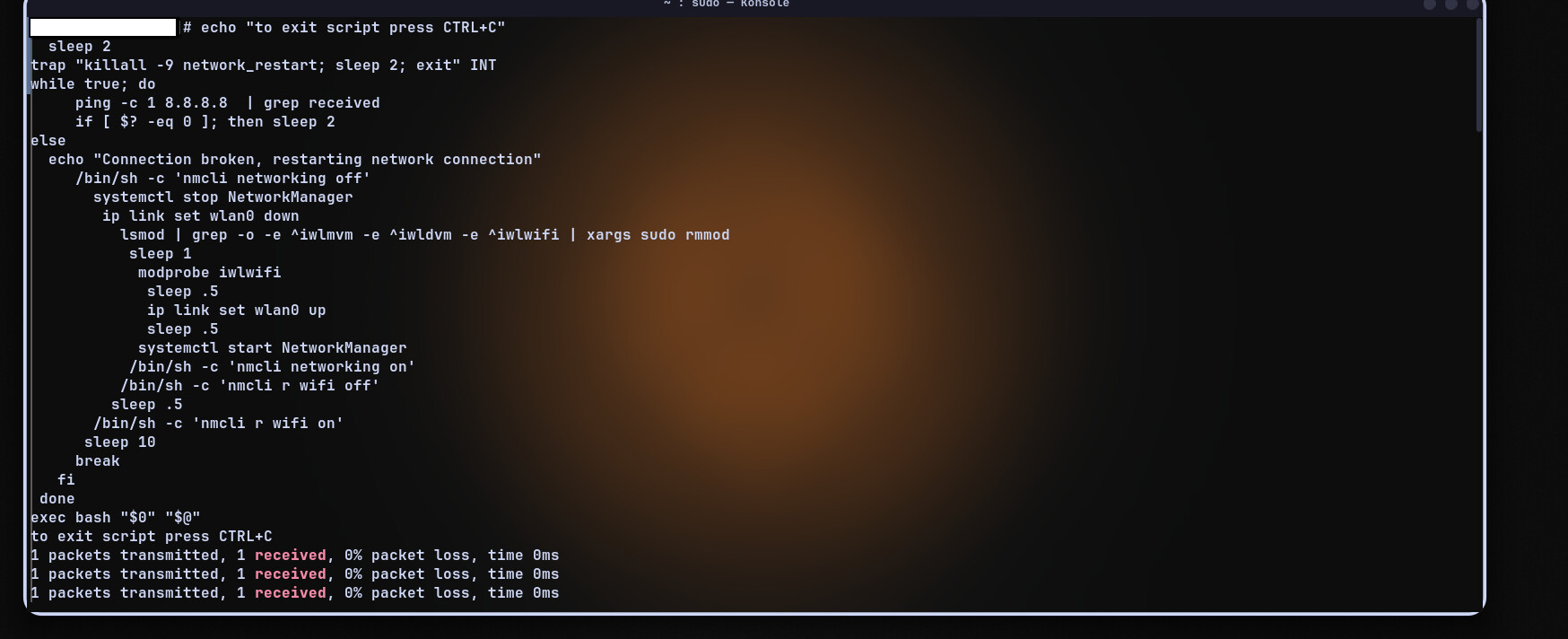
echo "to exit script press CTRL+C"
  sleep 2
trap "killall -9 network_restart; sleep 2; exit" INT
while true; do
     ping -c 1 8.8.8.8  | grep received
     if [ $? -eq 0 ]; then sleep 2
else
  echo "Connection broken, restarting network connection"
     /bin/sh -c 'nmcli networking off'
       systemctl stop NetworkManager
        ip link set wlan0 down
          lsmod | grep -o -e ^iwlmvm -e ^iwldvm -e ^iwlwifi | xargs sudo rmmod
           sleep 1
            modprobe iwlwifi
             sleep .5
             ip link set wlan0 up
             sleep .5
            systemctl start NetworkManager
           /bin/sh -c 'nmcli networking on'
          /bin/sh -c 'nmcli r wifi off'
         sleep .5
       /bin/sh -c 'nmcli r wifi on'
      sleep 10
     break
   fi
 done
exec bash "$0" "$@"

Let the script run continuously to see if your connection remains stable.


The preferable method is to create a script to execute the following contents:

#!/bin/bash
#/usr/local/sbin/network_restart.sh
echo "to exit script press CTRL+C"
  sleep 2
trap "killall -9 network_restart; sleep 2; exit" INT
while true; do
     ping -c 1 8.8.8.8  | grep received
     if [ $? -eq 0 ]; then sleep 2
else
  echo "Connection broken, restarting network connection"
     /bin/sh -c 'nmcli networking off'
       systemctl stop NetworkManager
        ip link set wlan0 down
          lsmod | grep -o -e ^iwlmvm -e ^iwldvm -e ^iwlwifi | xargs sudo rmmod
           sleep 1
            modprobe iwlwifi
             sleep .5
             ip link set wlan0 up
             sleep .5
            systemctl start NetworkManager
           /bin/sh -c 'nmcli networking on'
          /bin/sh -c 'nmcli r wifi off'
         sleep .5
       /bin/sh -c 'nmcli r wifi on'
      sleep 10
     break
   fi
 done
exec bash "$0" "$@"

Create:

/usr/local/sbin/network_restart.sh

Make the script executable:

sudo chmod +x /usr/local/sbin/network_restart.sh
5 Likes

iam very sorry, and i apologize for mentioning, i got so frustrated because i had some work going on and this issue kept occuring , so i wanted to fix this asap and that is why i mentioned forum members.

also no wifi devices show up, iam currently using usb tethering hotspot.

Disconnect usb tethering then run the script.

Best to create the /usr/local/sbin/network_restart.sh script, then execute the script.

See my above edits for the script.

I will be to busy to reply again for awhile, stuff to do.

Please never post pictures of terminal outputs, only post code.

3 Likes

alright i will try your above script after a restart or kernel reinstall since that seems to give me temproary access to wifi for atleast 20 minutes.

my bad i totally forgot

Be sure to disconnect usb tethering before running the script.

1 Like
1 packets transmitted, 1 received, 0% packet loss, time 0ms
1 packets transmitted, 0 received, 100% packet loss, time 0ms
1 packets transmitted, 1 received, 0% packet loss, time 0ms
1 packets transmitted, 0 received, 100% packet loss, time 0ms
ping: connect: Network is unreachable
Connection broken, restarting network connection
RTNETLINK answers: Operation not permitted
[sudo] password for mak:
modprobe: ERROR: could not insert 'iwlwifi': Operation not permitted
Cannot find device "wlan0"
to exit script press CTRL+C
ping: connect: Network is unreachable
Connection broken, restarting network connection
Cannot find device "wlan0"
rmmod: ERROR: missing module name.
modprobe: ERROR: could not insert 'iwlwifi': Operation not permitted
Cannot find device "wlan0"
to exit script press CTRL+C
ping: connect: Network is unreachable
Connection broken, restarting network connection
Cannot find device "wlan0"
rmmod: ERROR: missing module name.
modprobe: ERROR: could not insert 'iwlwifi': Operation not permitted
Cannot find device "wlan0"
to exit script press CTRL+C
ping: connect: Network is unreachable
Connection broken, restarting network connection
Cannot find device "wlan0"
rmmod: ERROR: missing module name.
modprobe: ERROR: could not insert 'iwlwifi': Operation not permitted
Cannot find device "wlan0"
to exit script press CTRL+C
ping: connect: Network is unreachable
Connection broken, restarting network connection
Cannot find device "wlan0"
rmmod: ERROR: missing module name.
modprobe: ERROR: could not insert 'iwlwifi': Operation not permitted
Cannot find device "wlan0"
to exit script press CTRL+C
ping: connect: Network is unreachable
Connection broken, restarting network connection
Cannot find device "wlan0"
rmmod: ERROR: missing module name.
modprobe: ERROR: could not insert 'iwlwifi': Operation not permitted
Cannot find device "wlan0"
^Cnetwork_restart: no process found

worked for an hour and it stopped

1 Like

i just bought a usb dongle just in case, after plugging it in everything works as intended.
is this issue related to kernel or my wifi card ? ( i guess it’s related to my wifi card ? )

The iwlwifi driver is included in the kernel you are using, so it’s likely related to the in-kernel iwlwifi driver, or the iwlwifi firmware in use.

I would suggest testing at least three alternate kernels such as:

linux-mainline
linux-hardened
linux

Best to install the linux headers with each kernel as well.

You could also test the linux-firmware-git package out. Be sure to reboot after making any change to the firmware.

I see this is a fresh install, did your internal WiFi ever work correctly with Garuda or other distros in the past.

Have you tried other iwlwifi driver parameters, there are many more suggestions here:


Edited:

To add further iwlwifi driver parameters info.


How to test different iwlwifi driver options on the fly

You can temporarily test different iwlwifi driver options to see if your connectivity improves.

You can change the Intel iwlwifi drivers on the fly via rmmoding and modprobing.

Test one choice of options at a time by entering the following commands in the terminal individually.

Start at the top and work your way down the list, testing your connection for improvement after each change.

Open a root terminal by running the commands below.

At the terminal prompt enter:

su

Then input your root password.

Work your way down the list below, running each command individually. Test your connection for improvement after running each command.

/bin/bash -lc 'lsmod | grep -o -e ^iwlmvm -e ^iwldvm -e ^iwlwifi | xargs rmmod && sleep 3 && modprobe iwlwifi swcrypto=1' 
/bin/bash -lc 'lsmod | grep -o -e ^iwlmvm -e ^iwldvm -e ^iwlwifi | xargs rmmod && sleep 3 && modprobe iwlwifi 11n_disable=8' 
/bin/bash -lc 'lsmod | grep -o -e ^iwlmvm -e ^iwldvm -e ^iwlwifi | xargs rmmod && sleep 3 && modprobe iwlwifi 11n_disable=1' 
/bin/bash -lc 'lsmod | grep -o -e ^iwlmvm -e ^iwldvm -e ^iwlwifi | xargs rmmod && sleep 3 && modprobe iwlwifi swcrypto=1 11n_disable=8' 
/bin/bash -lc 'lsmod | grep -o -e ^iwlmvm -e ^iwldvm -e ^iwlwifi | xargs rmmod && sleep 3 && modprobe iwlwifi swcrypto=1 11n_disable=1' 
/bin/bash -lc 'lsmod | grep -o -e ^iwlmvm -e ^iwldvm -e ^iwlwifi | xargs rmmod && sleep 3 && modprobe iwlwifi swcrypto=1 11n_disable=1 bt_coex_active=0' 
/bin/bash -lc 'lsmod | grep -o -e ^iwlmvm -e ^iwldvm -e ^iwlwifi | xargs rmmod && sleep 3 && modprobe iwlwifi swcrypto=1 11n_disable=8 bt_coex_active=0' 
/bin/bash -lc 'lsmod | grep -o -e ^iwlmvm -e ^iwldvm -e ^iwlwifi | xargs rmmod && sleep 3 && modprobe iwlwifi swcrypto=1 11n_disable=1 bt_coex_active=0 power_save=0' 
/bin/bash -lc 'lsmod | grep -o -e ^iwlmvm -e ^iwldvm -e ^iwlwifi | xargs rmmod && sleep 3 && modprobe iwlwifi swcrypto=1 11n_disable=8 bt_coex_active=0 power_save=0' 

Those are some of the most commonly used options to improve connectivity with the iwlwifi driver. There are other options as well, but the above options are are the one that are commonly the most effective. Those options when executed from the terminal are not permanent. The modified driver option only persists until you reboot. The options can be made permanent by creating a configuration file in /etc/modprobe.d.


How to make your iwlwifi driver option changes persistent

To permanently change the driver options, create the file:

/etc/modprobe.d/iwlwifi.conf

You can add any of the following lines to the iwlwifi configuration file /etc/modprobe.d/iwlwifi.conf to make the option(s) persistent:

options iwlwifi bt_coex_active=0
options iwlwifi bt_coex_active=1
options iwlwifi 11n_disable=1
options iwlwifi 11n_disable=8 
options iwlwifi swcrypto=1
options iwlwifi power_save=0
options iwlmvm power_scheme=1 
options iwlwifi d0i3_disable=1 
options iwlwifi uapsd_disable=1 

Test the options individually, and in combination to find which option(s) are most effective in improving your connectivity. Rebooting will wipe any driver option you have tested via modprobing.

In sequence below is an explanation of what the above options actually do:

1st option: disables Bluetooth compatibility
2nd option: enables Bluetooth compatibility
3rd option: disables wireless N band
4th option enables antenna aggregation
5th option - adds software encryption
6th option - disables adapters power saving
7th option: another way to disable power saving (if also using the iwlmvm module)
8th option: disables the power save mode
9th option: disables the power save mode

Adding a comment ( # pound sign) in front of any option disables it. Try any, or all options in different combinations. Simply comment out, or delete any option that doesn’t improve your performance. You can also delete the /etc/modprobe.d/iwlwifi.conf file completely if you find it is of no benefit.

Reboot after making any permanent driver option change in /etc/modprobe.d /iwlwifi.conf for the option to take effect.


4 Likes

i have tried both mainline and lts, when the issue occured i searched the forum for the same issue and there were solutions for some people by just switching kernels and i switched from zen to mainline to lts but still no success.

yes i installed garuda again when this issue started happening and i tried various solutions but i did not succeed and switched to cachyos - same issue and came back to garuda and still it persists.

currently for emergency reasons i bought a wifi dongle, when time permits. i will unplug the dongle and see if the issue occurs and try to fix it via your methods else i’ll just stick to using the wifi dongle.

1 Like


If you haven’t already tried it, then test disabling MAC address randomization.


Another thing you can try is downgrading your firmware if your wifi was working on Garuda or another Arch based distro in the past. As this is a new install @mak-bacc, you will have no older firmware versions stored in your package cache to test downgrading with. However, you can still test older firmware versions by following the method below.


How to downgrade the linux-firmware from the Arch Archive:

Often newly released driver or firmware versions can cause regressions that create unforeseen new problems.

If your Wifi was working correctly in the past, you may want to try downgrading your firmware to an older working version.

You can downgrade to an older linux-firmware version directly from the Arch Linux archive source online.

Older linux-firmware packages can be found at:

You can test any olderlinux-firmware version from the above link to see if an older version is free of the current bug you are experiencing.

For instance, if you know your wifi was working correctly in the summer of 2025, you might want to test the 27-Jun-2025 release:

linux-firmware-20250627-1-any.pkg.tar.zst  

To install and test the linux-firmware-20250627-1-any.pkg.tar.zst package , you can do so directly from the Arch Linux archive using pacman.

Example:

sudo pacman -U https://archive.archlinux.org/packages/l/linux-firmware/linux-firmware-20250627-1-any.pkg.tar.zst  

After you have finished installing any alternate linux-firmware package, be sure to reboot and test for any improvement.

If you find no improvement by testing older firmware versions, then simply reinstall the current linux-firmware package with:

sudo pacman -S linux-firmware


5 Likes

This topic was automatically closed 14 days after the last reply. New replies are no longer allowed.