Hello guys, I want to change to X11 from Wayland
Because of the NVIDIA Laptop GPU + Wayland bugs. However I cannot find anything on the login screen, it’s only KDE Plasma (Wayland), no X11 options.
Because of the NVIDIA Laptop GPU + Wayland bugs. However I cannot find anything on the login screen, it’s only KDE Plasma (Wayland), no X11 options.
Installed the package, tried logging out and in again and I get stuck on the black screen. Cannot log in… Have to switch back to wayland
garuda-inxi:
❯ garuda-inxi
System:
Kernel: 6.17.1-zen1-1-zen arch: x86_64 bits: 64 compiler: gcc v: 15.2.1
clocksource: tsc avail: acpi_pm parameters: BOOT_IMAGE=/vmlinuz-linux-zen
root=UUID=4c67de0e-3ed7-473a-824f-fa0769bf710c rw rootflags=subvol=@
vt.default_red=30,243,166,249,137,245,148,186,88,243,166,249,137,245,148,166
vt.default_grn=30,139,227,226,180,194,226,194,91,139,227,226,180,194,226,173
vt.default_blu=46,168,161,175,250,231,213,222,112,168,161,175,250,231,213,200
quiet resume=UUID=82930416-f75a-48b2-985e-5e37d3dd44e0 loglevel=3
Desktop: KDE Plasma v: 6.4.5 tk: Qt v: N/A info: frameworks v: 6.19.0
wm: kwin_wayland vt: 2 dm: SDDM Distro: Garuda base: Arch Linux
Machine:
Type: Laptop System: Razer product: Blade 18 - RZ09-0509 v: 10.04
serial: <superuser required> Chassis: type: 10 serial: <superuser required>
Mobo: Razer model: KI8100 v: 4 serial: <superuser required>
part-nu: RZ09-0509TGK3 uuid: <superuser required> UEFI: Razer v: 1.04
date: 05/06/2024
Battery:
ID-1: BAT0 charge: 45.3 Wh (48.7%) condition: 93/91.7 Wh (101.4%)
volts: 15.35 min: 15.4 model: Razer Blade type: Unknown serial: <filter>
charging: status: not charging cycles: 71
Device-1: ps-controller-battery-a4:ae:12:ca:ac:f4 model: N/A serial: N/A
charge: N/A status: full
CPU:
Info: model: Intel Core i9-14900HX bits: 64 type: MST AMCP arch: Raptor Lake
gen: core 14 level: v3 note: check built: 2022+ process: Intel 7 (10nm)
family: 6 model-id: 0xB7 (183) stepping: 1 microcode: 0x12F
Topology: cpus: 1x dies: 1 clusters: 12 cores: 24 threads: 32 mt: 8 tpc: 2
st: 16 smt: enabled cache: L1: 2.1 MiB desc: d-16x32 KiB, 8x48 KiB; i-8x32
KiB, 16x64 KiB L2: 32 MiB desc: 8x2 MiB, 4x4 MiB L3: 36 MiB desc: 1x36 MiB
Speed (MHz): avg: 945 min/max: 800/5600:5800:4100 scaling:
driver: intel_pstate governor: powersave cores: 1: 945 2: 945 3: 945 4: 945
5: 945 6: 945 7: 945 8: 945 9: 945 10: 945 11: 945 12: 945 13: 945 14: 945
15: 945 16: 945 17: 945 18: 945 19: 945 20: 945 21: 945 22: 945 23: 945
24: 945 25: 945 26: 945 27: 945 28: 945 29: 945 30: 945 31: 945 32: 945
bogomips: 154828
Flags-basic: avx avx2 ht lm nx pae sse sse2 sse3 sse4_1 sse4_2 ssse3 vmx
Vulnerabilities: <filter>
Graphics:
Device-1: Intel Raptor Lake-S UHD Graphics vendor: Razer USA driver: i915
v: kernel alternate: xe arch: Xe process: Intel 10nm built: 2020-21 ports:
active: eDP-2 empty: DP-4,HDMI-A-2 bus-ID: 00:02.0 chip-ID: 8086:a788
class-ID: 0300
Device-2: NVIDIA AD104M [GeForce RTX 4080 Max-Q / Mobile]
vendor: Razer USA driver: nvidia v: 580.95.05 alternate: nouveau,nvidia_drm
non-free: 550-580.xx+ status: current (as of 2025-08) arch: Lovelace
code: AD1xx process: TSMC n4 (5nm) built: 2022+ pcie: gen: 1
speed: 2.5 GT/s lanes: 16 link-max: gen: 4 speed: 16 GT/s ports:
active: DP-2,HDMI-A-1 empty: DP-1,DP-3,eDP-1 bus-ID: 01:00.0
chip-ID: 10de:27e0 class-ID: 0300
Device-3: Luxvisions Innotech Integrated Camera driver: uvcvideo type: USB
rev: 2.0 speed: 480 Mb/s lanes: 1 mode: 2.0 bus-ID: 1-8:6 chip-ID: 30c9:009e
class-ID: fe01 serial: <filter>
Display: wayland server: X.org v: 1.21.1.18 with: Xwayland v: 24.1.8
compositor: kwin_wayland driver: X: loaded: modesetting,nvidia
unloaded: nouveau alternate: fbdev,intel,nv,vesa dri: iris
gpu: i915,nv_platform,nvidia,nvidia-nvswitch d-rect: 6144x3640
display-ID: 0
Monitor-1: DP-2 pos: top-right model: MSI MAG 32CQ6F serial: <filter>
built: 2024 res: mode: 2560x1440 hz: 180 scale: 100% (1) dpi: 93 gamma: 1.2
size: 697x392mm (27.44x15.43") diag: 800mm (31.5") ratio: 16:9 modes:
max: 2560x1440 min: 640x480
Monitor-2: HDMI-A-1 pos: bottom-l model: HETECH serial: <filter>
built: 2018 res: mode: 1024x600 hz: 60 scale: 100% (1) dpi: 16 gamma: 1.2
size: 476x268mm (18.74x10.55") diag: 1836mm (72.3") ratio: 16:9 modes:
max: 1024x600 min: 640x480
Monitor-3: eDP-2 pos: middle-c model: BOE Display 0x0c87 built: 2023 res:
mode: 2560x1600 hz: 240 scale: 125% (1.25) to: 2048x1280 dpi: 168 gamma: 1.2
size: 388x242mm (15.28x9.53") diag: 457mm (18") ratio: 16:10
modes: 2560x1600
API: EGL v: 1.5 hw: drv: intel iris drv: nvidia platforms: device: 0
drv: nvidia device: 1 drv: iris device: 3 drv: swrast gbm: drv: iris
surfaceless: drv: nvidia wayland: drv: iris x11: drv: iris
inactive: device-2
API: OpenGL v: 4.6.0 compat-v: 4.5 vendor: intel mesa v: 25.2.4-arch1.2
glx-v: 1.4 direct-render: yes renderer: Mesa Intel Graphics (RPL-S)
device-ID: 8086:a788 memory: 30.25 GiB unified: yes display-ID: :0.0
API: Vulkan v: 1.4.328 layers: 11 device: 0 type: integrated-gpu
name: Intel Graphics (RPL-S) driver: mesa intel v: 25.2.4-arch1.2
device-ID: 8086:a788 surfaces: N/A device: 1 type: discrete-gpu
name: NVIDIA GeForce RTX 4080 Laptop GPU driver: nvidia v: 580.95.05
device-ID: 10de:27e0 surfaces: N/A device: 2 type: cpu name: llvmpipe
(LLVM 20.1.8 256 bits) driver: mesa llvmpipe v: 25.2.4-arch1.2 (LLVM
20.1.8) device-ID: 10005:0000 surfaces: N/A
Info: Tools: api: clinfo, eglinfo, glxinfo, vulkaninfo
de: kscreen-console,kscreen-doctor gpu: gputop, intel_gpu_top, lsgpu,
nvidia-smi wl: wayland-info x11: xdpyinfo, xprop, xrandr
Audio:
Device-1: Intel Raptor Lake High Definition Audio vendor: Razer USA
driver: sof-audio-pci-intel-tgl alternate: snd_soc_avs,
snd_sof_pci_intel_tgl, snd_hda_intel bus-ID: 00:1f.3 chip-ID: 8086:7a50
class-ID: 0401
Device-2: NVIDIA AD104 High Definition Audio vendor: Razer USA
driver: snd_hda_intel v: kernel pcie: gen: 4 speed: 16 GT/s lanes: 16
bus-ID: 01:00.1 chip-ID: 10de:22bc class-ID: 0403
Device-3: Sony DualShock 4 [CUH-ZCT2x]
driver: playstation,snd-usb-audio,usbhid type: USB rev: 2.0 speed: 12 Mb/s
lanes: 1 mode: 1.1 bus-ID: 1-3.3:7 chip-ID: 054c:09cc class-ID: 0300
API: ALSA v: k6.17.1-zen1-1-zen status: kernel-api tools: N/A
Server-1: PipeWire v: 1.4.9 status: active with: 1: pipewire-pulse
status: active 2: wireplumber status: active 3: pipewire-alsa type: plugin
4: pw-jack type: plugin tools: pactl,pw-cat,pw-cli,wpctl
Network:
Device-1: Realtek RTL8125 2.5GbE vendor: Razer USA driver: r8169 v: kernel
pcie: gen: 2 speed: 5 GT/s lanes: 1 port: 3000 bus-ID: 55:00.0
chip-ID: 10ec:8125 class-ID: 0200
IF: enp85s0 state: up speed: 1000 Mbps duplex: full mac: <filter>
Device-2: Intel Wi-Fi 7 AX1775 /AX1790 /BE20 /BE401/BE1750 2x2
driver: iwlwifi v: kernel pcie: gen: 3 speed: 8 GT/s lanes: 1 link-max:
gen: 4 speed: 16 GT/s bus-ID: 56:00.0 chip-ID: 8086:272b class-ID: 0280
IF: wlp86s0f0 state: down mac: <filter>
Info: services: NetworkManager,systemd-timesyncd
Bluetooth:
Device-1: Intel BE200 Bluetooth driver: btusb v: 0.8 type: USB rev: 2.0
speed: 12 Mb/s lanes: 1 mode: 1.1 bus-ID: 1-14:10 chip-ID: 8087:0036
class-ID: e001
Report: btmgmt ID: hci0 rfk-id: 0 state: down bt-service: enabled,running
rfk-block: hardware: no software: yes address: <filter> bt-v: 5.4 lmp-v: 13
status: discoverable: no pairing: no
Drives:
Local Storage: total: 1.84 TiB used: 29.23 GiB (1.6%)
SMART Message: Unable to run smartctl. Root privileges required.
ID-1: /dev/nvme0n1 maj-min: 259:0 vendor: Samsung
model: MZVL21T0HCLR-00B00 size: 953.87 GiB block-size: physical: 512 B
logical: 512 B speed: 63.2 Gb/s lanes: 4 tech: SSD serial: <filter>
fw-rev: GXA7801Q temp: 36.9 C scheme: GPT
ID-2: /dev/sda maj-min: 8:0 vendor: Crucial model: CT1000P310SSD8
size: 931.51 GiB block-size: physical: 512 B logical: 512 B type: USB
rev: 3.2 spd: 10 Gb/s lanes: 1 mode: 3.2 gen-2x1 tech: SSD
serial: <filter> fw-rev: 1.00 scheme: GPT
Partition:
ID-1: / raw-size: 60 GiB size: 60 GiB (100.00%) used: 19.3 GiB (32.2%)
fs: btrfs dev: /dev/sda4 maj-min: 8:4
ID-2: /boot raw-size: 9 GiB size: 9 GiB (100.00%) used: 1.58 GiB (17.6%)
fs: btrfs dev: /dev/sda3 maj-min: 8:3
ID-3: /boot/efi raw-size: 512 MiB size: 511 MiB (99.80%)
used: 632 KiB (0.1%) fs: vfat dev: /dev/sda2 maj-min: 8:2
ID-4: /home raw-size: 300 GiB size: 300 GiB (100.00%)
used: 8.35 GiB (2.8%) fs: btrfs dev: /dev/sda5 maj-min: 8:5
ID-5: /var/log raw-size: 60 GiB size: 60 GiB (100.00%)
used: 19.3 GiB (32.2%) fs: btrfs dev: /dev/sda4 maj-min: 8:4
ID-6: /var/tmp raw-size: 60 GiB size: 60 GiB (100.00%)
used: 19.3 GiB (32.2%) fs: btrfs dev: /dev/sda4 maj-min: 8:4
Swap:
Kernel: swappiness: 133 (default 60) cache-pressure: 100 (default) zswap: no
ID-1: swap-1 type: zram size: 30.97 GiB used: 0 KiB (0.0%) priority: 100
comp: zstd avail: lzo-rle,lzo,lz4,lz4hc,deflate,842 dev: /dev/zram0
ID-2: swap-2 type: partition size: 8 GiB used: 0 KiB (0.0%) priority: -2
dev: /dev/sda6 maj-min: 8:6
Sensors:
System Temperatures: cpu: 47.0 C mobo: N/A
Fan Speeds (rpm): N/A
Info:
Memory: total: 32 GiB note: est. available: 30.97 GiB used: 4.95 GiB (16.0%)
Processes: 583 Power: uptime: 0m states: freeze,mem,disk suspend: s2idle
avail: deep wakeups: 0 hibernate: platform avail: shutdown, reboot,
suspend, test_resume image: 12.32 GiB services: org_kde_powerdevil,
power-profiles-daemon, upowerd Init: systemd v: 258 default: graphical
tool: systemctl
Packages: pm: pacman pkgs: 1543 libs: 470 tools: octopi,paru Compilers:
clang: 20.1.8 gcc: 15.2.1 Shell: Bash v: 5.3.3 default: fish v: 4.1.2
running-in: konsole inxi: 3.3.39
Garuda (2.11.1-1):
System install date: 2025-10-02
Garuda release: 251002
Last full system update: 2025-10-14
Is partially upgraded: No
Relevant software: snapper NetworkManager dracut nvidia-utils nvidia-open-dkms garuda-hardware-profile-nvidia garuda-hardware-profile-standard garuda-hardware-profile-standard-x11
Windows dual boot: Probably (Run as root to verify)
Failed units:
--- System Health Check Report ---
23/24 checks run in 0.74 seconds ⌛
Powered by garuda-health 🦅
✅ System health check passed. No issues found.
Try rebooting.
Tried, didn’t help. I am using linux-zen kernel, maybe that’s the issue?
UPD: I managed to log into X11, however my other screens are not detected, only 60hz and just basically like I am without drivers.
I have set the nomodeset for linux in grub options. This way I can log into X11, however, that’s it. I do not know what to do next in this case…
Should I reinstall nvidia drivers? Because apparently I cannot log into X11 because of them
Sounds like XY problem.
It looks like you have a general issue with Nvidia and not with Wayland. It would be helpful if you could tell us what issues you are having with nvidia+wayland instead of trying x11 as a workaround.
From my garuda-inxi, I am using a laptop with iGPU Intel and dGPU RTX 4080. I have two working monitors and a small one. Performance drops to 40 fps in browsers or just on my desktop when I open simply a terminal on an external monitor. Wayland simply does not want to work smoothly with hybrid NVIDIA laptops… Idk what to do, I have searched a lot on this laptop+nvidia+wayland issue and i cannot find any solutions other than trying X11.
But here I also get hit in the face with X11 simply not loading with NVIDIA drivers. I have no idea why. I just cannot use wayland because it is extremely laggy. I cannot work like that. It’s as if 80 hz are being shared across 3 monitors.
For now, I haven’t found a better solution other than to try X11, since a lot of people online say it behaves better with laptops.
Do you also have these issues when you disconnect the monitors and only use the integrated display? Do you experience lags, freezing, or random GPU load with Wayland?
When I use only the built-in display, I get no lags, it’s super smooth.
The freezing and lags are happening only when I switch on external monitors.
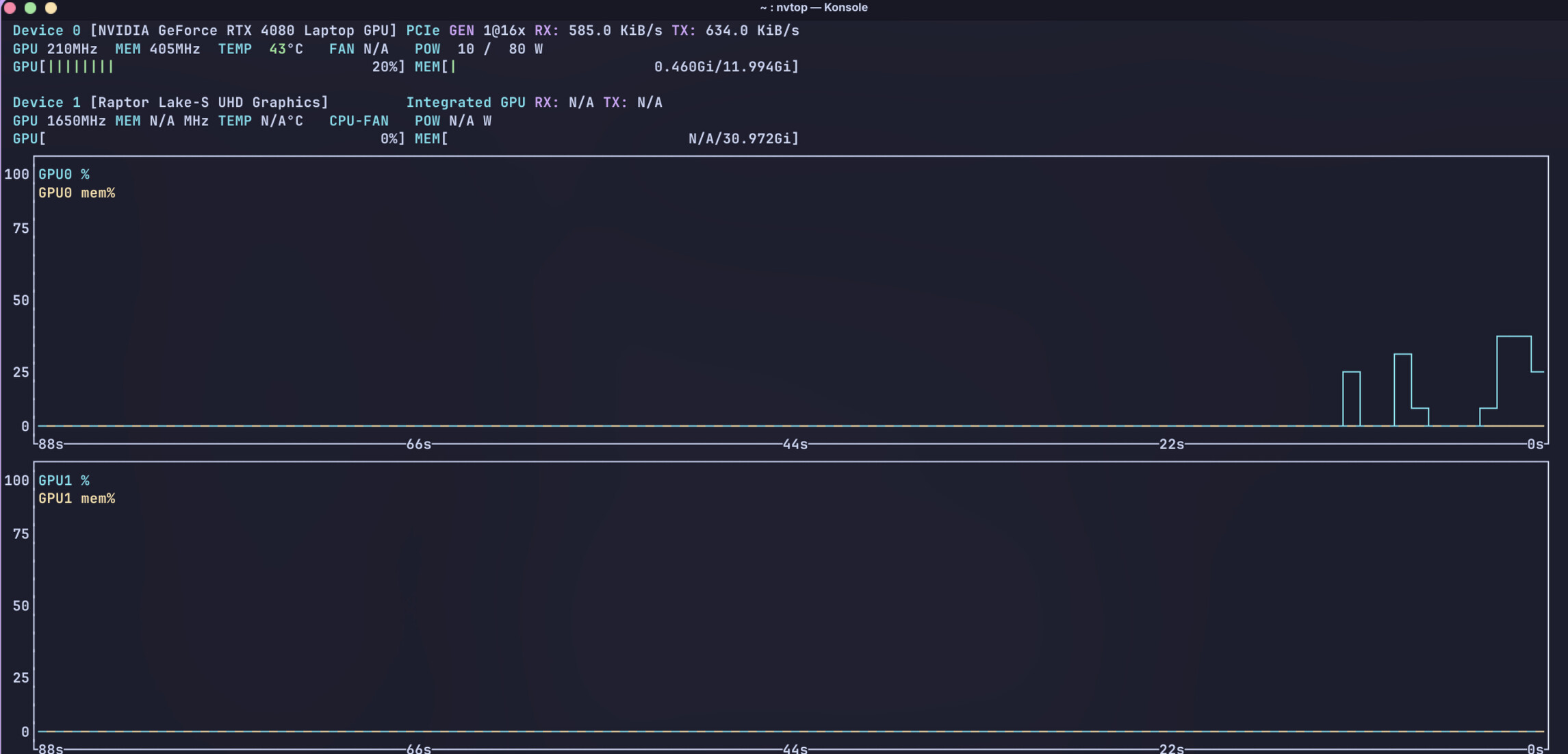
Also the problem is that when I am using hybrid mode iGPU + dGPU, my iGPU from Intel is almost constantly at 100%, as if my dGPU is not even there. Of course it loads dGPU also, however the clocks speed are too slow (210 MHz and they never speed up to load videos, games, etc) on RTX 4080 Laptop, as far as I know.
When I use dGPU only mode (which I can only use with 1 monitor), the issues disappear.
So since it is impossible to use my working setup, I want to try X11 with multiple monitors.
I have tried Garuda Mokka with Wayland on my MacBook, which has probably one of the worst Intel iGPUs from 2017 and it works smoother than with Intel i9-14900HX in hybrid mode, which doesn’t make any sense…
There’s still no fix, so I need to try X11.
UPD: I managed to log in using X11, however my desktop is not appearing, only the terminal. No wallpapers, no panel bar. My other two monitors are flickering as if someone just punched them.
You’ve had this problem from the beginning, right?
Please restore the initial state (remove the nomodeset parameter, uninstall plasma-x11-session and kwin-x11, and use Wayland), then test whether the issue occurs when only one external monitor is connected (then with two and then with three monitors).
Because only the Intel iGPU is active. For applications that are supposed to run exclusively on the Nvidia dGPU, use prime-run. But the 100% utilization of the Intel iGPU plus that:
suggest that the actual cause lies with the Intel iGPU. The next time you encounter this issue, run this in the terminal:
garuda-diag
and post the generated link here (or better yet, upload a complete journal to “Garuda's PrivateBin).
At the moment, it’s just pure speculation, but you can take a look at this topic for more information:
Yes, I’ve had this problem from the beginning.
I have uninstalled plasma-x11-session and kwin-x11.
Wayland is indeed using both iGPU and dGPU. The mode is hybrid and can be changed only in BIOS (for my model).
garuda-diag result: Garuda's PrivateBin
The issue happens all of the time. Desktop, browsing, does not matter. I am constantly getting 40 fps or even worse when opening a browser or even a terminal.
I quickly scanned through the log.
Display: wayland server: X.org v: 1.21.1.18 with: Xwayland v: 24.1.8
    compositor: kwin_wayland driver: X: loaded: intel,nvidia
    unloaded: modesetting
Okt 15 16:18:17 rzrblade18 bash[6011]: Found snapshot: 2025-10-15 10:04:56 | @/.snapshots/122/snapshot | pre | /usr/bin/pacman -S --noconfirm extra/xf86-video-intel
This driver is exclusively for old Intel iGPUs and does not properly support new Intel iGPUs. Why are you doing this?
Okt 15 16:18:21 rzrblade18 kwin_wayland[1839]: 0x500: GL_INVALID_ENUM error generated. Invalid <face>.
Okt 15 16:18:21 rzrblade18 kwin_wayland[1839]: Invalid framebuffer status:  "GL_FRAMEBUFFER_INCOMPLETE_MISSING_ATTACHMENT"
Okt 15 16:18:21 rzrblade18 kwin_wayland[1839]: 0x502: GL_INVALID_OPERATION error generated. <image> and <target> are incompatible
Okt 15 16:18:21 rzrblade18 kwin_wayland[1839]: Invalid framebuffer status:  "GL_FRAMEBUFFER_INCOMPLETE_ATTACHMENT"
Okt 15 16:18:21 rzrblade18 kwin_wayland[1839]: Failed to create framebuffer: Invalid argument
Okt 15 16:18:21 rzrblade18 kwin_wayland[1839]: Failed to create framebuffer: Invalid argument
kwin_wayland throws errors, probably due to the wrong Intel driver.
The next piece of nonsense:
Okt 15 16:18:18 rzrblade18 bash[6628]: Found snapshot: 2025-10-14 23:25:22 | @/.snapshots/116/snapshot | pre | /usr/bin/pacman -R --noconfirm envycontrol
Why are you messing around with envycontrol instead of going the official route via nvidia-prime (Switching between integrated and dedicated graphics | Garuda Linux wiki)? After removing envycontrol, please check whether there are any remnants of Envycontrol left in /lib/udev/rules.d/. It wouldn’t be the first time that udev rules created by Envycontrol are not automatically removed during uninstallation.
Please don’t take this the wrong way, but I don’t even want to know what else you’ve been doing lately in terms of troubleshooting. Please stop installing random stuff.
And post a complete journal, please.
For Intel driver, it should not be on the machine anymore.
One important thing as I mentioned previously is that the problem is constant and it happened after a clean Garuda installation, it has happened before and is still happening. This means that whatever the Garuda has installed, I didn’t touch and I still got the issue of unusable system pretty much… I have tried 2 different laptops with 3080 and 4080, same result.
Whatever I installed — was installed to see if it makes any difference.
This is mainly NVIDIA’s fault for not supporting Wayland the way they should. For now, Wayland is unusable on NVIDIA laptops and every Nvidia laptop user knows that. Too much of a shame to install some X11 distro, I wanted to keep Garuda. Nvidia, please get it together with external monitors on Wayland - Linux - NVIDIA Developer Forums
Again, issues out of the box, 40 fps in my workspace after opening a mere terminal is insane… This is why I stopped troubleshooting Wayland, there is no fix yet (from everything I have searched and tried )+ people online say that X11 works better. I either use only a laptop monitor or I get unusable system.
This is why I am posting about an opportunity to switch from X11 to Wayland on Garuda and not posting about troubleshooting Wayland, because I know it’s pointless… The issue is well-known
Not really, that was a problem in the past. But nvidia and Wayland work quite smoothly these days, and it’s not just here in the forum that many people use this combination without any issues. And btw, I’m now AMD-only, but until recently my daily driver was an Intel/Nvidia laptop that had no issues with Wayland and two external monitors (HDMI/DP).
That’s interesting. Since you seem to have this issue with two laptops and only when external monitors are connected, it’s possible that either the monitors or the cables could be the cause.
Now the question is if your laptop had a hybrid mode/MUX switch.
My monitors are new, not even a half year old. I have tested almost a year ago with a different monitor and a different laptop, even different flavor (KDE Dragonized), and it was the same way. I linked the NVIDIA forum post above, there are still reports of it being an issue.
NVIDIA thinks they fixed it, but it’s still there, the issue. And it is extremely common on gaming laptops. I can’t believe it is impossible to have Linux working normally on a 3000$ laptop. My hardware is not even a year old
The issue affects only laptop users apparently, especially those who have gaming ones.