GUI lag/high CPU usage after system update

Hello, I’m using Garuda Linux with the KDE desktop environment. However, since the latest updates to dkms, kwin, plasma, kernel, etc., I seem to be having issues with my Nvidia drivers because plasmashell is using 25% of my CPU resources even when idle. I tried launching a session under X11, but nothing changed. I also tried an LTS kernel, but the result was the same.

Does anyone have any ideas or solutions to suggest? Thanks in advance.

inxi:

System:
  Kernel: 6.17.5-zen1-1-zen arch: x86_64 bits: 64 compiler: gcc v: 15.2.1 clocksource: tsc
    avail: acpi_pm parameters: BOOT_IMAGE=/@/boot/vmlinuz-linux-zen
    root=UUID=8744290d-4f6c-45cd-abfa-ec74253ff05e rw rootflags=subvol=@
    vt.default_red=30,243,166,249,137,245,148,186,88,243,166,249,137,245,148,166
    vt.default_grn=30,139,227,226,180,194,226,194,91,139,227,226,180,194,226,173
    vt.default_blu=46,168,161,175,250,231,213,222,112,168,161,175,250,231,213,200 quiet loglevel=3
  Desktop: KDE Plasma v: 6.5.0 tk: Qt v: N/A info: frameworks v: 6.19.0 wm: kwin_wayland vt: 1
    dm: SDDM Distro: Garuda base: Arch Linux
Machine:
  Type: Laptop System: ASUSTeK product: ASUS TUF Dash F15 FX516PM_FX516PM v: 1.0
    serial: <superuser required>
  Mobo: ASUSTeK model: FX516PM v: 1.0 serial: <superuser required> uuid: <superuser required>
    UEFI: American Megatrends LLC. v: FX516PM.330 date: 05/15/2023
Battery:
  ID-1: BAT0 charge: 31.5 Wh (52.5%) condition: 60/76 Wh (79%) volts: 15.83 min: 15.83
    model: ASUSTeK ASUS Battery type: Li-ion serial: N/A charging: status: not charging control:
    start: N/A end: 50% cycles: 76
CPU:
  Info: model: 11th Gen Intel Core i5-11300H bits: 64 type: MT MCP arch: Tiger Lake gen: core 11
    level: v4 note: check built: 2020 process: Intel 10nm family: 6 model-id: 0x8C (140) stepping: 1
    microcode: 0xBC
  Topology: cpus: 1x dies: 1 clusters: 4 cores: 4 threads: 8 tpc: 2 smt: enabled cache:
    L1: 320 KiB desc: d-4x48 KiB; i-4x32 KiB L2: 5 MiB desc: 4x1.2 MiB L3: 8 MiB desc: 1x8 MiB
  Speed (MHz): avg: 4000 min/max: 400/4400 scaling: driver: intel_pstate governor: powersave
    cores: 1: 4000 2: 4000 3: 4000 4: 4000 5: 4000 6: 4000 7: 4000 8: 4000 bogomips: 49766
  Flags-basic: avx avx2 ht lm nx pae sse sse2 sse3 sse4_1 sse4_2 ssse3 vmx
  Vulnerabilities: <filter>
Graphics:
  Device-1: Intel TigerLake-LP GT2 [Iris Xe Graphics] vendor: ASUSTeK driver: i915 v: kernel
    alternate: xe arch: Xe process: Intel 10nm built: 2020-21 ports: active: eDP-1
    empty: DP-1,DP-2,HDMI-A-2 bus-ID: 0000:00:02.0 chip-ID: 8086:9a49 class-ID: 0300
  Device-2: NVIDIA GA106M [GeForce RTX 3060 Mobile / Max-Q] vendor: ASUSTeK driver: nvidia
    v: 580.95.05 alternate: nouveau,nvidia_drm non-free: 550-580.xx+ status: current (as of 2025-08;
    EOL~2026-12-xx) arch: Ampere code: GAxxx process: TSMC n7 (7nm) built: 2020-2023 ports:
    active: HDMI-A-1 empty: none bus-ID: 0000:01:00.0 chip-ID: 10de:2520 class-ID: 0300
  Display: wayland server: X.org v: 1.21.1.18 with: Xwayland v: 24.1.8 compositor: kwin_wayland
    driver: X: loaded: modesetting,nvidia unloaded: nouveau alternate: fbdev,intel,nv,vesa dri: iris
    gpu: i915,nv_platform,nvidia,nvidia-nvswitch d-rect: 3600x1080 display-ID: 0
  Monitor-1: HDMI-A-1 pos: primary,left model: Apple Cinema serial: <filter> built: 2008 res:
    mode: 1680x1050 hz: 60 scale: 90% (0.9) to: 1867x1167 dpi: 99 gamma: 1.2
    size: 433x270mm (17.05x10.63") diag: 510mm (20.1") ratio: 16:10 modes: 1680x1050
  Monitor-2: eDP-1 pos: right model: ChiMei InnoLux 0x1521 built: 2020 res: mode: 1920x1080
    hz: 144 scale: 100% (1) dpi: 142 gamma: 1.2 size: 344x193mm (13.54x7.6") diag: 394mm (15.5")
    ratio: 16:9 modes: 1920x1080
  API: EGL v: 1.5 hw: drv: intel iris drv: nvidia platforms: device: 0 drv: nvidia device: 1
    drv: iris device: 3 drv: swrast gbm: drv: iris surfaceless: drv: nvidia wayland: drv: iris x11:
    drv: iris inactive: device-2
  API: OpenGL v: 4.6.0 compat-v: 4.5 vendor: intel mesa v: 25.2.5-arch1.2 glx-v: 1.4
    direct-render: yes renderer: Mesa Intel Iris Xe Graphics (TGL GT2) device-ID: 8086:9a49
    memory: 37.95 GiB unified: yes display-ID: :0.0
  API: Vulkan v: 1.4.328 layers: 13 device: 0 type: integrated-gpu name: Intel Iris Xe Graphics
    (TGL GT2) driver: mesa intel v: 25.2.5-arch1.2 device-ID: 8086:9a49 surfaces: N/A device: 1
    type: discrete-gpu name: NVIDIA GeForce RTX 3060 Laptop GPU driver: nvidia v: 580.95.05
    device-ID: 10de:2520 surfaces: N/A device: 2 type: cpu name: llvmpipe (LLVM 21.1.4 256 bits)
    driver: mesa llvmpipe v: 25.2.5-arch1.2 (LLVM 21.1.4) device-ID: 10005:0000 surfaces: N/A
  Info: Tools: api: clinfo, eglinfo, glxinfo, vulkaninfo de: kscreen-console,kscreen-doctor
    gpu: corectrl, lact, nvidia-settings, nvidia-smi wl: wayland-info x11: xdpyinfo, xprop, xrandr
Audio:
  Device-1: Intel Tiger Lake-LP Smart Sound Audio vendor: ASUSTeK driver: snd_hda_intel v: kernel
    alternate: snd_soc_avs,snd_sof_pci_intel_tgl bus-ID: 0000:00:1f.3 chip-ID: 8086:a0c8
    class-ID: 0403
  Device-2: NVIDIA GA106 High Definition Audio vendor: ASUSTeK driver: snd_hda_intel v: kernel
    bus-ID: 0000:01:00.1 chip-ID: 10de:228e class-ID: 0403
  Device-3: Logitech G733 Gaming Headset driver: hid-generic,snd-usb-audio,usbhid type: USB
    rev: 2.0 speed: 12 Mb/s lanes: 1 mode: 1.1 bus-ID: 3-4.1.3:10 chip-ID: 046d:0afe class-ID: 0300
    serial: <filter>
  API: ALSA v: k6.17.5-zen1-1-zen status: kernel-api tools: N/A
  Server-1: PipeWire v: 1.4.9 status: active with: 1: pipewire-pulse status: active
    2: wireplumber status: active 3: pipewire-alsa type: plugin 4: pw-jack type: plugin
    tools: pactl,pw-cat,pw-cli,wpctl
Network:
  Device-1: Intel Wi-Fi 6 AX201 driver: iwlwifi v: kernel bus-ID: 0000:00:14.3 chip-ID: 8086:a0f0
    class-ID: 0280
  IF: wlo1 state: down mac: <filter>
  Device-2: Realtek vendor: ASUSTeK driver: r8169 v: kernel port: 3000 bus-ID: 0000:2e:00.0
    chip-ID: 10ec:8162 class-ID: 0200
  IF: eno2 state: up speed: 2500 Mbps duplex: full mac: <filter>
  IF-ID-1: br-2a901ff20252 state: down mac: <filter>
  IF-ID-2: docker0 state: down mac: <filter>
  IF-ID-3: virbr0 state: down mac: <filter>
  IF-ID-4: virbr1 state: down mac: <filter>
  Info: services: NetworkManager, smbd, systemd-timesyncd
Bluetooth:
  Device-1: Intel AX201 Bluetooth driver: btusb v: 0.8 type: USB rev: 2.0 speed: 12 Mb/s lanes: 1
    mode: 1.1 bus-ID: 3-10:3 chip-ID: 8087:0026 class-ID: e001
  Report: btmgmt ID: hci0 rfk-id: 1 state: down bt-service: enabled,running rfk-block:
    hardware: no software: yes address: <filter> bt-v: 5.2 lmp-v: 11 status: discoverable: no
    pairing: no
RAID:
  Hardware-1: Intel Volume Management Device NVMe RAID Controller driver: vmd v: 0.6 port: N/A
    bus-ID: 0000:00:0e.0 chip-ID: 8086:9a0b rev: class-ID: 0104
Drives:
  Local Storage: total: 3.19 TiB used: 594.02 GiB (18.2%)
  SMART Message: Unable to run smartctl. Root privileges required.
  ID-1: /dev/nvme0n1 maj-min: 259:7 vendor: Samsung model: MZVLQ512HBLU-00B00 size: 476.94 GiB
    block-size: physical: 512 B logical: 512 B speed: 31.6 Gb/s lanes: 4 tech: SSD serial: <filter>
    fw-rev: FXM7201Q temp: 27.9 C scheme: GPT
  ID-2: /dev/nvme1n1 maj-min: 259:0 vendor: Samsung model: SSD 970 EVO Plus 2TB size: 1.82 TiB
    block-size: physical: 512 B logical: 512 B speed: 31.6 Gb/s lanes: 4 tech: SSD serial: <filter>
    fw-rev: 2B2QEXM7 temp: 73.8 C scheme: GPT
  ID-3: /dev/sda maj-min: 8:0 vendor: Seagate model: ST1000LM014-1EJ164-SSHD size: 931.51 GiB
    block-size: physical: 512 B logical: 512 B type: USB rev: 2.0 spd: 480 Mb/s lanes: 1 mode: 2.0
    tech: HDD rpm: 5400 serial: <filter> fw-rev: 2.06 scheme: MBR
Partition:
  ID-1: / raw-size: 1.13 TiB size: 1.13 TiB (100.00%) used: 469.18 GiB (40.4%) fs: btrfs
    dev: /dev/nvme1n1p9 maj-min: 259:6
  ID-2: /boot/efi raw-size: 1002 MiB size: 1000 MiB (99.80%) used: 640 KiB (0.1%) fs: vfat
    dev: /dev/nvme1n1p4 maj-min: 259:4
  ID-3: /home raw-size: 1.13 TiB size: 1.13 TiB (100.00%) used: 469.18 GiB (40.4%) fs: btrfs
    dev: /dev/nvme1n1p9 maj-min: 259:6
  ID-4: /var/log raw-size: 1.13 TiB size: 1.13 TiB (100.00%) used: 469.18 GiB (40.4%) fs: btrfs
    dev: /dev/nvme1n1p9 maj-min: 259:6
  ID-5: /var/tmp raw-size: 1.13 TiB size: 1.13 TiB (100.00%) used: 469.18 GiB (40.4%) fs: btrfs
    dev: /dev/nvme1n1p9 maj-min: 259:6
Swap:
  Kernel: swappiness: 133 (default 60) cache-pressure: 100 (default) zswap: no
  ID-1: swap-1 type: zram size: 38.86 GiB used: 639 MiB (1.6%) priority: 100 comp: zstd
    avail: lzo-rle,lzo,lz4,lz4hc,deflate,842 dev: /dev/zram0
  ID-2: swap-2 type: partition size: 500 MiB used: 0 KiB (0.0%) priority: -2 dev: /dev/nvme1n1p5
    maj-min: 259:5
Sensors:
  System Temperatures: cpu: 57.5 C mobo: N/A
  Fan Speeds (rpm): cpu: 3400
Info:
  Memory: total: 40 GiB note: est. available: 38.86 GiB used: 8.44 GiB (21.7%)
  Processes: 405 Power: uptime: 18m states: freeze,mem,disk suspend: s2idle avail: deep
    wakeups: 0 hibernate: platform avail: shutdown, reboot, suspend, test_resume image: 15.48 GiB
    services: org_kde_powerdevil,upowerd Init: systemd v: 258 default: graphical tool: systemctl
  Packages: 2377 pm: pacman pkgs: 2336 libs: 432 tools: octopi,pacseek,paru,yay pm: flatpak
    pkgs: 41 Compilers: clang: 21.1.4 gcc: 15.2.1 Client: Unknown Client: electron inxi: 3.3.39
Garuda (2.11.1-1):
  System install date:     2025-05-29
  Garuda release:          250308
  Last full system update: 2025-10-28
  Is partially upgraded:   No
  Relevant software:       snapper tlp NetworkManager dracut nvidia-utils nvidia-open-dkms garuda-hardware-profile-nvidia garuda-hardware-profile-standard garuda-hardware-profile-standard-x11
  Windows dual boot:       Probably (Run as root to verify)
  Failed units:            
--- System Health Check Report ---
22/24 checks run in 1.15 seconds ⌛
Powered by garuda-health 🦅

✅ System health check passed. No issues found.
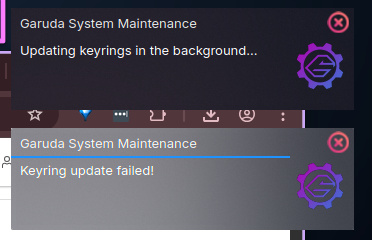
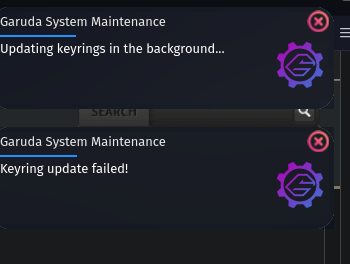
I’m so glad someone posted this because I literally had to roll-back to a snapshot from midnight to roll-back whatever HELL came with these updates. I was (and since rollback, still am) getting notifications from Garuda System Maintenance system tray notifications that the keyring failed to update. Which is what prompted me to manually run garuda-update - but after reboot, kwin (completely unresponsive desktop - top panels, task bar) and google-chrome and chromium were freezing (turning grey and unresponsive) for about 10-15 seconds at a time, then would “come alive” again for a few seconds, before freezing again. Rolling back has now gotten me back to a functioning state, but i’m terrified of updating again so I’m gonna wait until the weekend in the hopes things will get resolved by then, and if not, have the weekend to futz with it, since I need to be productive this week.

Here’s my inxi:

> garuda-inxi
System:
  Kernel: 6.17.5-zen1-1-zen arch: x86_64 bits: 64 compiler: gcc v: 15.2.1
    clocksource: tsc avail: acpi_pm
    parameters: BOOT_IMAGE=/@/boot/vmlinuz-linux-zen
    root=UUID=8dcc0c9c-8fe9-4fc6-b189-a8db2cfa3823 rw rootflags=subvol=@
    i915.modeset=1 i915.enable_guc=3 i915.max_vfs=7 quiet
    resume=UUID=a14a443b-9c6b-47d0-b49a-d9686d767b7c loglevel=3
    sysrq_always_enabled=1 nvidia-drm.modeset=1
    pci=disable_acs_redir=pci:12D8:2308
    vt.default_red=30,243,166,249,137,245,148,186,88,243,166,249,137,245,148,166
    vt.default_grn=30,139,227,226,180,194,226,194,91,139,227,226,180,194,226,173
    vt.default_blu=46,168,161,175,250,231,213,222,112,168,161,175,250,231,213,200
  Desktop: KDE Plasma v: 6.5.0 tk: Qt v: N/A info: frameworks v: 6.19.0
    wm: kwin_wayland vt: 1 dm: SDDM Distro: Garuda base: Arch Linux
Machine:
  Type: Desktop System: ASUS product: N/A v: N/A serial: <superuser required>
  Mobo: ASUSTeK model: PRIME Z690-P WIFI v: Rev 1.xx
    serial: <superuser required> part-nu: SKU uuid: <superuser required>
    UEFI: American Megatrends v: 3801 date: 05/14/2025
Battery:
  Device-1: hidpp_battery_0 model: Logitech Wireless Keyboard serial: <filter>
    charge: 55% (should be ignored) rechargeable: yes status: discharging
CPU:
  Info: model: 12th Gen Intel Core i9-12900K bits: 64 type: MST AMCP
    arch: Alder Lake gen: core 12 level: v3 note: check built: 2021+
    process: Intel 7 (10nm ESF) family: 6 model-id: 0x97 (151) stepping: 2
    microcode: 0x3A
  Topology: cpus: 1x dies: 1 clusters: 10 cores: 16 threads: 24 mt: 8 tpc: 2
    st: 8 smt: enabled cache: L1: 1.4 MiB desc: d-8x32 KiB, 8x48 KiB; i-8x32
    KiB, 8x64 KiB L2: 14 MiB desc: 8x1.2 MiB, 2x2 MiB L3: 30 MiB
    desc: 1x30 MiB
  Speed (MHz): avg: 800 min/max: 800/5100:5200:3900 scaling:
    driver: intel_pstate governor: powersave cores: 1: 800 2: 800 3: 800 4: 800
    5: 800 6: 800 7: 800 8: 800 9: 800 10: 800 11: 800 12: 800 13: 800 14: 800
    15: 800 16: 800 17: 800 18: 800 19: 800 20: 800 21: 800 22: 800 23: 800
    24: 800 bogomips: 152985
  Flags-basic: avx avx2 ht lm nx pae sse sse2 sse3 sse4_1 sse4_2 ssse3 vmx
  Vulnerabilities: <filter>
Graphics:
  Device-1: Intel AlderLake-S GT1 vendor: ASUSTeK driver: i915 v: kernel
    alternate: xe arch: Xe process: Intel 10nm built: 2020-21 ports:
    active: DP-1,HDMI-A-2 empty: HDMI-A-1 bus-ID: 00:02.0 chip-ID: 8086:4680
    class-ID: 0300
  Device-2: NVIDIA GA104 [GeForce RTX 3060 Ti Lite Hash Rate]
    vendor: ASUSTeK driver: nvidia v: 580.95.05 alternate: nouveau,nvidia_drm
    non-free: 550-580.xx+ status: current (as of 2025-08; EOL~2026-12-xx)
    arch: Ampere code: GAxxx process: TSMC n7 (7nm) built: 2020-2023 pcie:
    gen: 1 speed: 2.5 GT/s lanes: 16 link-max: gen: 4 speed: 16 GT/s ports:
    active: DP-2 empty: DP-3, DP-4, HDMI-A-3, HDMI-A-4 bus-ID: 01:00.0
    chip-ID: 10de:2489 class-ID: 0300
  Device-3: Realtek Integrated_Webcam_FHD driver: uvcvideo type: USB
    rev: 2.0 speed: 480 Mb/s lanes: 1 mode: 2.0 bus-ID: 1-12.4:9
    chip-ID: 0bda:58ba class-ID: 0e02 serial: <filter>
  Device-4: Microsoft LifeCam Studio
    driver: hid-generic,snd-usb-audio,usbhid,uvcvideo type: USB rev: 2.0
    speed: 480 Mb/s lanes: 1 mode: 2.0 bus-ID: 1-3:3 chip-ID: 045e:0772
    class-ID: 0300
  Display: wayland server: X.org v: 1.21.1.18 with: Xwayland v: 24.1.8
    compositor: kwin_wayland driver: X: loaded: modesetting,nvidia
    unloaded: nouveau alternate: fbdev,intel,nv,vesa dri: iris
    gpu: i915,nv_platform,nvidia,nvidia-nvswitch d-rect: 3840x1080
    display-ID: 0
  Monitor-1: DP-1 pos: right model: Dell UZ2715H serial: <filter>
    built: 2014 res: mode: 1920x1080 hz: 60 scale: 100% (1) dpi: 83 gamma: 1.2
    size: 597x336mm (23.5x13.23") diag: 676mm (26.6") ratio: 16:9 modes:
    max: 1920x1080 min: 720x400
  Monitor-2: DP-2 pos: primary,left model: Samsung SyncMaster
    serial: <filter> built: 2009 res: mode: 1920x1080 hz: 60 scale: 100% (1)
    dpi: 92 gamma: 1.2 size: 531x298mm (20.91x11.73") diag: 609mm (24")
    ratio: 16:9 modes: max: 1920x1080 min: 640x480
  Monitor-3: HDMI-A-2 pos: right model: Dell U2414H serial: <filter>
    built: 2018 res: mode: 1920x1080 hz: 60 scale: 100% (1) dpi: 93 gamma: 1.2
    size: 527x296mm (20.75x11.65") diag: 604mm (23.8") ratio: 16:9 modes:
    max: 1920x1080 min: 720x400
  API: EGL v: 1.5 hw: drv: intel iris drv: nvidia platforms: device: 0
    drv: nvidia device: 2 drv: iris device: 3 drv: swrast gbm: drv: nvidia
    surfaceless: drv: nvidia wayland: drv: iris x11: drv: iris
    inactive: device-1
  API: OpenGL v: 4.6.0 compat-v: 4.5 vendor: intel mesa v: 25.2.5-arch1.2
    glx-v: 1.4 direct-render: yes renderer: Mesa Intel UHD Graphics 770 (ADL-S
    GT1) device-ID: 8086:4680 memory: 30.35 GiB unified: yes display-ID: :1.0
  API: Vulkan v: 1.4.328 layers: 17 device: 0 type: integrated-gpu
    name: Intel UHD Graphics 770 (ADL-S GT1) driver: mesa intel
    v: 25.2.5-arch1.2 device-ID: 8086:4680 surfaces: N/A device: 1
    type: discrete-gpu name: NVIDIA GeForce RTX 3060 Ti driver: nvidia
    v: 580.95.05 device-ID: 10de:2489 surfaces: N/A device: 2 type: cpu
    name: llvmpipe (LLVM 21.1.4 256 bits) driver: mesa llvmpipe
    v: 25.2.5-arch1.2 (LLVM 21.1.4) device-ID: 10005:0000 surfaces: N/A
  Info: Tools: api: clinfo, eglinfo, glxinfo, vulkaninfo
    de: kscreen-console,kscreen-doctor gpu: corectrl, gputop, intel_gpu_top,
    lsgpu, lact, nvidia-settings, nvidia-smi wl: wayland-info,wlr-randr
    x11: xdpyinfo, xprop, xrandr
Audio:
  Device-1: Intel Alder Lake-S HD Audio vendor: ASUSTeK driver: snd_hda_intel
    v: kernel alternate: snd_soc_avs,snd_sof_pci_intel_tgl bus-ID: 00:1f.3
    chip-ID: 8086:7ad0 class-ID: 0403
  Device-2: NVIDIA GA104 High Definition Audio vendor: ASUSTeK
    driver: snd_hda_intel v: kernel pcie: gen: 4 speed: 16 GT/s lanes: 16
    bus-ID: 01:00.1 chip-ID: 10de:228b class-ID: 0403
  Device-3: Conexant Systems (Rockwell) DELL UZ2715H
    driver: hid-generic,snd-usb-audio,usbhid type: USB rev: 2.0 speed: 12 Mb/s
    lanes: 1 mode: 1.1 bus-ID: 1-12.2:7 chip-ID: 0572:141c class-ID: 0300
    serial: <filter>
  Device-4: Microsoft LifeCam Studio
    driver: hid-generic,snd-usb-audio,usbhid,uvcvideo type: USB rev: 2.0
    speed: 480 Mb/s lanes: 1 mode: 2.0 bus-ID: 1-3:3 chip-ID: 045e:0772
    class-ID: 0300
  API: ALSA v: k6.17.5-zen1-1-zen status: kernel-api with: aoss
    type: oss-emulator tools: alsactl,alsamixer,amixer
  Server-1: PipeWire v: 1.4.9 status: active with: 1: pipewire-pulse
    status: active 2: wireplumber status: active 3: pipewire-alsa type: plugin
    4: pw-jack type: plugin tools: pactl,pw-cat,pw-cli,wpctl
Network:
  Device-1: Intel Alder Lake-S PCH CNVi WiFi driver: iwlwifi v: kernel
    bus-ID: 00:14.3 chip-ID: 8086:7af0 class-ID: 0280
  IF: wlo1 state: down mac: <filter>
  Device-2: Realtek RTL8125 2.5GbE vendor: ASUSTeK driver: r8169 v: kernel
    pcie: gen: 2 speed: 5 GT/s lanes: 1 port: 3000 bus-ID: 06:00.0
    chip-ID: 10ec:8125 class-ID: 0200
  IF: enp6s0 state: up speed: 2500 Mbps duplex: full mac: <filter>
  IF-ID-1: br-1f7862558da6 state: down mac: <filter>
  IF-ID-2: br-7bfc84ea431e state: down mac: <filter>
  IF-ID-3: br-82d31aa0b51e state: up speed: 10000 Mbps duplex: unknown
    mac: <filter>
  IF-ID-4: br-960c3623af4c state: down mac: <filter>
  IF-ID-5: br-b787944b7593 state: up speed: 10000 Mbps duplex: unknown
    mac: <filter>
  IF-ID-6: br-b90412b2529c state: down mac: <filter>
  IF-ID-7: br-c3a5729d4cf6 state: down mac: <filter>
  IF-ID-8: br-e0cf0c4bc03a state: down mac: <filter>
  IF-ID-9: br-e9c38ec2b98c state: up speed: 10000 Mbps duplex: unknown
    mac: <filter>
  IF-ID-10: docker0 state: down mac: <filter>
  IF-ID-11: veth21ba7e1 state: up speed: 10000 Mbps duplex: full
    mac: <filter>
  IF-ID-12: veth8751c76 state: up speed: 10000 Mbps duplex: full
    mac: <filter>
  IF-ID-13: vethab3b65f state: up speed: 10000 Mbps duplex: full
    mac: <filter>
  IF-ID-14: virbr0 state: down mac: <filter>
  IF-ID-15: virbr1 state: down mac: <filter>
  Info: services: NetworkManager, smbd, sshd, systemd-timesyncd
Bluetooth:
  Device-1: Intel AX201 Bluetooth driver: btusb v: 0.8 type: USB rev: 2.0
    speed: 12 Mb/s lanes: 1 mode: 1.1 bus-ID: 1-14:8 chip-ID: 8087:0026
    class-ID: e001
  Report: btmgmt ID: hci0 rfk-id: 0 state: up address: <filter> bt-v: 5.2
    lmp-v: 11 status: discoverable: no pairing: no class-ID: 6c0104
RAID:
  Hardware-1: Intel Volume Management Device NVMe RAID Controller driver: vmd
    v: 0.6 port: N/A bus-ID: 00:0e.0 chip-ID: 8086:467f rev: class-ID: 0104
Drives:
  Local Storage: total: 6.37 TiB used: 2.73 TiB (42.9%)
  SMART Message: Unable to run smartctl. Root privileges required.
  ID-1: /dev/nvme0n1 maj-min: 259:1 vendor: Samsung model: SSD 980 PRO 1TB
    size: 931.51 GiB block-size: physical: 512 B logical: 512 B speed: 63.2 Gb/s
    lanes: 4 tech: SSD serial: <filter> fw-rev: 5B2QGXA7 temp: 38.9 C
    scheme: GPT
  ID-2: /dev/nvme1n1 maj-min: 259:0 vendor: Samsung model: SSD 990 PRO with
    Heatsink 2TB size: 1.82 TiB block-size: physical: 512 B logical: 512 B
    speed: 63.2 Gb/s lanes: 4 tech: SSD serial: <filter> fw-rev: 4B2QJXD7
    temp: 44.9 C scheme: GPT
  ID-3: /dev/sda maj-min: 8:0 vendor: Seagate model: ST4000NE001-2MA101
    size: 3.64 TiB block-size: physical: 4096 B logical: 512 B speed: 6.0 Gb/s
    tech: HDD rpm: 7200 serial: <filter> fw-rev: EN01 scheme: GPT
  SMART Message: Unknown smartctl error. Unable to generate data.
Partition:
  ID-1: / raw-size: 1.79 TiB size: 1.79 TiB (100.00%) used: 695.55 GiB (38.0%)
    fs: btrfs block-size: 4096 B dev: /dev/nvme1n1p2 maj-min: 259:3
  ID-2: /boot/efi raw-size: 300 MiB size: 299.4 MiB (99.80%)
    used: 660 KiB (0.2%) fs: vfat block-size: 512 B dev: /dev/nvme1n1p1
    maj-min: 259:2
  ID-3: /home raw-size: 1.79 TiB size: 1.79 TiB (100.00%)
    used: 695.55 GiB (38.0%) fs: btrfs block-size: 4096 B dev: /dev/nvme1n1p2
    maj-min: 259:3
  ID-4: /var/log raw-size: 1.79 TiB size: 1.79 TiB (100.00%)
    used: 695.55 GiB (38.0%) fs: btrfs block-size: 4096 B dev: /dev/nvme1n1p2
    maj-min: 259:3
  ID-5: /var/tmp raw-size: 1.79 TiB size: 1.79 TiB (100.00%)
    used: 695.55 GiB (38.0%) fs: btrfs block-size: 4096 B dev: /dev/nvme1n1p2
    maj-min: 259:3
Swap:
  Kernel: swappiness: 133 (default 60) cache-pressure: 100 (default) zswap: no
  ID-1: swap-1 type: zram size: 31.08 GiB used: 68 KiB (0.0%) priority: 100
    comp: zstd avail: lzo-rle,lzo,lz4,lz4hc,deflate,842 dev: /dev/zram0
  ID-2: swap-2 type: partition size: 34.2 GiB used: 0 KiB (0.0%)
    priority: -2 dev: /dev/nvme1n1p3 maj-min: 259:4
Sensors:
  System Temperatures: cpu: 46.5 C mobo: N/A
  Fan Speeds (rpm): N/A
Info:
  Memory: total: 32 GiB note: est. available: 31.08 GiB
    used: 11.52 GiB (37.1%)
  Processes: 614 Power: uptime: 1h 27m states: freeze,mem,disk suspend: deep
    avail: s2idle wakeups: 0 hibernate: platform avail: shutdown, reboot,
    suspend, test_resume image: 12.37 GiB
    services: power-profiles-daemon,upowerd Init: systemd v: 258
    default: graphical tool: systemctl
  Packages: 2764 pm: pacman pkgs: 2746 libs: 627 tools: octopi,pacseek,paru
    pm: flatpak pkgs: 18 Compilers: clang: 21.1.4 gcc: 15.2.1 alt: 13/14
    Shell: Bash v: 5.3.3 default: fish v: 4.1.2 running-in: kitty inxi: 3.3.39
Garuda (2.11.1-1):
  System install date:     2024-10-16
  Garuda release:          240428
  Last full system update: 2025-10-26
  Is partially upgraded:   No
  Relevant software:       snapper NetworkManager dracut nvidia-utils nvidia-open-dkms garuda-hardware-profile-nvidia garuda-hardware-profile-standard garuda-hardware-profile-standard-x11
  Windows dual boot:       Probably (Run as root to verify)
  Failed units:            garuda-system-maintenance@keyring.service 
--- System Health Check Report ---
23/24 checks run in 0.76 seconds ⌛
Powered by garuda-health 🦅

--- LOW ---
 - Failed systemd services found: garuda-system-maintenance@keyring.service

FWIW, after the first time I updated, after I rebooted, I got the same error about the garuda-system-maintenance@keyring.service - running systemctl status on it indicated that it was missing…so, IDK what’s up?

Edit: the notifications popped up again, and I managed to screenshot them before they disappeared:

Edit 2: Not sure the issues are connected or relevant, but thought to include all the details. So, I ran a systemctl status garuda-system-maintenance@keyring.service and received this output:

× garuda-system-maintenance@keyring.service - Garuda System Maintenance Keyring Updater
     Loaded: loaded (/etc/systemd/system/garuda-system-maintenance@.service; static)
     Active: failed (Result: exit-code) since Tue 2025-10-28 14:34:08 EDT; 24s ago
 Invocation: 3f44afa5f51d41138a03e7b4d480e75b
    Process: 818463 ExecStart=/usr/lib/garuda-system-maintenance/update-packages $ARG (code>
   Main PID: 818463 (code=exited, status=1/FAILURE)
   Mem peak: 4.3M
        CPU: 12ms

Oct 28 14:34:08 shaya-desktop systemd[1]: Starting Garuda System Maintenance Keyring Update>
Oct 28 14:34:08 shaya-desktop update-packages[818466]: :: Synchronizing package databases...
Oct 28 14:34:08 shaya-desktop update-packages[818466]: error: could not open file /tmp/garu>
Oct 28 14:34:08 shaya-desktop update-packages[818466]: error: failed to setup a download pa>
Oct 28 14:34:08 shaya-desktop update-packages[818466]: error: failed to synchronize all dat>
Oct 28 14:34:08 shaya-desktop systemd[1]: garuda-system-maintenance@keyring.service: Main p>
Oct 28 14:34:08 shaya-desktop systemd[1]: garuda-system-maintenance@keyring.service: Failed>
Oct 28 14:34:08 shaya-desktop systemd[1]: Failed to start Garuda System Maintenance Keyring>

So, then I ran cat /etc/systemd/system/garuda-system-maintenance@.service to see what was in the service file and found it executes /usr/lib/garuda-system-maintenance/update-packages with an argument. In reading inside this file, I see there are 2 arguments that can be passed: keyring/hotfixes or keyring so, I manually ran it with sudo /usr/lib/garuda-system-maintenance/update-packages keyring and received this output:

:: Synchronizing package databases...
error: could not open file /tmp/garuda-system-maintenance-0Njru7C/db/sync/download-TJTPnL/garuda.db.part: Permission denied
error: failed to setup a download payload for garuda.db
error: failed to synchronize all databases (failed to retrieve some files)

I checked and /tmp/garuda-system-maintenance-0Njru7c does not exist at all.

1 Like

same here on my pc with the keyring error but im on a amd system :wink:

system was slowed down and didnt work fast as is should. a restore to yesterday helped .

Yes, I also get all these messages and problems when I downgrade, but graphically it’s definitely better for you not to update right away.

Just

upd
4 Likes

That’s literally what got me into the mess that required me to rollback. Not sure I follow the suggestion here…

1 Like

same…

nvidia-smi
Tue Oct 28 21:32:27 2025

+-----------------------------------------------------------------------------------------+
| NVIDIA-SMI 580.95.05              Driver Version: 580.95.05      CUDA Version: 13.0     |
+-----------------------------------------+------------------------+----------------------+
| GPU  Name                 Persistence-M | Bus-Id          Disp.A | Volatile Uncorr. ECC |
| Fan  Temp   Perf          Pwr:Usage/Cap |           Memory-Usage | GPU-Util  Compute M. |
|                                         |                        |               MIG M. |
|=========================================+========================+======================|
|   0  NVIDIA GeForce RTX 3060 ...    Off |   00000000:01:00.0  On |                  N/A |
| N/A   46C    P8             15W /   80W |      40MiB /   6144MiB |      0%      Default |
|                                         |                        |                  N/A |
+-----------------------------------------+------------------------+----------------------+

+-----------------------------------------------------------------------------------------+
| Processes:                                                                              |
|  GPU   GI   CI              PID   Type   Process name                        GPU Memory |
|        ID   ID                                                               Usage      |
|=========================================================================================|
|    0   N/A  N/A            2887      G   /usr/bin/kwin_wayland                     2MiB |
+-----------------------------------------------------------------------------------------+

We clearly have a problem with our Nvidia drivers, it seems, right?

Here’s the output of my nvidia-smi:

> nvidia-smi
Tue Oct 28 16:38:15 2025       
+-----------------------------------------------------------------------------------------+
| NVIDIA-SMI 580.95.05              Driver Version: 580.95.05      CUDA Version: 13.0     |
+-----------------------------------------+------------------------+----------------------+
| GPU  Name                 Persistence-M | Bus-Id          Disp.A | Volatile Uncorr. ECC |
| Fan  Temp   Perf          Pwr:Usage/Cap |           Memory-Usage | GPU-Util  Compute M. |
|                                         |                        |               MIG M. |
|=========================================+========================+======================|
|   0  NVIDIA GeForce RTX 3060 Ti     Off |   00000000:01:00.0  On |                  N/A |
|  0%   38C    P8             17W /  200W |      74MiB /   8192MiB |      3%      Default |
|                                         |                        |                  N/A |
+-----------------------------------------+------------------------+----------------------+

+-----------------------------------------------------------------------------------------+
| Processes:                                                                              |
|  GPU   GI   CI              PID   Type   Process name                        GPU Memory |
|        ID   ID                                                               Usage      |
|=========================================================================================|
|    0   N/A  N/A            2399      G   /usr/lib/Xorg                             4MiB |
|    0   N/A  N/A          669476      G   /usr/bin/kwin_wayland                     2MiB |
+-----------------------------------------------------------------------------------------+

Not sure where I’m seeing the problem. That said, I’ve rolled-back. I did run upd just to get the keyring and whatnot updated, and I would have cancelled the packages update, but now I’m getting a nodejs-lts-jod conflict with nodejs-lts so it’s not even giving me the option to cancel the package upgrade, so I’mma wait a little longer…

here my /var/log/Xorg.0.log: maybe it will help to find a solution

Heya! As per Phoning home in Garuda Update (shocking), all Garuda System Maintenance versions older than 3.1.0 are unsupported. The web infrastructure for the “phoning home” endpoints has been removed, causing Garuda System Maintenance to assume an update is needed. However:

It hasn’t worked for months, and that is what you are seeing here. I will see if I am able to remotely silence these notifications. (Tagging in @FGD)

3 Likes

@Pwn3rd @shayaknyc It seems both of your systems are using the Intel Integrated GPUs as your primary GPU:

I suspect the issue lies with that, and not NVIDIA, since according to the nvidia-smi outputs, the NVIDIA GPU is entirely idle.

Interesting, so if the culprit is Intel, what do we do? Aren’t the drivers already integrated directly in the kernel?

How can you be certain it is a driver issue? Could it not in theory also be a KDE issue? Vulkan issue? OpenGL issue? Mesa issue? Plasma issue?

The information given so far is inconclusive. You might find success switching to the intel xe driver, but you might also not, it’s hard to say. It’s worth a shot if you’re willing to put the time in, though.

Not really a fan of all this instability from upstream recently…

Ideally, whatever package of yours is demanding nodejs-lts, would instead demand nodejs but version locked. You will need to contact the maintainer of the package that is relying on nodejs-lts (not the packager of the nodejs-lts-jod package).

Alternatively, you can also replace nodejs-lts-jod with nodejs-lts during your system update:

garuda-update -- nodejs-lts

You’re right, it could be…so I’m just gonna wait a bit on this. For now, I’m not gonna play with xe.

For whatever reason, the web-ext package was causing the issue with the conflict on nodejs-lts-jod, which Bitwarden needs in order to update. I don’t recall specifically installing web-ext and a perusal for what it is, I decided, low-stakes to remove it. Now, I’m not getting the package conflict, but I’m reticent to update for a few more days as I cannot afford a borked system in the middle of my work week. I’ll gird my loins, cross my fingers, and hope for the best when I run the update this weekend.

That’s the wonders of snapshots. Can always go back when work needs to be done and things aren’t working :stuck_out_tongue:

2 Likes

Should be silenced now.

1 Like

Having a similar issue over here, but in my case I’m not able to enter the system at all, but get hanged right before the login screen; luckly I was able to reboot using REISUB. I tried booting from the LTS kernel, instead of Zen, but did not work and rolledback to my last safe snapshot (a bless indeed). This happened today, and about a week ago when I tried to update (always using garuda-update).

After update, the system began lagging noticeably and I got the same notification about the keyring. When updating AUR packages afterwards, I noticed that garuda-hotfixes was detected as a foreign package (might that be some clue?). I have a AMD CPU, and NVIDIA GPU.

Also I’m in a similar position, having to be productive for the foreseeable future, so I can´t spend enough time diagnosing (will try to get to it in the weekend). Sorry for this.

My inxi:
System:
 Kernel: 6.17.1-zen1-1-zen arch: x86_64 bits: 64 compiler: gcc v: 15.2.1
   clocksource: tsc avail: hpet,acpi_pm
   parameters: BOOT_IMAGE=/@/boot/vmlinuz-linux-zen
   root=UUID=543c6354-5d39-4703-bb64-407600dc772d rw rootflags=subvol=@
   vt.default_red=30,243,166,249,137,245,148,186,88,243,166,249,137,245,148,166
   vt.default_grn=30,139,227,226,180,194,226,194,91,139,227,226,180,194,226,173
   vt.default_blu=46,168,161,175,250,231,213,222,112,168,161,175,250,231,213,200
   quiet rd.udev.log_priority=3 vt.global_cursor_default=0
   systemd.unified_cgroup_hierarchy=1
   resume=UUID=65b1555e-e8e7-41cb-84a2-63265cdbd7db loglevel=3 threadirqs
   sysrq_always_enabled=1
 Desktop: KDE Plasma v: 6.4.5 tk: Qt v: N/A info: frameworks v: 6.18.0
   wm: kwin_wayland with: krunner vt: 2 dm: SDDM Distro: Garuda
   base: Arch Linux
Machine:
 Type: Desktop System: ASUS product: N/A v: N/A serial: <superuser required>
 Mobo: ASUSTeK model: TUF GAMING B550M-PLUS (WI-FI) v: Rev X.0x
   serial: <superuser required> part-nu: SKU uuid: <superuser required>
   UEFI: American Megatrends v: 2423 date: 08/10/2021
Battery:
 Device-1: hidpp_battery_0 model: Logitech MX Keys Wireless Keyboard
   serial: <filter> charge: 100% (should be ignored) rechargeable: yes
   status: discharging
 Device-2: hidpp_battery_1 model: Logitech Wireless Mouse M325
   serial: <filter> charge: 55% (should be ignored) rechargeable: yes
   status: discharging
CPU:
 Info: model: AMD Ryzen 5 5600X bits: 64 type: MT MCP arch: Zen 3+ gen: 3
   level: v3 note: check built: 2022 process: TSMC n6 (7nm) family: 0x19 (25)
   model-id: 0x21 (33) stepping: 0 microcode: 0xA20102E
 Topology: cpus: 1x dies: 1 clusters: 1 cores: 6 threads: 12 tpc: 2
   smt: enabled cache: L1: 384 KiB desc: d-6x32 KiB; i-6x32 KiB L2: 3 MiB
   desc: 6x512 KiB L3: 32 MiB desc: 1x32 MiB
 Speed (MHz): avg: 3679 min/max: 561/4654 boost: enabled scaling:
   driver: amd-pstate-epp governor: performance cores: 1: 3679 2: 3679 3: 3679
   4: 3679 5: 3679 6: 3679 7: 3679 8: 3679 9: 3679 10: 3679 11: 3679 12: 3679
   bogomips: 88803
 Flags-basic: avx avx2 ht lm nx pae sse sse2 sse3 sse4_1 sse4_2 sse4a
   ssse3 svm
 Vulnerabilities: <filter>
Graphics:
 Device-1: NVIDIA GP108 [GeForce GT 1030] vendor: ASUSTeK driver: nvidia
   v: 580.95.05 alternate: nouveau,nvidia_drm non-free: 550-580.xx+
   status: current (as of 2025-08; EOL~2026-12-xx) arch: Pascal code: GP10x
   process: TSMC 16nm built: 2016-2021 pcie: gen: 3 speed: 8 GT/s lanes: 4
   ports: active: HDMI-A-1 empty: DVI-D-1 bus-ID: 08:00.0 chip-ID: 10de:1d01
   class-ID: 0300
 Device-2: Logitech C920 PRO HD Webcam driver: snd-usb-audio,uvcvideo
   type: USB rev: 2.1 speed: 480 Mb/s lanes: 1 mode: 2.0 bus-ID: 3-1:2
   chip-ID: 046d:08e5 class-ID: 0102
 Display: wayland server: X.org v: 1.21.1.18 with: Xwayland v: 24.1.8
   compositor: kwin_wayland driver: X: loaded: nvidia
   gpu: nvidia,nvidia-nvswitch display-ID: 0
 Monitor-1: HDMI-A-1 model: BenQ GW2780 serial: <filter> built: 2021 res:
   mode: 1920x1080 hz: 60 scale: 100% (1) dpi: 82 gamma: 1.2
   size: 598x336mm (23.54x13.23") diag: 686mm (27") ratio: 16:9 modes:
   max: 1920x1080 min: 640x480
 API: EGL v: 1.5 hw: drv: nvidia platforms: device: 0 drv: nvidia device: 2
   drv: swrast gbm: drv: nvidia surfaceless: drv: nvidia wayland: drv: nvidia
   x11: drv: nvidia inactive: device-1
 API: OpenGL v: 4.6.0 compat-v: 4.5 vendor: nvidia mesa v: 580.95.05
   glx-v: 1.4 direct-render: yes renderer: NVIDIA GeForce GT 1030/PCIe/SSE2
   memory: 1.95 GiB display-ID: :0.0
 API: Vulkan v: 1.4.328 layers: 7 device: 0 type: discrete-gpu
   name: NVIDIA GeForce GT 1030 driver: nvidia v: 580.95.05
   device-ID: 10de:1d01 surfaces: N/A device: 1 type: cpu name: llvmpipe
   (LLVM 20.1.8 256 bits) driver: mesa llvmpipe v: 25.2.4-arch1.1 (LLVM
   20.1.8) device-ID: 10005:0000 surfaces: N/A
 Info: Tools: api: clinfo, eglinfo, glxinfo, vulkaninfo
   de: kscreen-console,kscreen-doctor gpu: nvidia-settings,nvidia-smi
   wl: wayland-info x11: xdpyinfo, xprop, xrandr
Audio:
 Device-1: NVIDIA GP108 High Definition Audio vendor: ASUSTeK
   driver: snd_hda_intel v: kernel pcie: gen: 3 speed: 8 GT/s lanes: 4
   bus-ID: 08:00.1 chip-ID: 10de:0fb8 class-ID: 0403
 Device-2: Advanced Micro Devices [AMD] Starship/Matisse HD Audio
   vendor: ASUSTeK driver: snd_hda_intel v: kernel pcie: gen: 4 speed: 16 GT/s
   lanes: 16 bus-ID: 0a:00.4 chip-ID: 1022:1487 class-ID: 0403
 Device-3: Yamaha Steinberg UR22 driver: snd-usb-audio type: USB rev: 2.0
   speed: 480 Mb/s lanes: 1 mode: 2.0 bus-ID: 1-9:8 chip-ID: 0499:1509
   class-ID: ff00
 Device-4: Logitech C920 PRO HD Webcam driver: snd-usb-audio,uvcvideo
   type: USB rev: 2.1 speed: 480 Mb/s lanes: 1 mode: 2.0 bus-ID: 3-1:2
   chip-ID: 046d:08e5 class-ID: 0102
 API: ALSA v: k6.17.1-zen1-1-zen status: kernel-api with: aoss
   type: oss-emulator tools: alsactl,alsamixer,amixer
 Server-1: PipeWire v: 1.4.8 status: active with: 1: pipewire-pulse
   status: active 2: wireplumber status: active 3: pipewire-alsa type: plugin
   4: pw-jack type: plugin tools: pactl,pw-cat,pw-cli,wpctl
Network:
 Device-1: Intel Wi-Fi 6 AX200 driver: iwlwifi v: kernel pcie: gen: 2
   speed: 5 GT/s lanes: 1 bus-ID: 06:00.0 chip-ID: 8086:2723 class-ID: 0280
 IF: wlp6s0 state: up mac: <filter>
 Device-2: Realtek RTL8125 2.5GbE vendor: ASUSTeK driver: r8169 v: kernel
   pcie: gen: 2 speed: 5 GT/s lanes: 1 port: f000 bus-ID: 07:00.0
   chip-ID: 10ec:8125 class-ID: 0200
 IF: enp7s0 state: up speed: 100 Mbps duplex: full mac: <filter>
 Info: services: NetworkManager, systemd-timesyncd, wpa_supplicant
Bluetooth:
 Device-1: Intel AX200 Bluetooth driver: btusb v: 0.8 type: USB rev: 2.0
   speed: 12 Mb/s lanes: 1 mode: 1.1 bus-ID: 1-5:3 chip-ID: 8087:0029
   class-ID: e001
 Report: btmgmt ID: hci0 rfk-id: 0 state: down bt-service: enabled,running
   rfk-block: hardware: no software: yes address: <filter> bt-v: 5.2 lmp-v: 11
   status: discoverable: no pairing: no
Drives:
 Local Storage: total: 2.05 TiB used: 991.6 GiB (47.3%)
 SMART Message: Unable to run smartctl. Root privileges required.
 ID-1: /dev/nvme0n1 maj-min: 259:0 vendor: Samsung model: SSD 990 PRO with
   Heatsink 1TB size: 931.51 GiB block-size: physical: 512 B logical: 512 B
   speed: 63.2 Gb/s lanes: 4 tech: SSD serial: <filter> fw-rev: 5B2QJXD7
   temp: 38.9 C scheme: GPT
 ID-2: /dev/nvme1n1 maj-min: 259:1 vendor: Seagate
   model: WDS250G3X0C-00SJG0 size: 232.89 GiB block-size: physical: 512 B
   logical: 512 B speed: 31.6 Gb/s lanes: 4 tech: SSD serial: <filter>
   fw-rev: 111110WD temp: 44.9 C scheme: GPT
 ID-3: /dev/sda maj-min: 8:0 vendor: Seagate model: ST1000LM035-1RK172
   size: 931.51 GiB block-size: physical: 4096 B logical: 512 B type: USB
   rev: 3.0 spd: 5 Gb/s lanes: 1 mode: 3.2 gen-1x1 tech: HDD rpm: 5400
   serial: <filter> fw-rev: 1053 scheme: MBR
Partition:
 ID-1: / raw-size: 922.51 GiB size: 922.51 GiB (100.00%)
   used: 178.25 GiB (19.3%) fs: btrfs dev: /dev/nvme0n1p3 maj-min: 259:5
 ID-2: /boot/efi raw-size: 1024 MiB size: 1022 MiB (99.80%)
   used: 332 KiB (0.0%) fs: vfat dev: /dev/nvme0n1p1 maj-min: 259:3
 ID-3: /home raw-size: 922.51 GiB size: 922.51 GiB (100.00%)
   used: 178.25 GiB (19.3%) fs: btrfs dev: /dev/nvme0n1p3 maj-min: 259:5
 ID-4: /var/log raw-size: 922.51 GiB size: 922.51 GiB (100.00%)
   used: 178.25 GiB (19.3%) fs: btrfs dev: /dev/nvme0n1p3 maj-min: 259:5
 ID-5: /var/tmp raw-size: 922.51 GiB size: 922.51 GiB (100.00%)
   used: 178.25 GiB (19.3%) fs: btrfs dev: /dev/nvme0n1p3 maj-min: 259:5
Swap:
 Kernel: swappiness: 180 (default 60) cache-pressure: 100 (default) zswap: no
 ID-1: swap-1 type: zram size: 31.25 GiB used: 4.7 MiB (0.0%) priority: 100
   comp: zstd avail: lzo-rle,lzo,lz4,lz4hc,deflate,842 dev: /dev/zram0
 ID-2: swap-2 type: partition size: 8 GiB used: 0 KiB (0.0%) priority: -2
   dev: /dev/nvme0n1p2 maj-min: 259:4
Sensors:
 System Temperatures: cpu: 40.5 C mobo: 40.0 C
 Fan Speeds (rpm): fan-1: 1126 fan-2: 1595 fan-3: 1144 fan-7: 0
Info:
 Memory: total: 32 GiB available: 31.25 GiB used: 8.65 GiB (27.7%)
 Processes: 512 Power: uptime: 16m states: freeze,mem,disk suspend: deep
   avail: s2idle wakeups: 0 hibernate: platform avail: shutdown, reboot,
   suspend, test_resume image: 12.41 GiB services: org_kde_powerdevil,upowerd
   Init: systemd v: 258 default: graphical tool: systemctl
 Packages: 2569 pm: guix-sys pkgs: 0 pm: guix-usr pkgs: 5 pm: nix-default
   pkgs: 0 pm: nix-sys pkgs: 0 pm: nix-usr pkgs: 261 libs: 24 pm: pacman
   pkgs: 2303 libs: 457 tools: aura,paru Compilers: clang: 20.1.8 gcc: 15.2.1
   Shell: Bash v: 5.3.3 default: fish v: 4.1.2 running-in: yakuake
   inxi: 3.3.39
Garuda (2.11.1-1):
 System install date:     2023-02-14
 Last full system update: 2025-10-14
 Is partially upgraded:   Yes
 Relevant software:       snapper NetworkManager dracut nvidia-utils nvidia-dkms garuda-hardware-profile-nvidia-closed garuda-hardware-profile-standard garuda-hardware-profile-standard-x11
 Windows dual boot:       No/Undetected
 Failed units:            
--- System Health Check Report ---
23/24 checks run in 10.58 seconds ⌛
Powered by garuda-health 🦅

--- CRITICAL ---
- System is partially upgraded (fix available)

--- HIGH ---
- System is outdated (last update more than 2 weeks ago) (fix available)

Run garuda-health --fix to apply fixes.

Any suggestions on how to manually select the dedicated GPU to use with Nvidia?
I don’t really trust AI for these things anymore! Because it seems to be telling me that my CPU load might be due to using OpenGL for graphics rendering.

I would strongly advise against doing that.

But those sure are some interesting environment variables. Mhm. And this sure is an interesting systemd man page entry. Yeeeeup.

1 Like