 I am a long time Linux user,over 20 years. I am new to this distro. I have some suggestions. I find the way to update the system not very user friendly. It should have an icon on the desktop that shows updates are available and simply click it and update. Also thru the assistant it’s VERY confusing to apply the update and the proper popups do NOT have the focus. User sees many RUN and doesn’t know what to do. Also where it shows the application launcher, it should say Start, Menu or Applications so the user can understand. I do like this distro and appreciate all of the hard work put into it, so Thanks for that. I hope the developer gets to see this post.
May you Posted in the Wrong Topic !! There is a FEEDBACK one! Here you should Post your garuda-inxi !
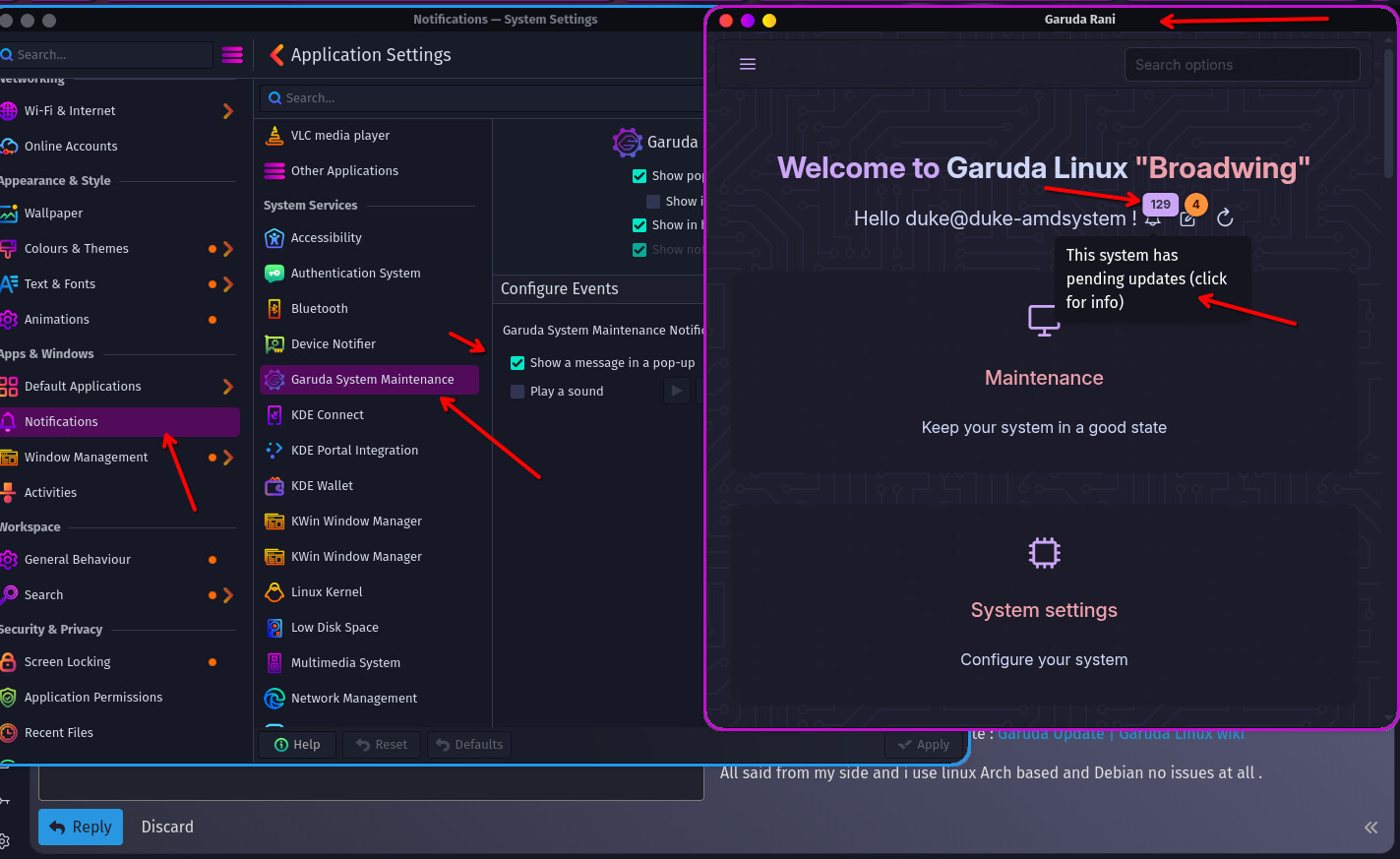
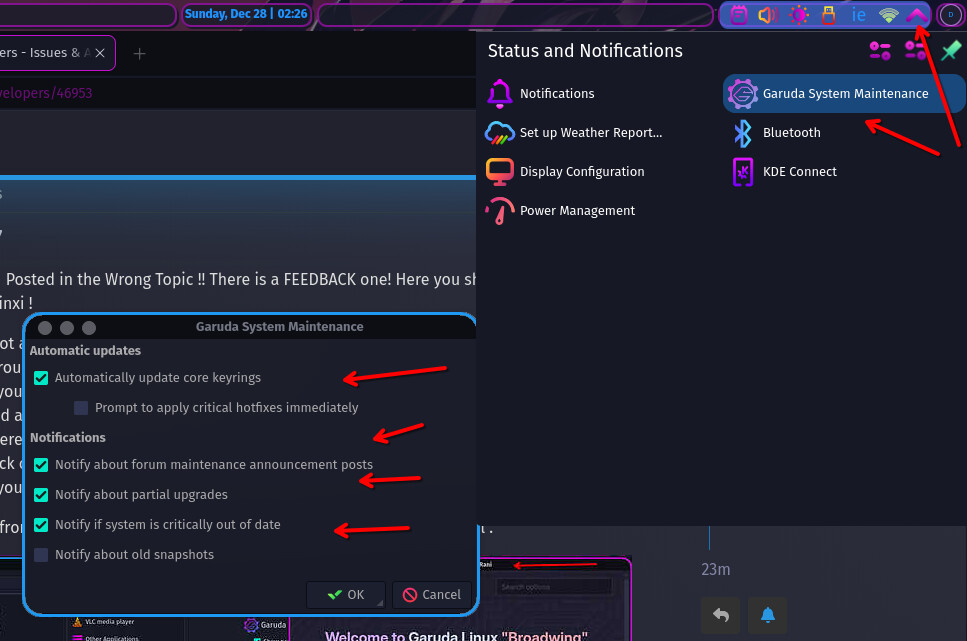
- I got a message popup on KDE with Maintenance and there i can just Click and UPDATE it through the buttons. ( We dont know which one youre using)
- If youre a long time User you should know how to use the Terminal with garuda-update or upd and even with
-afor AUR packages! - There is a Application called Garuda-Rani that even shows you a Message where you can click on it.
- If you dont know how to update : Garuda Update | Garuda Linux wiki
All said from my side and i use linux Arch based and Debian no issues at all .
12 Likes
I don’t know what edition you’re running, but I’m going to assume one of the KDE variants.
While I agree that applying actions in Rani may not be as intuitive at first as, say, applying updates in Ubuntu, I think the Swiss Army knife nature of the application sort of requires this UX so that any change to the system is done with full intention and permission.
As to your other complaints - lack of update notification, lack of applications menu label - those are merely slight disagreements with Garuda’s opinionated settings. The menu can be easily configured, but the lack of an immediate update notification is desirable in an Arch based system. There will be a notification if you forget to update for too long.
If you have Discover as well as Flatpak installed you will get notifications from there, you could even go so far as to install packagekit-qt6 and get notifications for native package updates, but it’s not recommended to apply them through Discover.
So in short, the system is your own! No need to change something for everybody when it’s easy to adjust your own installation.
8 Likes
This topic was automatically closed 2 days after the last reply. New replies are no longer allowed.