Steam UI not displaying properly after update

Hey, so updates over the last few weeks have screwed up a bunch of things for me, so I’ll probably be making another post about a different issue as well. But this one concerns Steam.

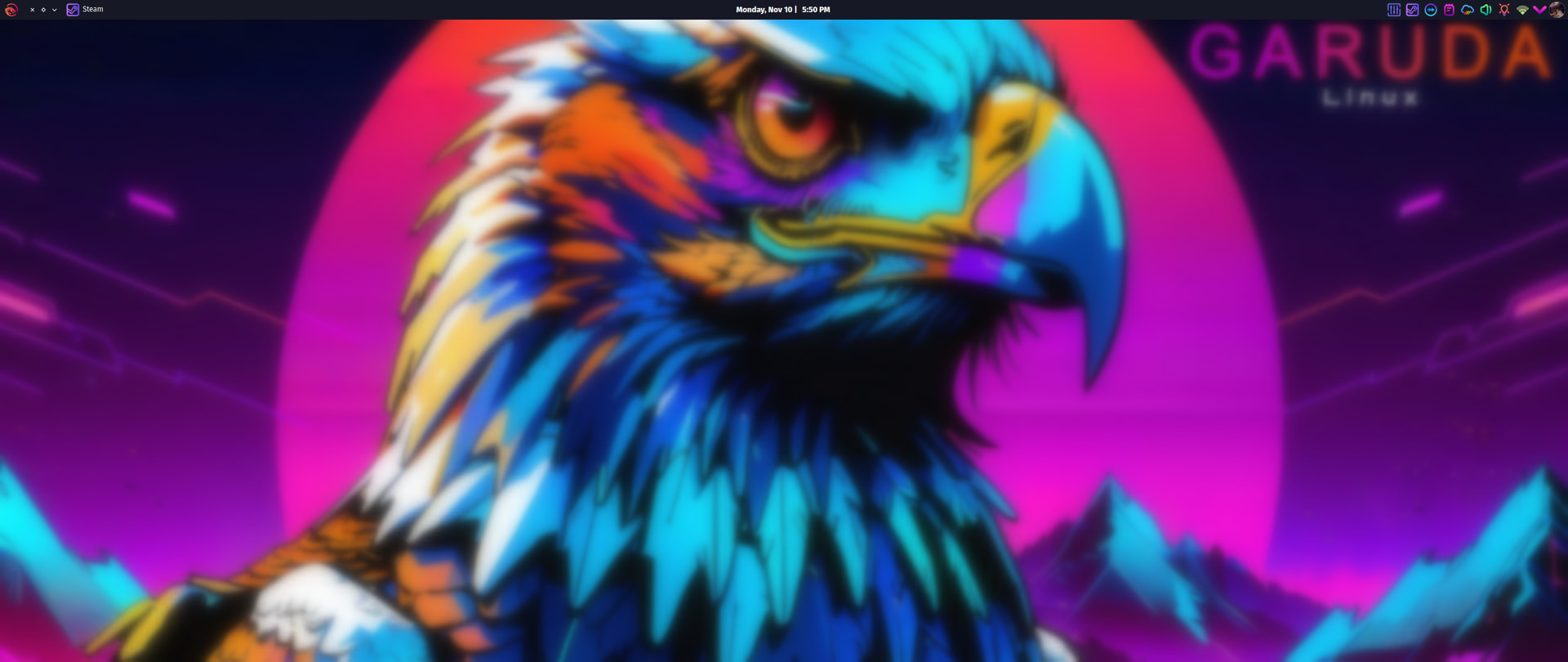
After updating and using the garuda-health —fix to removed steam-native-runtime, the Steam app no longer works for me. I cannot use the UI since it displays basically nothing on-screen (See attached screenshots below).

When I try to open Steam, I get the titlebar and tray icon, but nothing else. The background is blurred, like something should be there.
And if I move the cursor around, I might find where a Steam dropdown menu should be, and I’ll see this:
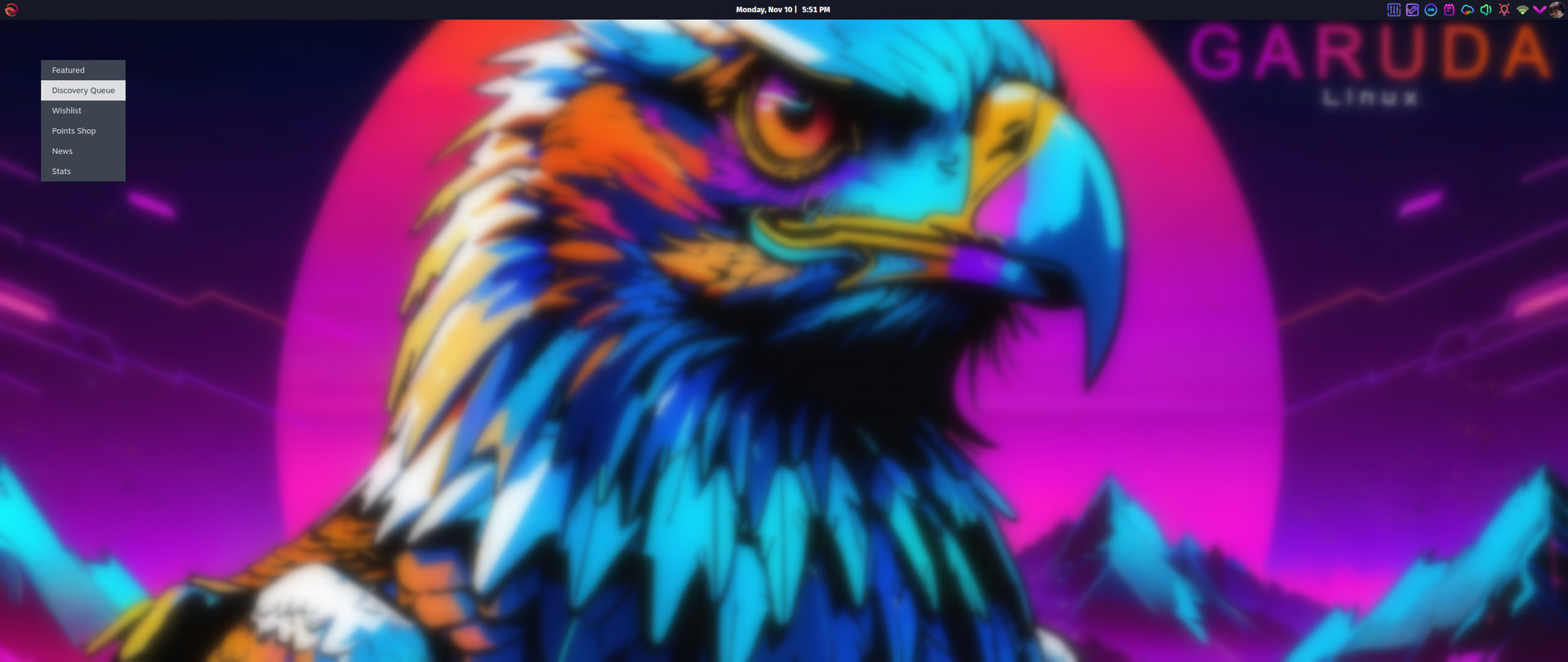
I’ve tried Reinstall in Octopi, also tried Remove first, then Install. Neither fixed the issue.

pacman -Q steam: steam 1.0.0.85-1

garuda-inxi:

System:
Kernel: 6.17.7-zen1-1-zen arch: x86_64 bits: 64 compiler: gcc v: 15.2.1
clocksource: tsc avail: hpet,acpi_pm
parameters: BOOT_IMAGE=/@/boot/vmlinuz-linux-zen
root=UUID=bb56b6c6-cca3-4ece-83fc-02bd3975f545 rw rootflags=subvol=@
quiet rd.udev.log_priority=3 vt.global_cursor_default=0
resume=UUID=6244d32d-2c70-477c-af93-53438cff4ad5 loglevel=3
Desktop: KDE Plasma v: 6.5.2 tk: Qt v: N/A info: frameworks v: 6.19.0
wm: kwin_x11 vt: 2 dm: SDDM Distro: Garuda base: Arch Linux
Machine:
Type: Desktop Mobo: Micro-Star model: MEG Z490I UNIFY (MS-7C77) v: 1.2
serial: <superuser required> part-nu: B926.C uuid: <superuser required>
UEFI: American Megatrends v: C.50 date: 06/03/2021
CPU:
Info: model: Intel Core i7-10700K bits: 64 type: MT MCP arch: Comet Lake
gen: core 10 level: v3 note: check built: 2020 process: Intel 14nm family: 6
model-id: 0xA5 (165) stepping: 5 microcode: 0x100
Topology: cpus: 1x dies: 1 clusters: 8 cores: 8 threads: 16 tpc: 2
smt: enabled cache: L1: 512 KiB desc: d-8x32 KiB; i-8x32 KiB L2: 2 MiB
desc: 8x256 KiB L3: 16 MiB desc: 1x16 MiB
Speed (MHz): avg: 800 min/max: 800/5100 scaling: driver: intel_pstate
governor: performance cores: 1: 800 2: 800 3: 800 4: 800 5: 800 6: 800
7: 800 8: 800 9: 800 10: 800 11: 800 12: 800 13: 800 14: 800 15: 800
16: 800 bogomips: 121596
Flags-basic: avx avx2 ht lm nx pae sse sse2 sse3 sse4_1 sse4_2 ssse3 vmx
Vulnerabilities: <filter>
Graphics:
Device-1: Intel CometLake-S GT2 [UHD Graphics 630] vendor: Micro-Star MSI
driver: i915 v: kernel arch: Gen-9.5 process: Intel 14nm built: 2016-20
ports: active: none empty: DP-1, DP-2, HDMI-A-1, HDMI-A-2, HDMI-A-3
bus-ID: 00:02.0 chip-ID: 8086:9bc5 class-ID: 0380
Device-2: NVIDIA TU104 [GeForce RTX 2070 SUPER] vendor: Micro-Star MSI
driver: nvidia v: 580.95.05 alternate: nouveau,nvidia_drm
non-free: 550-580.xx+ status: current (as of 2025-08; EOL~2026-12-xx)
arch: Turing code: TUxxx process: TSMC 12nm FF built: 2018-2022 pcie:
gen: 1 speed: 2.5 GT/s lanes: 16 link-max: gen: 3 speed: 8 GT/s ports:
active: none off: DP-3 empty: DP-4,DP-5,HDMI-A-4 bus-ID: 01:00.0
chip-ID: 10de:1e84 class-ID: 0300
Display: x11 server: X.Org v: 21.1.20 with: Xwayland v: 24.1.9
compositor: kwin_x11 driver: X: loaded: modesetting,nvidia unloaded: nouveau
alternate: fbdev,intel,nv,vesa dri: iris
gpu: nv_platform,nvidia,nvidia-nvswitch display-ID: :0 screens: 1
Screen-1: 0 s-res: 2560x1080 s-dpi: 92 s-size: 707x301mm (27.83x11.85")
s-diag: 768mm (30.25")
Monitor-1: DP-3 mapped: DP-0 note: disabled model: MSI MAG301CR
built: 2020 res: mode: 2560x1080 hz: 200 scale: 100% (1) dpi: 94 gamma: 1.2
size: 690x291mm (27.17x11.46") diag: 762mm (30") modes: max: 2560x1080
min: 640x480
API: EGL v: 1.5 hw: drv: intel iris drv: nvidia platforms: device: 0
drv: nvidia device: 2 drv: iris device: 3 drv: swrast gbm: drv: nvidia
surfaceless: drv: nvidia x11: drv: nvidia inactive: wayland,device-1
API: OpenGL v: 4.6.0 compat-v: 4.5 vendor: mesa v: 25.2.6-arch1.1
glx-v: 1.4 direct-render: yes renderer: llvmpipe (LLVM 21.1.4 256 bits)
device-ID: ffffffff:ffffffff memory: 30.44 GiB unified: yes
API: Vulkan v: 1.4.328 layers: 15 device: 0 type: discrete-gpu name: NVIDIA
GeForce RTX 2070 SUPER driver: nvidia v: 580.95.05 device-ID: 10de:1e84
surfaces: N/A device: 1 type: integrated-gpu name: Intel UHD Graphics 630
(CML GT2) driver: mesa intel v: 25.2.6-arch1.1 device-ID: 8086:9bc5
surfaces: N/A device: 2 type: cpu name: llvmpipe (LLVM 21.1.4 256 bits)
driver: mesa llvmpipe v: 25.2.6-arch1.1 (LLVM 21.1.4)
device-ID: 10005:0000 surfaces: N/A
Info: Tools: api: clinfo, eglinfo, glxinfo, vulkaninfo
de: kscreen-console,kscreen-doctor gpu: corectrl, nvidia-settings,
nvidia-smi wl: wayland-info x11: xdpyinfo, xprop, xrandr
Audio:
Device-1: Intel Comet Lake PCH cAVS vendor: Micro-Star MSI
driver: snd_hda_intel v: kernel alternate: snd_soc_avs,snd_sof_pci_intel_cnl
bus-ID: 00:1f.3 chip-ID: 8086:06c8 class-ID: 0403
Device-2: NVIDIA TU104 HD Audio vendor: Micro-Star MSI
driver: snd_hda_intel v: kernel pcie: gen: 3 speed: 8 GT/s lanes: 16
bus-ID: 01:00.1 chip-ID: 10de:10f8 class-ID: 0403
Device-3: Medeli heyday Microphone 01
driver: hid-generic,snd-usb-audio,usbhid type: USB rev: 1.1 speed: 12 Mb/s
lanes: 1 mode: 1.1 bus-ID: 1-3:3 chip-ID: 0a67:0002 class-ID: 0300
serial: <filter>
API: ALSA v: k6.17.7-zen1-1-zen status: kernel-api with: aoss
type: oss-emulator tools: alsactl,alsamixer,amixer
Server-1: sndiod v: N/A status: off tools: aucat,midicat,sndioctl
Server-2: PipeWire v: 1.4.9 status: active with: 1: pipewire-pulse
status: active 2: wireplumber status: active 3: pipewire-alsa type: plugin
4: pw-jack type: plugin tools: pactl,pw-cat,pw-cli,wpctl
Network:
Device-1: Intel Comet Lake PCH CNVi WiFi driver: iwlwifi v: kernel
bus-ID: 00:14.3 chip-ID: 8086:06f0 class-ID: 0280
IF: wlo1 state: up mac: <filter>
Device-2: Realtek RTL8125 2.5GbE vendor: Micro-Star MSI driver: r8169
v: kernel pcie: gen: 2 speed: 5 GT/s lanes: 1 port: 3000 bus-ID: 3b:00.0
chip-ID: 10ec:8125 class-ID: 0200
IF: enp59s0 state: down mac: <filter>
Info: services: NetworkManager, smbd, systemd-timesyncd, wpa_supplicant
Bluetooth:
Device-1: Intel AX201 Bluetooth driver: btusb v: 0.8 type: USB rev: 2.0
speed: 12 Mb/s lanes: 1 mode: 1.1 bus-ID: 1-14:8 chip-ID: 8087:0026
class-ID: e001
Report: btmgmt ID: hci0 rfk-id: 0 state: down bt-service: enabled,running
rfk-block: hardware: no software: yes address: <filter> bt-v: 5.2 lmp-v: 11
status: discoverable: no pairing: no
Drives:
Local Storage: total: 953.87 GiB used: 687.85 GiB (72.1%)
SMART Message: Unable to run smartctl. Root privileges required.
ID-1: /dev/nvme0n1 maj-min: 259:0 vendor: Western Digital model: PC SN730
SDBPNTY-1T00-1032 size: 953.87 GiB block-size: physical: 512 B
logical: 512 B speed: 31.6 Gb/s lanes: 4 tech: SSD serial: <filter>
fw-rev: 11111000 temp: 42.9 C scheme: GPT
Partition:
ID-1: / raw-size: 919.26 GiB size: 919.26 GiB (100.00%)
used: 687.85 GiB (74.8%) fs: btrfs dev: /dev/nvme0n1p2 maj-min: 259:2
ID-2: /boot/efi raw-size: 300 MiB size: 299.4 MiB (99.80%)
used: 620 KiB (0.2%) fs: vfat dev: /dev/nvme0n1p1 maj-min: 259:1
ID-3: /home raw-size: 919.26 GiB size: 919.26 GiB (100.00%)
used: 687.85 GiB (74.8%) fs: btrfs dev: /dev/nvme0n1p2 maj-min: 259:2
ID-4: /var/log raw-size: 919.26 GiB size: 919.26 GiB (100.00%)
used: 687.85 GiB (74.8%) fs: btrfs dev: /dev/nvme0n1p2 maj-min: 259:2
ID-5: /var/tmp raw-size: 919.26 GiB size: 919.26 GiB (100.00%)
used: 687.85 GiB (74.8%) fs: btrfs dev: /dev/nvme0n1p2 maj-min: 259:2
Swap:
Kernel: swappiness: 133 (default 60) cache-pressure: 100 (default) zswap: no
ID-1: swap-1 type: zram size: 31.17 GiB used: 135.2 MiB (0.4%)
priority: 100 comp: zstd avail: lzo-rle,lzo,lz4,lz4hc,deflate,842
dev: /dev/zram0
ID-2: swap-2 type: partition size: 34.3 GiB used: 0 KiB (0.0%)
priority: -2 dev: /dev/nvme0n1p3 maj-min: 259:3
Sensors:
System Temperatures: cpu: 38.5 C pch: 60.0 C mobo: N/A gpu: nvidia
temp: 30 C
Fan Speeds (rpm): N/A gpu: nvidia fan: 23%
Info:
Memory: total: 32 GiB available: 31.17 GiB used: 5.51 GiB (17.7%)
Processes: 368 Power: uptime: 6h 10m states: freeze,mem,disk suspend: deep
avail: s2idle wakeups: 0 hibernate: platform avail: shutdown, reboot,
suspend, test_resume image: 12.38 GiB services: org_kde_powerdevil,upowerd
Init: systemd v: 258 default: graphical tool: systemctl
Packages: pm: pacman pkgs: 2268 libs: 542 tools: octopi,paru Compilers:
clang: 21.1.5 gcc: 15.2.1 Shell: Bash v: 5.3.3 default: fish v: 4.1.2
running-in: konsole inxi: 3.3.39
Garuda (2.11.1-1):
System install date:     2023-05-16
Last full system update: 2025-11-10 ↻
Is partially upgraded:   No
Relevant software:       snapper NetworkManager dracut nvidia-utils nvidia-open-dkms garuda-hardware-profile-nvidia garuda-hardware-profile-standard garuda-hardware-profile-standard-x11
Windows dual boot:       No/Undetected
Failed units:
--- System Health Check Report ---
24/25 checks run in 0.79 seconds ⌛
Powered by garuda-health 🦅

--- LOW ---
- Old Btrfs snapshots found that can be deleted (fix available)

--- INFO ---
- A reboot is pending (update applied since last reboot)

Run garuda-health --fix to apply fixes.

(Also, I have no idea why garuda-health is saying “reboot pending” in the garuda-inxi output above. All I did was try removing and reinstalling Steam, not sure how that would trigger it to say I need to reboot because I haven’t updated since booting up today. Also the warning about Btrfs snapshot s shouldn’t be there either, I already removed those. Seems like garuda-health might be a little “unhealthy” itself.)

EDIT:

Noticed some weird errors in Octopi’s terminal output while messing with uninstalling Steam:

glx: failed to create dri3 screen
failed to load driver: nvidia-drm 

A quick google search gave me this:

Now I’m wondering if the nVidia drivers and/or Xorg are broken?

You wrote it yourself that you have a issue with the Steam Ui. Un-re-install the app, but after this → no reboot. If you see "↻ " (+ info) it’s important to make the reboot.

You have “updated” the system → this trigger also the reboot info and default if you install something you should make reboot. (my mind)

Think on it, although you have uninstalled the native stuff + un / installed the app. Your steam home folder with the settings exist, perhaps that`s the reason why you see not properly the steam ui.

As Info, your bios is out of date. This is also important.
https://www.msi.com/Motherboard/MEG-Z490I-UNIFY/support

My mind to this info.
Reboot → garuda-inxi same message ?
Run sudo btrfs subvolume list / and show the full output. (if)
Run garuda-update remote reset-snapper
You could have found that yourself in one of the threads here in the forum, sorry.

3 Likes

You’re running an X11 session instead of Wayland.

I don’t know how, because I had to tinker with config files for SDDM to even offer that on my current Garuda installation. However, logging into an X11 session on my system, I can confirm that all sorts of things were broken, such as missing window title bars and wrong screen scaling. It also froze on my futile attempt to log out. A real joy, that one.

Most relevant to the case at hand: on X11, Steam was only a black rectangle that would show context menus if you clicked the right spot. Seems to match your issue exactly.

After reboot:

System:
Kernel: 6.17.7-zen1-1-zen arch: x86_64 bits: 64 compiler: gcc v: 15.2.1
clocksource: tsc avail: hpet,acpi_pm
parameters: BOOT_IMAGE=/@/boot/vmlinuz-linux-zen
root=UUID=bb56b6c6-cca3-4ece-83fc-02bd3975f545 rw rootflags=subvol=@
quiet rd.udev.log_priority=3 vt.global_cursor_default=0
resume=UUID=6244d32d-2c70-477c-af93-53438cff4ad5 loglevel=3
Desktop: KDE Plasma v: 6.5.2 tk: Qt v: N/A info: frameworks v: 6.19.0
wm: kwin_x11 vt: 2 dm: SDDM Distro: Garuda base: Arch Linux
Machine:
Type: Desktop Mobo: Micro-Star model: MEG Z490I UNIFY (MS-7C77) v: 1.2
serial: <superuser required> part-nu: B926.C uuid: <superuser required>
UEFI: American Megatrends v: C.50 date: 06/03/2021
CPU:
Info: model: Intel Core i7-10700K bits: 64 type: MT MCP arch: Comet Lake
gen: core 10 level: v3 note: check built: 2020 process: Intel 14nm family: 6
model-id: 0xA5 (165) stepping: 5 microcode: 0x100
Topology: cpus: 1x dies: 1 clusters: 8 cores: 8 threads: 16 tpc: 2
smt: enabled cache: L1: 512 KiB desc: d-8x32 KiB; i-8x32 KiB L2: 2 MiB
desc: 8x256 KiB L3: 16 MiB desc: 1x16 MiB
Speed (MHz): avg: 4902 min/max: 800/5100 scaling: driver: intel_pstate
governor: performance cores: 1: 4902 2: 4902 3: 4902 4: 4902 5: 4902 6: 4902
7: 4902 8: 4902 9: 4902 10: 4902 11: 4902 12: 4902 13: 4902 14: 4902
15: 4902 16: 4902 bogomips: 121596
Flags-basic: avx avx2 ht lm nx pae sse sse2 sse3 sse4_1 sse4_2 ssse3 vmx
Vulnerabilities: <filter>
Graphics:
Device-1: Intel CometLake-S GT2 [UHD Graphics 630] vendor: Micro-Star MSI
driver: i915 v: kernel arch: Gen-9.5 process: Intel 14nm built: 2016-20
ports: active: none empty: DP-1, DP-2, HDMI-A-1, HDMI-A-2, HDMI-A-3
bus-ID: 00:02.0 chip-ID: 8086:9bc5 class-ID: 0380
Device-2: NVIDIA TU104 [GeForce RTX 2070 SUPER] vendor: Micro-Star MSI
driver: nvidia v: 580.95.05 alternate: nouveau,nvidia_drm
non-free: 550-580.xx+ status: current (as of 2025-08; EOL~2026-12-xx)
arch: Turing code: TUxxx process: TSMC 12nm FF built: 2018-2022 pcie:
gen: 1 speed: 2.5 GT/s lanes: 16 link-max: gen: 3 speed: 8 GT/s ports:
active: none off: DP-3 empty: DP-4,DP-5,HDMI-A-4 bus-ID: 01:00.0
chip-ID: 10de:1e84 class-ID: 0300
Display: x11 server: X.Org v: 21.1.20 with: Xwayland v: 24.1.9
compositor: kwin_x11 driver: X: loaded: modesetting,nvidia unloaded: nouveau
alternate: fbdev,intel,nv,vesa dri: iris
gpu: nv_platform,nvidia,nvidia-nvswitch display-ID: :0 screens: 1
Screen-1: 0 s-res: 2560x1080 s-dpi: 92 s-size: 707x301mm (27.83x11.85")
s-diag: 768mm (30.25")
Monitor-1: DP-3 mapped: DP-0 note: disabled model: MSI MAG301CR
built: 2020 res: mode: 2560x1080 hz: 200 scale: 100% (1) dpi: 94 gamma: 1.2
size: 690x291mm (27.17x11.46") diag: 762mm (30") modes: max: 2560x1080
min: 640x480
API: EGL v: 1.5 hw: drv: intel iris drv: nvidia platforms: device: 0
drv: nvidia device: 2 drv: iris device: 3 drv: swrast gbm: drv: nvidia
surfaceless: drv: nvidia x11: drv: nvidia inactive: wayland,device-1
API: OpenGL v: 4.6.0 compat-v: 4.5 vendor: mesa v: 25.2.6-arch1.1
glx-v: 1.4 direct-render: yes renderer: llvmpipe (LLVM 21.1.4 256 bits)
device-ID: ffffffff:ffffffff memory: 30.44 GiB unified: yes
API: Vulkan v: 1.4.328 layers: 15 device: 0 type: discrete-gpu name: NVIDIA
GeForce RTX 2070 SUPER driver: nvidia v: 580.95.05 device-ID: 10de:1e84
surfaces: N/A device: 1 type: integrated-gpu name: Intel UHD Graphics 630
(CML GT2) driver: mesa intel v: 25.2.6-arch1.1 device-ID: 8086:9bc5
surfaces: N/A device: 2 type: cpu name: llvmpipe (LLVM 21.1.4 256 bits)
driver: mesa llvmpipe v: 25.2.6-arch1.1 (LLVM 21.1.4)
device-ID: 10005:0000 surfaces: N/A
Info: Tools: api: clinfo, eglinfo, glxinfo, vulkaninfo
de: kscreen-console,kscreen-doctor gpu: corectrl, nvidia-settings,
nvidia-smi wl: wayland-info x11: xdpyinfo, xprop, xrandr
Audio:
Device-1: Intel Comet Lake PCH cAVS vendor: Micro-Star MSI
driver: snd_hda_intel v: kernel alternate: snd_soc_avs,snd_sof_pci_intel_cnl
bus-ID: 00:1f.3 chip-ID: 8086:06c8 class-ID: 0403
Device-2: NVIDIA TU104 HD Audio vendor: Micro-Star MSI
driver: snd_hda_intel v: kernel pcie: gen: 3 speed: 8 GT/s lanes: 16
bus-ID: 01:00.1 chip-ID: 10de:10f8 class-ID: 0403
Device-3: Medeli heyday Microphone 01
driver: hid-generic,snd-usb-audio,usbhid type: USB rev: 1.1 speed: 12 Mb/s
lanes: 1 mode: 1.1 bus-ID: 1-3:3 chip-ID: 0a67:0002 class-ID: 0300
serial: <filter>
API: ALSA v: k6.17.7-zen1-1-zen status: kernel-api with: aoss
type: oss-emulator tools: alsactl,alsamixer,amixer
Server-1: sndiod v: N/A status: off tools: aucat,midicat,sndioctl
Server-2: PipeWire v: 1.4.9 status: active with: 1: pipewire-pulse
status: active 2: wireplumber status: active 3: pipewire-alsa type: plugin
4: pw-jack type: plugin tools: pactl,pw-cat,pw-cli,wpctl
Network:
Device-1: Intel Comet Lake PCH CNVi WiFi driver: iwlwifi v: kernel
bus-ID: 00:14.3 chip-ID: 8086:06f0 class-ID: 0280
IF: wlo1 state: up mac: <filter>
Device-2: Realtek RTL8125 2.5GbE vendor: Micro-Star MSI driver: r8169
v: kernel pcie: gen: 2 speed: 5 GT/s lanes: 1 port: 3000 bus-ID: 3b:00.0
chip-ID: 10ec:8125 class-ID: 0200
IF: enp59s0 state: down mac: <filter>
Info: services: NetworkManager, smbd, systemd-timesyncd, wpa_supplicant
Bluetooth:
Device-1: Intel AX201 Bluetooth driver: btusb v: 0.8 type: USB rev: 2.0
speed: 12 Mb/s lanes: 1 mode: 1.1 bus-ID: 1-14:8 chip-ID: 8087:0026
class-ID: e001
Report: btmgmt ID: hci0 rfk-id: 0 state: down bt-service: enabled,running
rfk-block: hardware: no software: yes address: <filter> bt-v: 5.2 lmp-v: 11
status: discoverable: no pairing: no
Drives:
Local Storage: total: 953.87 GiB used: 687.39 GiB (72.1%)
SMART Message: Unable to run smartctl. Root privileges required.
ID-1: /dev/nvme0n1 maj-min: 259:0 vendor: Western Digital model: PC SN730
SDBPNTY-1T00-1032 size: 953.87 GiB block-size: physical: 512 B
logical: 512 B speed: 31.6 Gb/s lanes: 4 tech: SSD serial: <filter>
fw-rev: 11111000 temp: 42.9 C scheme: GPT
Partition:
ID-1: / raw-size: 919.26 GiB size: 919.26 GiB (100.00%)
used: 687.39 GiB (74.8%) fs: btrfs dev: /dev/nvme0n1p2 maj-min: 259:2
ID-2: /boot/efi raw-size: 300 MiB size: 299.4 MiB (99.80%)
used: 620 KiB (0.2%) fs: vfat dev: /dev/nvme0n1p1 maj-min: 259:1
ID-3: /home raw-size: 919.26 GiB size: 919.26 GiB (100.00%)
used: 687.39 GiB (74.8%) fs: btrfs dev: /dev/nvme0n1p2 maj-min: 259:2
ID-4: /var/log raw-size: 919.26 GiB size: 919.26 GiB (100.00%)
used: 687.39 GiB (74.8%) fs: btrfs dev: /dev/nvme0n1p2 maj-min: 259:2
ID-5: /var/tmp raw-size: 919.26 GiB size: 919.26 GiB (100.00%)
used: 687.39 GiB (74.8%) fs: btrfs dev: /dev/nvme0n1p2 maj-min: 259:2
Swap:
Kernel: swappiness: 133 (default 60) cache-pressure: 100 (default) zswap: no
ID-1: swap-1 type: zram size: 31.17 GiB used: 128.7 MiB (0.4%)
priority: 100 comp: zstd avail: lzo-rle,lzo,lz4,lz4hc,deflate,842
dev: /dev/zram0
ID-2: swap-2 type: partition size: 34.3 GiB used: 0 KiB (0.0%)
priority: -2 dev: /dev/nvme0n1p3 maj-min: 259:3
Sensors:
System Temperatures: cpu: 47.0 C pch: 61.0 C mobo: N/A gpu: nvidia
temp: 34 C
Fan Speeds (rpm): N/A gpu: nvidia fan: 23%
Info:
Memory: total: 32 GiB available: 31.17 GiB used: 4.57 GiB (14.7%)
Processes: 377 Power: uptime: 59m states: freeze,mem,disk suspend: deep
avail: s2idle wakeups: 0 hibernate: platform avail: shutdown, reboot,
suspend, test_resume image: 12.38 GiB services: org_kde_powerdevil,upowerd
Init: systemd v: 258 default: graphical tool: systemctl
Packages: pm: pacman pkgs: 2268 libs: 542 tools: octopi,paru Compilers:
clang: 21.1.5 gcc: 15.2.1 Shell: Bash v: 5.3.3 default: fish v: 4.1.2
running-in: konsole inxi: 3.3.39
Garuda (2.11.1-1):
System install date:     2023-05-16
Last full system update: 2025-11-10
Is partially upgraded:   No
Relevant software:       snapper NetworkManager dracut nvidia-utils nvidia-open-dkms garuda-hardware-profile-nvidia garuda-hardware-profile-standard garuda-hardware-profile-standard-x11
Windows dual boot:       No/Undetected
Failed units:
--- System Health Check Report ---
24/25 checks run in 0.78 seconds ⌛
Powered by garuda-health 🦅

--- LOW ---
- Old Btrfs snapshots found that can be deleted (fix available)

Run garuda-health --fix to apply fixes.
sudo btrfs subvolume list /
ID 257 gen 680736 top level 5 path @home
ID 258 gen 679870 top level 5 path @root
ID 259 gen 621802 top level 5 path @srv
ID 260 gen 680707 top level 5 path @cache
ID 261 gen 680736 top level 5 path @log
ID 262 gen 680736 top level 5 path @tmp
ID 263 gen 680735 top level 2789 path .snapshots
ID 2720 gen 674213 top level 5 path @_backup_20252910165125106
ID 2727 gen 674293 top level 5 path @_backup_20252910170723795
ID 2732 gen 674518 top level 5 path @_backup_20252910180413079
ID 2752 gen 676064 top level 5 path @_backup_20253110163744191
ID 2789 gen 680736 top level 5 path @
ID 2837 gen 679778 top level 263 path .snapshots/2541/snapshot
ID 2838 gen 679787 top level 263 path .snapshots/2542/snapshot
ID 2839 gen 679810 top level 263 path .snapshots/2543/snapshot
ID 2840 gen 679814 top level 263 path .snapshots/2544/snapshot
ID 2841 gen 679862 top level 263 path .snapshots/2545/snapshot
ID 2842 gen 680496 top level 263 path .snapshots/2546/snapshot
ID 2843 gen 680502 top level 263 path .snapshots/2547/snapshot
ID 2844 gen 680507 top level 263 path .snapshots/2548/snapshot
ID 2845 gen 680511 top level 263 path .snapshots/2549/snapshot
ID 2846 gen 680615 top level 263 path .snapshots/2550/snapshot
garuda-update remote reset-snapper
Delete subvolume 2720 (no-commit): '//@_backup_20252910165125106'
Delete subvolume 2727 (no-commit): '//@_backup_20252910170723795'
Delete subvolume 2732 (no-commit): '//@_backup_20252910180413079'
Delete subvolume 2752 (no-commit): '//@_backup_20253110163744191'
Delete subvolume 2837 (no-commit): '//@/.snapshots/2541/snapshot'
Delete subvolume 2838 (no-commit): '//@/.snapshots/2542/snapshot'
Delete subvolume 2839 (no-commit): '//@/.snapshots/2543/snapshot'
Delete subvolume 2840 (no-commit): '//@/.snapshots/2544/snapshot'
Delete subvolume 2841 (no-commit): '//@/.snapshots/2545/snapshot'
Delete subvolume 2842 (no-commit): '//@/.snapshots/2546/snapshot'
Delete subvolume 2843 (no-commit): '//@/.snapshots/2547/snapshot'
Delete subvolume 2844 (no-commit): '//@/.snapshots/2548/snapshot'
Delete subvolume 2845 (no-commit): '//@/.snapshots/2549/snapshot'
Delete subvolume 2846 (no-commit): '//@/.snapshots/2550/snapshot'
Delete subvolume 263 (no-commit): '//@/.snapshots'
rm: cannot remove '/.snapshots/': No such file or directory

That seems to have fixed the weird snapper issue, but….I don’t really care about that. My question is about the Steam issue. My Mobo Bios has no bearing on that because Steam worked before the updates, literally just a few weeks ago.

Also, are you implying that I should delete the .steam folder? Will that actually help, or are we just throwing things at the wall and see what sticks?

I’m sorry, but I don’t use Wayland due to having an Nvidia GPU. Wayland is crap for me and has never fully worked or played games properly. X11 is golden and has been perfect during my entire time using Garuda, including Steam games. Until the updates from the last few weeks.

I’m failing to see how your post is relevant here???

Have you tried wayland? I have a 4090 running wayland now

3 Likes

We understand that you are annoyed by the whole thing. But that’s no reason to criticize other users. Since there is obviously no known cause for your issue yet, every opinion on the subject should be welcome. We’re just trying to help you. :wink:


Start steam via terminal and post the output, maybe there are relevant error messages that can help narrow down the cause.

2 Likes

I’ve sorted it out by 1) uninstalling Steam, 2) deleting the .steam directory under my home, and then 3) Installing Steam again.

Hope this helps someone else…

Also, FYI: there was no “criticism of another user” only criticism of their irrelevant post. I’m sure that user is a wonderful person. Hope this clarifies!

Wayland has never worked fully for me in any capacity, sorry. I get tons of screen tearing, graphical artifacts in games, etc. When the updates this past year made Wayland the default in KDE6, I tried to go that route expecting that Wayland was mature enough, but that was a complete fallacy. I had tons of issues with incompatibility. I switched back to x11 and things have been smooth as butter.

1 Like

Maybe you’ll understand once you’ve calmed down a bit. Besides, it doesn’t make sense to edit the initial post in the middle of the thread.

And btw: we always mark the solution here, not the implementation. @gampel had already mentioned everything relevant in his post, including the Steam home folder as a possible cause. That’s why I changed the marked solution.

2 Likes