I just installed Cinnamon and brought it up to date (Cinnamon 5.4.2, Zen 5.18.6) and I can confirm these shortcuts are not working correctly–even with the stock configuration.
Out of the box, “Switch to left workspace” is set to Ctrl+Alt+Left, switch to right is Ctrl+Alt+Right but those shortcuts do not work.
I made a new shortcut binding for these using Shift+Ctrl+Alt+Super+Left and Shift+Ctrl+Alt+Super+Right (I figured there is no way this combination would be in use or otherwise conflicting with something else), but still this function does not do anything.
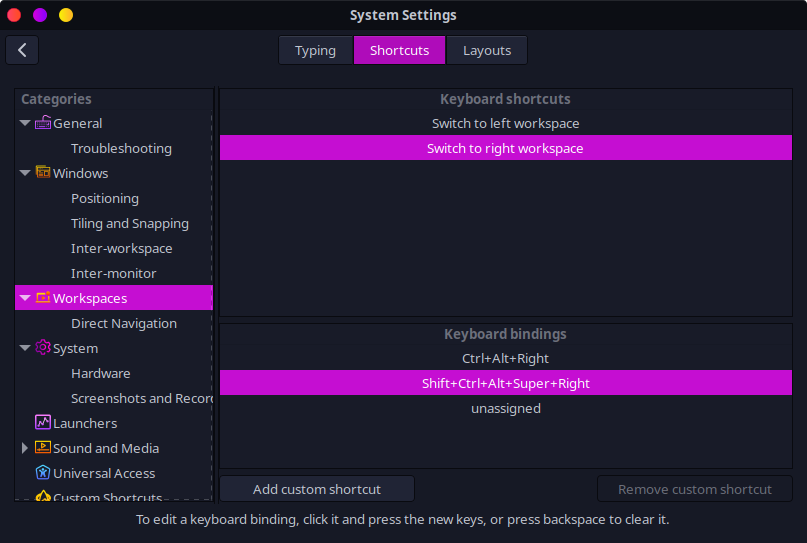
Similarly, the “Move window to left workspace” and “Move window to right workspace” are also not working (OOTB configuration is Shift+Ctrl+Alt+Left, and +Right, custom configs also don’t work)
However, when I set up keybindings for “Switch to workspace 1”, “Switch to workspace 2” and so on (under "Direct Navigation), those work fine. Also the direct navigation versions of “Move windows” work as well (“Move window to workspace 1” and so on).
So: when dealing with specifically numbered workspaces the shortcuts seem to work, but the commands where the workspace is relative (“to the left” or “to the right”) are not working.
I tested a few other of the default shortcut bindings (not related to workspaces) and they seemed fine; I didn’t discover anything else that seemed to be configured but not working.
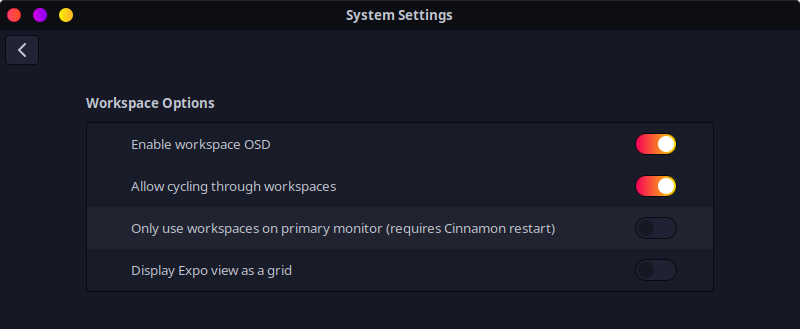
I checked the workspace settings, and tried toggling this option for “Allow cycling through workspaces”, but that didn’t seem to make a difference. It’s not clear to me what this option does.
I looked briefly through open issues on this page but I didn’t see anything related to this issue.
I’m going to keep poking around a little, maybe try to figure out where these dotfiles live and take a look at those but at first glance this appears to be another bug.
Update:
I was reading through the .xsession-errors log in the home folder and noticed a few errors related to the two extensions that are installed by default, gTile and DesktopCube. I removed both extensions (System Settings->Extensions), logged out and back in and now the workspace shortcuts are all working fine. 
I guess that is not a great solution if you are using those extensions, but it seems like maybe they are a little bit broken since the last update to Cinnamon.