Issues with Steam after recent upgrades

Hello! I’m a Win11 refugee trying out Garuda Linux and so far, I love it! Yesterday I swapped out a bunch of parts in my computer for new ones, namely a RTX 5070 and an Intel i9-14900KF, as well as an Asus B760M-Plus Wifi D4 Motherboard. Before, when I was using mostly AMD parts, I was having no issues launching steam games and using the program. Today, I am able to launch any game and have it run perfectly fine. Once I close the game, however, Steam seems to fail to close the game, active downloads freeze exactly where they are, and looking at any game I have not loaded this session causes an infinite steam loading icon to appear. The store loads fine, as does community and profile pages, but the library is completely frozen. I’ve attempted to kill Steam via the program manager, but it refuses to fully close, and seems to revive itself almost immediately, and I’ve also attempted to remove Steam through Octopi and reinstall it, but I get the same issue. Nothing I can do can seem to fix my library once this happens. Help!

Garuda-inxi below, for due diligence

System:
Kernel: 6.18.5-zen1-1-zen arch: x86_64 bits: 64 compiler: gcc v: 15.2.1
clocksource: tsc avail: acpi_pm
parameters: BOOT_IMAGE=/@/boot/vmlinuz-linux-zen
root=UUID=2b4b32bb-b165-44fc-8820-b8cfbc25f665 rw rootflags=subvol=@
vt.default_red=30,243,166,249,137,245,148,186,88,243,166,249,137,245,148,166
vt.default_grn=30,139,227,226,180,194,226,194,91,139,227,226,180,194,226,173
vt.default_blu=46,168,161,175,250,231,213,222,112,168,161,175,250,231,213,200
quiet loglevel=3
Desktop: KDE Plasma v: 6.5.5 tk: Qt v: N/A info: frameworks v: 6.22.0
wm: kwin_wayland vt: 2 dm: SDDM Distro: Garuda base: Arch Linux
Machine:
Type: Desktop System: ASUS product: N/A v: N/A serial: <superuser required>
Mobo: ASUSTeK model: TUF GAMING B760M-PLUS WIFI D4 v: Rev 1.xx
serial: <superuser required> part-nu: SKU uuid: <superuser required>
Firmware: UEFI vendor: American Megatrends v: 1820 date: 05/15/2025
CPU:
Info: model: Intel Core i9-14900KF bits: 64 type: MST AMCP arch: Raptor Lake
gen: core 14 level: v3 note: check built: 2022+ process: Intel 7 (10nm)
family: 6 model-id: 0xB7 (183) stepping: 1 microcode: 0x12F
Topology: cpus: 1x dies: 1 clusters: 12 cores: 24 threads: 32 mt: 8 tpc: 2
st: 16 smt: enabled cache: L1: 2.1 MiB desc: d-16x32 KiB, 8x48 KiB; i-8x32
KiB, 16x64 KiB L2: 32 MiB desc: 8x2 MiB, 4x4 MiB L3: 36 MiB desc: 1x36 MiB
Speed (MHz): avg: 2000 min/max: 800/5700:6000:4400 scaling:
driver: intel_pstate governor: powersave cores: 1: 2000 2: 2000 3: 2000
4: 2000 5: 2000 6: 2000 7: 2000 8: 2000 9: 2000 10: 2000 11: 2000 12: 2000
13: 2000 14: 2000 15: 2000 16: 2000 17: 2000 18: 2000 19: 2000 20: 2000
21: 2000 22: 2000 23: 2000 24: 2000 25: 2000 26: 2000 27: 2000 28: 2000
29: 2000 30: 2000 31: 2000 32: 2000 bogomips: 203980
Flags-basic: avx avx2 ht lm nx pae sse sse2 sse3 sse4_1 sse4_2 ssse3 vmx
Vulnerabilities: <filter>
Graphics:
Device-1: NVIDIA GB205 [GeForce RTX 5070] vendor: Gigabyte driver: nvidia
v: 590.48.01 alternate: nouveau,nvidia_drm non-free: 550-580.xx+
status: current (as of 2025-11) arch: Lovelace code: AD1xx
process: TSMC n4 (5nm) built: 2022+ pcie: gen: 5 speed: 32 GT/s lanes: 16
ports: active: DP-2,HDMI-A-1 empty: DP-1,DP-3 bus-ID: 01:00.0
chip-ID: 10de:2f04 class-ID: 0300
Display: wayland server: X.org v: 1.21.1.21 with: Xwayland v: 24.1.9
compositor: kwin_wayland driver: gpu: nv_platform,nvidia,nvidia-nvswitch
d-rect: 3840x2160 display-ID: 0
Monitor-1: DP-2 pos: bottom-r model: BenQ XL2720Z serial: <filter>
built: 2015 res: mode: 1920x1080 hz: 144 scale: 100% (1) dpi: 82 gamma: 1.2
size: 597x336mm (23.5x13.23") diag: 685mm (27") ratio: 16:9 modes:
max: 1920x1080 min: 640x480
Monitor-2: HDMI-A-1 pos: primary,top-left model: Acer KG241Q
serial: <filter> built: 2017 res: mode: 1920x1080 hz: 75 scale: 178% (1.78)
to: 1080x1920 dpi: 94 gamma: 1.2 size: 521x293mm (20.51x11.54")
diag: 598mm (23.5") ratio: 16:9 modes: max: 1920x1080 min: 640x480
API: EGL v: 1.5 hw: drv: nvidia platforms: device: 0 drv: nvidia device: 2
drv: swrast gbm: drv: nvidia surfaceless: drv: nvidia wayland: drv: nvidia
x11: drv: nvidia inactive: device-1
API: OpenGL v: 4.6.0 compat-v: 4.5 vendor: nvidia mesa v: 25.3.3-arch1.3
glx-v: 1.4 direct-render: yes renderer: NVIDIA GeForce RTX 5070/PCIe/SSE2
memory: 11.66 GiB display-ID: :0.0
API: Vulkan v: 1.4.335 layers: 12 device: 0 type: discrete-gpu
name: NVIDIA GeForce RTX 5070 driver: nvidia v: 590.48.01
device-ID: 10de:2f04 surfaces: N/A device: 1 type: cpu name: llvmpipe
(LLVM 21.1.6 256 bits) driver: mesa llvmpipe v: 25.3.3-arch1.3 (LLVM
21.1.6) device-ID: 10005:0000 surfaces: N/A
Info: Tools: api: clinfo, eglinfo, glxinfo, vulkaninfo
de: kscreen-console,kscreen-doctor gpu: nvidia-smi wl: wayland-info
x11: xdpyinfo, xprop, xrandr
Audio:
Device-1: Intel Raptor Lake High Definition Audio vendor: ASUSTeK
driver: snd_hda_intel v: kernel alternate: snd_soc_avs,snd_sof_pci_intel_tgl
bus-ID: 00:1f.3 chip-ID: 8086:7a50 class-ID: 0403
Device-2: NVIDIA GB205 High Definition Audio driver: snd_hda_intel
v: kernel pcie: gen: 5 speed: 32 GT/s lanes: 16 bus-ID: 01:00.1
chip-ID: 10de:2f80 class-ID: 0403
Device-3: SteelSeries ApS Arctis 7
driver: hid-generic,snd-usb-audio,usbhid type: USB rev: 1.1 speed: 12 Mb/s
lanes: 1 mode: 1.1 bus-ID: 1-9:4 chip-ID: 1038:12ad class-ID: 0300
Device-4: Logitech Blue Microphones
driver: hid-generic,snd-usb-audio,usbhid type: USB rev: 2.0 speed: 480 Mb/s
lanes: 1 mode: 2.0 bus-ID: 3-1:2 chip-ID: 046d:0ab7 class-ID: 0300
serial: <filter>
API: ALSA v: k6.18.5-zen1-1-zen status: kernel-api tools: N/A
Server-1: sndiod v: N/A status: off tools: aucat,midicat,sndioctl
Server-2: PipeWire v: 1.4.10 status: active with: 1: pipewire-pulse
status: active 2: wireplumber status: active 3: pipewire-alsa type: plugin
4: pw-jack type: plugin tools: pactl,pw-cat,pw-cli,wpctl
Network:
Device-1: Intel 700 Series CNVi WiFi driver: iwlwifi v: kernel
bus-ID: 00:14.3 chip-ID: 8086:7a70 class-ID: 0280
IF: wlp0s20f3 state: down mac: <filter>
Device-2: Realtek RTL8125 2.5GbE vendor: ASUSTeK driver: r8169 v: kernel
pcie: gen: 2 speed: 5 GT/s lanes: 1 port: 4000 bus-ID: 04:00.0
chip-ID: 10ec:8125 class-ID: 0200
IF: eno1 state: up speed: 100 Mbps duplex: full mac: <filter>
Info: services: NetworkManager, systemd-timesyncd, wpa_supplicant
Bluetooth:
Device-1: Intel AX201 Bluetooth driver: btusb v: 0.8 type: USB rev: 2.0
speed: 12 Mb/s lanes: 1 mode: 1.1 bus-ID: 1-14:8 chip-ID: 8087:0026
class-ID: e001
Report: btmgmt ID: hci0 rfk-id: 0 state: up address: <filter> bt-v: 5.2
lmp-v: 11 status: discoverable: no pairing: no class-ID: 6c0104
RAID:
Hardware-1: Intel RST Volume Management Device Controller driver: vmd v: 0.6
port: N/A bus-ID: 00:0e.0 chip-ID: 8086:a77f rev: class-ID: 0104
Drives:
Local Storage: total: 5.69 TiB used: 1022.44 GiB (17.6%)
SMART Message: Unable to run smartctl. Root privileges required.
ID-1: /dev/sda maj-min: 8:0 vendor: Samsung model: SSD 850 EVO 250GB
size: 232.89 GiB block-size: physical: 512 B logical: 512 B speed: 6.0 Gb/s
tech: SSD serial: <filter> fw-rev: 2B6Q scheme: GPT
ID-2: /dev/sdb maj-min: 8:16 vendor: Samsung model: SSD 870 EVO 1TB
size: 931.51 GiB block-size: physical: 512 B logical: 512 B speed: 6.0 Gb/s
tech: SSD serial: <filter> fw-rev: 2B6Q scheme: GPT
ID-3: /dev/sdc maj-min: 8:32 vendor: Western Digital
model: WD10EZEX-08WN4A0 size: 931.51 GiB block-size: physical: 4096 B
logical: 512 B speed: 6.0 Gb/s tech: HDD rpm: 7200 serial: <filter>
fw-rev: 1A01 scheme: GPT
ID-4: /dev/sdd maj-min: 8:48 vendor: Seagate model: ST4000DM004-2CV104
size: 3.64 TiB block-size: physical: 4096 B logical: 512 B speed: 6.0 Gb/s
tech: HDD rpm: 5425 serial: <filter> fw-rev: 0001 scheme: GPT
Partition:
ID-1: / raw-size: 232.59 GiB size: 232.59 GiB (100.00%)
used: 25.35 GiB (10.9%) fs: btrfs dev: /dev/sda2 maj-min: 8:2
ID-2: /boot/efi raw-size: 300 MiB size: 299.4 MiB (99.80%)
used: 664 KiB (0.2%) fs: vfat dev: /dev/sda1 maj-min: 8:1
ID-3: /home raw-size: 232.59 GiB size: 232.59 GiB (100.00%)
used: 25.35 GiB (10.9%) fs: btrfs dev: /dev/sda2 maj-min: 8:2
ID-4: /var/log raw-size: 232.59 GiB size: 232.59 GiB (100.00%)
used: 25.35 GiB (10.9%) fs: btrfs dev: /dev/sda2 maj-min: 8:2
ID-5: /var/tmp raw-size: 232.59 GiB size: 232.59 GiB (100.00%)
used: 25.35 GiB (10.9%) fs: btrfs dev: /dev/sda2 maj-min: 8:2
Swap:
Kernel: swappiness: 133 (default 60) cache-pressure: 100 (default) zswap: no
ID-1: swap-1 type: zram size: 31.12 GiB used: 0 KiB (0.0%) priority: 100
comp: zstd avail: lzo-rle,lzo,lz4,lz4hc,deflate,842 dev: /dev/zram0
Sensors:
System Temperatures: cpu: 40.0 C mobo: N/A
Fan Speeds (rpm): N/A
Info:
Memory: total: 32 GiB available: 31.12 GiB used: 4.68 GiB (15.0%)
Processes: 635 Power: uptime: 0m states: freeze,mem,disk suspend: deep
avail: s2idle wakeups: 0 hibernate: platform avail: shutdown, reboot,
suspend, test_resume image: 12.4 GiB services: org_kde_powerdevil,
power-profiles-daemon, upowerd Init: systemd v: 259 default: graphical
tool: systemctl
Packages: 1406 pm: pacman pkgs: 1401 libs: 370 tools: octopi,paru
pm: flatpak pkgs: 5 Compilers: clang: 21.1.6 gcc: 15.2.1 Shell: Bash
v: 5.3.9 default: fish v: 4.3.3 running-in: konsole inxi: 3.3.40
Garuda (2.12.3-2):
System install date:     2026-01-19
Garuda release:          260115
Last full system update: 2026-01-21
Is partially upgraded:   No
Relevant software:       snapper NetworkManager dracut nvidia-utils nvidia-open-dkms garuda-hardware-profile-standard
Windows dual boot:       No/Undetected
Failed units:
--- System Health Check Report ---
25/26 checks run in 0.84 seconds ⌛
Powered by garuda-health 🦅

--- LOW ---
- "Garuda" is not the current bootloader: https://wiki.garudalinux.org/why-garuda-bootloader

--- INFO ---
- Nvidia drivers are installed, but no hardware profile is active (fix available)

Run garuda-health --fix to apply fixes.
Fix

Read

1 Like

I applied both fixes, but the issue persists.

--- System Health Check Report ---
25/26 checks run in 0.51 seconds ⌛
Powered by garuda-health 🦅

✅ System health check passed. No issues found.

Next time pls uninstall / install / reinstall over terminal with pacman or paru or pacseek.

Of course, your steam home folder with the missmatch settings is the problem.
Simple solution:
Reboot → do not start steam or any steam game →
delete manual the folder /home/$user/.steam over dolphin or console.
If your installed games are also located there, I’m sorry, they’re history, too.
Reinstall then steam:
terminal sudo pacman -S steam
then your games.
Result = ?
pls… next time take a look if steam not work in background (download etc)
then close the app. (my mind)

1 Like

I’ve tried the written instructions verbatim, I even tried following the process until the delete part and removing steam through Octopi, yet upon reinstall it auto-logs me in and the issue persists. Are the bad config files stored somewhere separately?

I would update your bios ASAP, make sure there is no overclocking or voltage boosting and hope the cpu is okay. I’d say run it though some tests not just gaming but everything. If it crashes a few times on one test see if you can warranty the chip. it wont cover everything but this should get you started if you can get it to download. OCCT on Steam
*Note downloading is a cpu heavy task the faster your internet is and larger the file is.

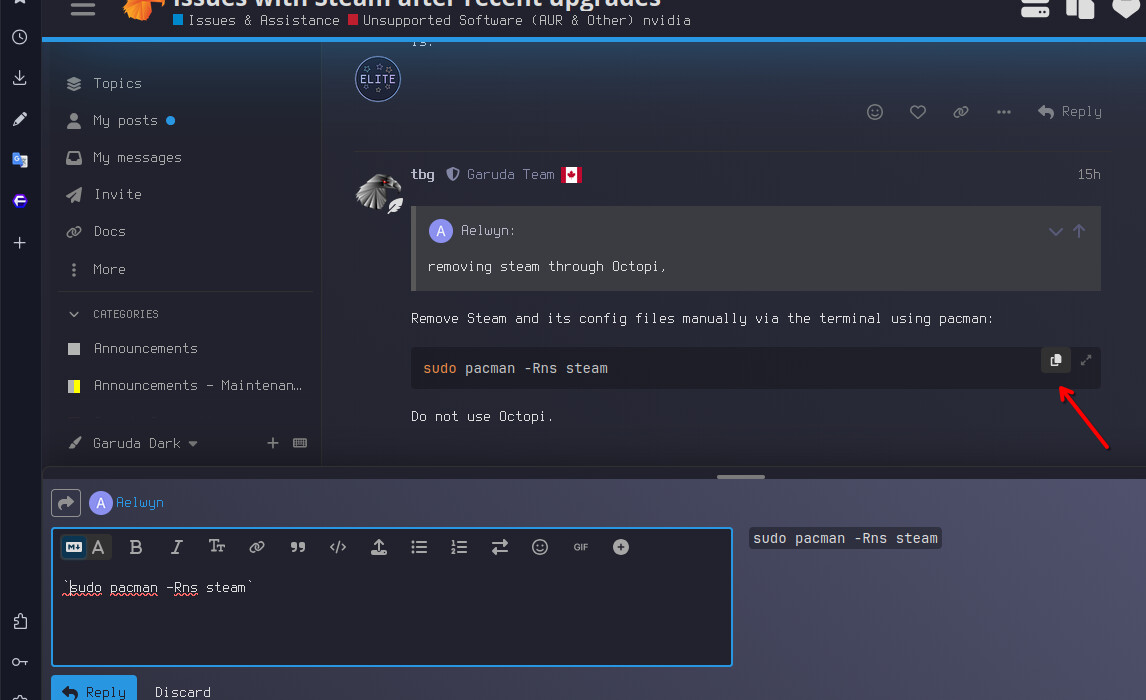
Remove Steam and its config files manually via the terminal using pacman:

sudo pacman -Rns steam

Do not use Octopi.

4 Likes

I attempted to use pacman and was given this error from the command you provided. Apologies if I did it wrong, as I said, I’m still very new to this OS.

error: 'failed to resolve path 'ns' passed to '--root': No such file or directory

Always post the complete output of the terminal, including the command you entered. Then it would be easy to see that there is an error in it. You probably accidentally inserted a space between “-R” and “ns.”

3 Likes

Here, I ran it again just to be sure. No space between the -R and the ns.

aelwyn@CosmicCampfire in ~
󰛓 ❯ sudo pacman -rns steam
[sudo] password for aelwyn:
error: 'failed to resolve path 'ns' passed to '--root': No such file or directory

aelwyn@CosmicCampfire in ~ as 🧙 took 2s256ms
[✖] 󰛓

sudo pacman -Rns steam ( letters in right order please )

you can copy this directly too. CTRL + V for adding it in the Terminal and < enter >

1 Like

Okay, I successfully ran the code, and here’s the logs from that. However, the wipe and reinstall did not resolve the issue, it persists. I’ve started trying to see if I can update my bios like a previous person here suggested, though the only flashdrive I have is the one I used to etch the live version of linux on, and it’s being very stubborn about giving me it’s usable state back.

Thank you for the help so far, everyone. I appreciate it and hopefully this issue resolves soon..

󰛓 ❯ sudo pacman -Rns steam
[sudo] password for aelwyn:
checking dependencies...
:: ecryptfs-utils optionally requires lsof: Encrypted home directory with ecryptfs-migrate-home
:: htop optionally requires lsof: show files opened by a process
:: proton-ge-custom-bin optionally requires zenity: GNOME splash dialog support
:: proton-ge-custom-bin optionally requires steam: use proton with steam like intended
:: spotify optionally requires zenity: Adds support for importing local files
:: wine optionally requires alsa-plugins

Package (15)            Old Version  Net Change

alsa-plugins            1:1.2.12-5    -0.38 MiB
lib32-alsa-plugins      1.2.12-1      -0.27 MiB
lib32-fontconfig        2:2.17.1-1    -0.32 MiB
lib32-freetype2         2.14.1-1      -0.78 MiB
lib32-libnm             1.54.3-1      -1.38 MiB
lib32-libxcrypt-compat  4.5.2-1       -0.18 MiB
lib32-libxinerama       1.1.5-2       -0.01 MiB
lib32-libxss            1.2.4-2       -0.01 MiB
lib32-nspr              4.38.2-1      -0.26 MiB
lib32-nss               3.120-1       -3.08 MiB
lib32-sqlite            3.51.2-1      -1.45 MiB
libxcrypt-compat        4.5.2-1       -0.18 MiB
lsof                    4.99.5-2      -0.37 MiB
zenity                  4.2.1-1       -5.03 MiB
steam                   1.0.0.85-1   -19.46 MiB

Total Removed Size:  33.18 MiB

:: Do you want to remove these packages? [Y/n] y
:: Running pre-transaction hooks...
(1/2) Rejecting pacman transaction if running in snapshot...
(2/2) Performing snapper pre snapshots for the following configurations...
==> root: 67
:: Processing package changes...
( 1/15) removing steam                                     [-------------------------------] 100%
( 2/15) removing zenity                                    [-------------------------------] 100%
( 3/15) removing lsof                                      [-------------------------------] 100%
( 4/15) removing libxcrypt-compat                          [-------------------------------] 100%
( 5/15) removing lib32-libxss                              [-------------------------------] 100%
( 6/15) removing lib32-libxinerama                         [-------------------------------] 100%
( 7/15) removing lib32-libxcrypt-compat                    [-------------------------------] 100%
( 8/15) removing lib32-libnm                               [-------------------------------] 100%
( 9/15) removing lib32-nss                                 [-------------------------------] 100%
(10/15) removing lib32-sqlite                              [-------------------------------] 100%
(11/15) removing lib32-nspr                                [-------------------------------] 100%
(12/15) removing lib32-fontconfig                          [-------------------------------] 100%
(13/15) removing lib32-freetype2                           [-------------------------------] 100%
(14/15) removing lib32-alsa-plugins                        [-------------------------------] 100%
(15/15) removing alsa-plugins                              [-------------------------------] 100%
:: Running post-transaction hooks...
(1/9) Reloading device manager configuration...
(2/9) Arming ConditionNeedsUpdate...
(3/9) Foreign/AUR package notification
=> No foreign/AUR packages found.
(4/9) Orphaned package notification...
=> No orphans found.
(5/9) Checking for .pacnew and .pacsave files...
(6/9) Updating icon theme caches...
(7/9) Updating the desktop file MIME type cache...
(8/9) Performing snapper post snapshots for the following configurations...
==> root: 68
(9/9) Syncing all file systems...

aelwyn@CosmicCampfire in ~ as 🧙 took 43s411ms
󰛓 ❯ sudo pacman -s steam
error: invalid option '-s'

aelwyn@CosmicCampfire in ~ as 🧙
[✖] 󰛓  sudo pacman -S steam
resolving dependencies...
looking for conflicting packages...

Package (15)                     New Version  Net Change

extra/alsa-plugins               1:1.2.12-5     0.38 MiB
multilib/lib32-alsa-plugins      1.2.12-1       0.27 MiB
multilib/lib32-fontconfig        2:2.17.1-1     0.32 MiB
multilib/lib32-freetype2         2.14.1-1       0.78 MiB
multilib/lib32-libnm             1.54.3-1       1.38 MiB
multilib/lib32-libxcrypt-compat  4.5.2-1        0.18 MiB
multilib/lib32-libxinerama       1.1.5-2        0.01 MiB
multilib/lib32-libxss            1.2.4-2        0.01 MiB
multilib/lib32-nspr              4.38.2-1       0.26 MiB
multilib/lib32-nss               3.120-1        3.08 MiB
multilib/lib32-sqlite            3.51.2-1       1.45 MiB
core/libxcrypt-compat            4.5.2-1        0.18 MiB
extra/lsof                       4.99.5-2       0.37 MiB
extra/zenity                     4.2.1-1        5.03 MiB
multilib/steam                   1.0.0.85-1    19.46 MiB

Total Installed Size:  33.18 MiB

:: Proceed with installation? [Y/n] y
(15/15) checking keys in keyring                           [-------------------------------] 100%
(15/15) checking package integrity                         [-------------------------------] 100%
(15/15) loading package files                              [-------------------------------] 100%
(15/15) checking for file conflicts                        [-------------------------------] 100%
(15/15) checking available disk space                      [-------------------------------] 100%
:: Running pre-transaction hooks...
(1/3) Rejecting pacman transaction if running in snapshot...
(2/3) Performing snapper pre snapshots for the following configurations...
==> root: 69
(3/3) Preparing configurations with garuda-config-agent...
:: Processing package changes...
( 1/15) installing libxcrypt-compat                        [-------------------------------] 100%
( 2/15) installing lsof                                    [-------------------------------] 100%
( 3/15) installing zenity                                  [-------------------------------] 100%
( 4/15) installing alsa-plugins                            [-------------------------------] 100%
Optional dependencies for alsa-plugins
dbus: for maemo plugin [installed]
ffmpeg: for pcm_a52 plugin [installed]
jack: for pcm_jack plugin [installed]
libavtp: for pcm_aaf plugin [installed]
libsamplerate: for rate_samplerate plugin [installed]
libpulse: for conf_pulse, ctl_pulse and pcm_pulse plugins [installed]
speexdsp: for pcm_speex and rate_speexrate plugins [installed]
( 5/15) installing lib32-alsa-plugins                      [-------------------------------] 100%
Optional dependencies for lib32-alsa-plugins
lib32-dbus: for maemo plugin [installed]
lib32-jack: for pcm_jack plugin [installed]
lib32-libavtp: for pcm_aaf plugin
lib32-libsamplerate: for rate_samplerate plugin
lib32-libpulse: for conf_pulse, ctl_pulse and pcm_pulse plugins
lib32-speexdsp: for pcm_speex and rate_speexrate plugins
( 6/15) installing lib32-freetype2                         [-------------------------------] 100%
Optional dependencies for lib32-freetype2
lib32-harfbuzz: Improved autohinting
( 7/15) installing lib32-fontconfig                        [-------------------------------] 100%
Rebuilding 32-bit fontconfig cache...
( 8/15) installing lib32-nspr                              [-------------------------------] 100%
( 9/15) installing lib32-sqlite                            [-------------------------------] 100%
(10/15) installing lib32-nss                               [-------------------------------] 100%
(11/15) installing lib32-libnm                             [-------------------------------] 100%
(12/15) installing lib32-libxcrypt-compat                  [-------------------------------] 100%
(13/15) installing lib32-libxinerama                       [-------------------------------] 100%
(14/15) installing lib32-libxss                            [-------------------------------] 100%
(15/15) installing steam                                   [-------------------------------] 100%
Optional dependencies for steam
polkit: to setup SteamVR without root access [installed]
steam-native-runtime: steam native runtime support
xdg-desktop-portal-impl: file & folder picker [installed]
:: Running post-transaction hooks...
( 1/10) Updating configurations with garuda-config-agent...
( 2/10) Reloading device manager configuration...
( 3/10) Arming ConditionNeedsUpdate...
( 4/10) Foreign/AUR package notification
=> No foreign/AUR packages found.
( 5/10) Orphaned package notification...
=> No orphans found.
( 6/10) Checking for .pacnew and .pacsave files...
( 7/10) Updating icon theme caches...
( 8/10) Updating the desktop file MIME type cache...
( 9/10) Performing snapper post snapshots for the following configurations...
==> root: 70
(10/10) Syncing all file systems...

aelwyn@CosmicCampfire in ~ as 🧙 took 7s414ms

Linux is case sensitive. When running commands, lower case or caps is very important.

The first letter after using the pacman command is usually upper case, as in:

sudo pacman -Rns steam
1 Like

The correct path would be /home/user/.local/share/Steam to my knowledge.

Use ventoy for using image files to boot from. You can install it from repo.
It will delete the stick and install itself on it. To boot an image, all you have to do is to copy the image to the stick with your file manager. The remaining free space is then entirely at your disposal. You can then copy your BIOS file there.

1 Like

Hello! I know it’s been a bit but I managed to use this to successfully update my bios, and nothing has changed. Though, for some reason, my Steam does seem to fix itself after a while and I’m not sure why.

Do you guys think this is a CPU issue? I’d prefer to not have to open my computer and replace my CPU but if it needs replacement I’d rather do it sooner than later.

  • ONE issue per topic.

Also experiencing issues with Steam pinwheeling on launch; not likely a hardware issue; Steam has had frequent issues with launching over the last decade; probably due to it being based on Chrome; likely with fix itself with an update at some point; could also try clearing Steam cache; Steam support will likely say to post on Git for Linux support; Steam only will provide support to users on Ubuntu based distros; even though SteamOs is based on Arch. :expressionless_face:

I see.. Well, at least this issue isn’t preventing me from doing the things I enjoy doing. Maybe it’ll be fixed in an update down the line. Thank you all for your help! I really really appreciate it!

This topic was automatically closed 14 days after the last reply. New replies are no longer allowed.