I’d like to share my experience and the issues I encountered after upgrading to KDE6.
I’ve been using Linux for only four months, so please bear with me as I may lack some knowledge. I’ve been relying on self-learning through forums and applying various tips to navigate through my Linux journey.
Here is my garuda-inxi :
╭─polychromatik@Garuda in ~
╰─λ garuda-inxi
System:
Kernel: 6.8.1-zen1-1-zen arch: x86_64 bits: 64 compiler: gcc v: 13.2.1
clocksource: tsc avail: hpet,acpi_pm
parameters: BOOT_IMAGE=/@/boot/vmlinuz-linux-zen
root=UUID=47a5e59d-c1a3-40b9-a0bb-bb47e82afe67 rw rootflags=subvol=@
quiet resume=UUID=0cb10512-f2ea-4a95-a5bc-d5d067138f92 loglevel=3 ibt=off
Desktop: KDE Plasma v: 6.0.2 tk: Qt v: N/A info: frameworks v: 6.0.0
wm: kwin_wayland vt: 1 dm: SDDM Distro: Garuda base: Arch Linux
Machine:
Type: Desktop System: ASUS product: N/A v: N/A serial: <superuser required>
Mobo: ASUSTeK model: TUF GAMING X670E-PLUS WIFI v: Rev 1.xx
serial: <superuser required> part-nu: SKU uuid: <superuser required>
UEFI: American Megatrends v: 1636 date: 07/28/2023
CPU:
Info: model: AMD Ryzen 7 7800X3D bits: 64 type: MT MCP arch: Zen 4 gen: 5
level: v4 note: check built: 2022+ process: TSMC n5 (5nm) family: 0x19 (25)
model-id: 0x61 (97) stepping: 2 microcode: 0xA601203
Topology: cpus: 1x cores: 8 tpc: 2 threads: 16 smt: enabled cache:
L1: 512 KiB desc: d-8x32 KiB; i-8x32 KiB L2: 8 MiB desc: 8x1024 KiB
L3: 96 MiB desc: 1x96 MiB
Speed (MHz): avg: 2851 high: 4851 min/max: 400/5050 scaling:
driver: amd-pstate-epp governor: powersave cores: 1: 400 2: 4845 3: 4838
4: 4848 5: 4045 6: 400 7: 4849 8: 400 9: 400 10: 4851 11: 4846 12: 4851
13: 400 14: 400 15: 400 16: 4847 bogomips: 134401
Flags: avx avx2 ht lm nx pae sse sse2 sse3 sse4_1 sse4_2 sse4a ssse3 svm
Vulnerabilities: <filter>
Graphics:
Device-1: AMD Navi 21 [Radeon RX 6950 XT] vendor: Sapphire driver: amdgpu
v: kernel arch: RDNA-2 code: Navi-2x process: TSMC n7 (7nm) built: 2020-22
pcie: gen: 4 speed: 16 GT/s lanes: 16 ports: active: HDMI-A-1 empty: DP-1,
DP-2, DP-3, Writeback-1 bus-ID: 03:00.0 chip-ID: 1002:73a5 class-ID: 0300
Display: wayland server: X.org v: 1.21.1.11 with: Xwayland v: 23.2.4
compositor: kwin_wayland driver: X: loaded: amdgpu
unloaded: modesetting,radeon alternate: fbdev,vesa dri: radeonsi
gpu: amdgpu display-ID: 0
Monitor-1: HDMI-A-1 res: 3072x1728 size: N/A modes: N/A
API: EGL v: 1.5 hw: drv: amd radeonsi platforms: device: 0 drv: radeonsi
device: 1 drv: swrast surfaceless: drv: radeonsi wayland: drv: radeonsi x11:
drv: radeonsi inactive: gbm
API: OpenGL v: 4.6 compat-v: 4.5 vendor: amd mesa v: 24.0.3-arch1.1
glx-v: 1.4 direct-render: yes renderer: AMD Radeon RX 6950 XT (radeonsi
navi21 LLVM 17.0.6 DRM 3.57 6.8.1-zen1-1-zen) device-ID: 1002:73a5
memory: 15.62 GiB unified: no display-ID: :1.0
API: Vulkan v: 1.3.279 layers: 10 device: 0 type: discrete-gpu name: AMD
Radeon RX 6950 XT (RADV NAVI21) driver: mesa radv v: 24.0.3-arch1.1
device-ID: 1002:73a5 surfaces: xcb,xlib,wayland device: 1 type: cpu
name: llvmpipe (LLVM 17.0.6 256 bits) driver: mesa llvmpipe
v: 24.0.3-arch1.1 (LLVM 17.0.6) device-ID: 10005:0000
surfaces: xcb,xlib,wayland
Audio:
Device-1: AMD Navi 21/23 HDMI/DP Audio driver: snd_hda_intel v: kernel pcie:
gen: 4 speed: 16 GT/s lanes: 16 bus-ID: 03:00.1 chip-ID: 1002:ab28
class-ID: 0403
Device-2: AMD Family 17h/19h HD Audio vendor: ASUSTeK
driver: snd_hda_intel v: kernel pcie: gen: 4 speed: 16 GT/s lanes: 16
bus-ID: 13:00.6 chip-ID: 1022:15e3 class-ID: 0403
Device-3: Native Instruments Komplete Audio 6 driver: snd-usb-audio
type: USB rev: 2.0 speed: 480 Mb/s lanes: 1 mode: 2.0 bus-ID: 1-3:2
chip-ID: 17cc:1001 class-ID: fe01 serial: <filter>
API: ALSA v: k6.8.1-zen1-1-zen status: kernel-api with: aoss
type: oss-emulator tools: N/A
Server-1: PipeWire v: 1.0.4 status: active with: 1: pipewire-pulse
status: active 2: wireplumber status: active 3: pipewire-alsa type: plugin
4: pw-jack type: plugin tools: pactl,pw-cat,pw-cli,wpctl
Network:
Device-1: Realtek RTL8125 2.5GbE vendor: ASUSTeK driver: r8169 v: kernel
pcie: gen: 2 speed: 5 GT/s lanes: 1 port: e000 bus-ID: 0b:00.0
chip-ID: 10ec:8125 class-ID: 0200
IF: eno1 state: up speed: 100 Mbps duplex: full mac: <filter>
Device-2: MEDIATEK MT7922 802.11ax PCI Express Wireless Network Adapter
vendor: Foxconn driver: mt7921e v: kernel pcie: gen: 2 speed: 5 GT/s
lanes: 1 bus-ID: 0c:00.0 chip-ID: 14c3:0616 class-ID: 0280
IF: wlp12s0 state: down mac: <filter>
IF-ID-1: virbr0 state: down mac: <filter>
Info: services: NetworkManager, systemd-timesyncd, wpa_supplicant
Bluetooth:
Device-1: Foxconn / Hon Hai Wireless_Device driver: btusb v: 0.8 type: USB
rev: 2.1 speed: 480 Mb/s lanes: 1 mode: 2.0 bus-ID: 3-2:2 chip-ID: 0489:e0e2
class-ID: e001 serial: <filter>
Report: btmgmt ID: hci0 rfk-id: 0 state: up address: <filter> bt-v: 5.2
lmp-v: 11 status: discoverable: no pairing: no class-ID: 6c0104
Drives:
Local Storage: total: 8.64 TiB used: 777.82 GiB (8.8%)
SMART Message: Unable to run smartctl. Root privileges required.
ID-1: /dev/nvme0n1 maj-min: 259:0 vendor: Western Digital
model: WD BLACK SN850X 2000GB size: 1.82 TiB block-size: physical: 512 B
logical: 512 B speed: 63.2 Gb/s lanes: 4 tech: SSD serial: <filter>
fw-rev: 620331WD temp: 34.9 C scheme: GPT
ID-2: /dev/nvme1n1 maj-min: 259:3 vendor: Western Digital
model: WD BLACK SN850X 2000GB size: 1.82 TiB block-size: physical: 512 B
logical: 512 B speed: 63.2 Gb/s lanes: 4 tech: SSD serial: <filter>
fw-rev: 620331WD temp: 31.9 C scheme: GPT
ID-3: /dev/sda maj-min: 8:0 vendor: Samsung model: SSD 870 EVO 1TB
size: 931.51 GiB block-size: physical: 512 B logical: 512 B speed: 6.0 Gb/s
tech: SSD serial: <filter> fw-rev: 1B6Q scheme: GPT
SMART Message: Unknown smartctl error. Unable to generate data.
ID-4: /dev/sdb maj-min: 8:16 vendor: Samsung model: SSD 870 QVO 2TB
size: 1.82 TiB block-size: physical: 512 B logical: 512 B speed: 6.0 Gb/s
tech: SSD serial: <filter> fw-rev: 2B6Q scheme: GPT
SMART Message: Unknown smartctl error. Unable to generate data.
ID-5: /dev/sdc maj-min: 8:32 vendor: Western Digital
model: WD20EFRX-68EUZN0 size: 1.82 TiB block-size: physical: 4096 B
logical: 512 B speed: 6.0 Gb/s tech: HDD rpm: 5400 serial: <filter>
fw-rev: 0A82 scheme: GPT
SMART Message: Unknown smartctl error. Unable to generate data.
ID-6: /dev/sdd maj-min: 8:48 vendor: Samsung model: SSD 850 EVO 500GB
size: 465.76 GiB block-size: physical: 512 B logical: 512 B speed: 6.0 Gb/s
tech: SSD serial: <filter> fw-rev: 2B6Q scheme: GPT
SMART Message: Unknown smartctl error. Unable to generate data.
Partition:
ID-1: / raw-size: 1.79 TiB size: 1.79 TiB (100.00%) used: 777.82 GiB (42.5%)
fs: btrfs block-size: 4096 B dev: /dev/nvme1n1p2 maj-min: 259:5
ID-2: /boot/efi raw-size: 300 MiB size: 299.4 MiB (99.80%)
used: 588 KiB (0.2%) fs: vfat block-size: 512 B dev: /dev/nvme1n1p1
maj-min: 259:4
ID-3: /home raw-size: 1.79 TiB size: 1.79 TiB (100.00%)
used: 777.82 GiB (42.5%) fs: btrfs block-size: 4096 B dev: /dev/nvme1n1p2
maj-min: 259:5
ID-4: /var/log raw-size: 1.79 TiB size: 1.79 TiB (100.00%)
used: 777.82 GiB (42.5%) fs: btrfs block-size: 4096 B dev: /dev/nvme1n1p2
maj-min: 259:5
ID-5: /var/tmp raw-size: 1.79 TiB size: 1.79 TiB (100.00%)
used: 777.82 GiB (42.5%) fs: btrfs block-size: 4096 B dev: /dev/nvme1n1p2
maj-min: 259:5
Swap:
Kernel: swappiness: 133 (default 60) cache-pressure: 100 (default) zswap: no
ID-1: swap-1 type: zram size: 31.08 GiB used: 0 KiB (0.0%) priority: 100
comp: zstd avail: lzo,lzo-rle,lz4,lz4hc,842 max-streams: 16 dev: /dev/zram0
ID-2: swap-2 type: partition size: 34.18 GiB used: 0 KiB (0.0%)
priority: -2 dev: /dev/nvme1n1p3 maj-min: 259:6
Sensors:
System Temperatures: cpu: 56.8 C mobo: 36.0 C gpu: amdgpu temp: 41.0 C
mem: 38.0 C
Fan Speeds (rpm): N/A gpu: amdgpu fan: 841
Info:
Memory: total: 32 GiB note: est. available: 31.08 GiB used: 3.76 GiB (12.1%)
Processes: 386 Power: uptime: 0m states: freeze,mem,disk suspend: deep
avail: s2idle wakeups: 0 hibernate: platform avail: shutdown, reboot,
suspend, test_resume image: 12.42 GiB services: org_kde_powerdevil,
power-profiles-daemon, upowerd Init: systemd v: 255 default: graphical
tool: systemctl
Packages: pm: pacman pkgs: 1891 libs: 507 tools: octopi,pamac,paru,trizen
Compilers: clang: 17.0.6 gcc: 13.2.1 Shell: garuda-inxi default: fish
v: 3.7.0 running-in: konsole inxi: 3.3.33
Garuda (2.6.23-1):
System install date:     2024-03-07
Last full system update: 2024-03-17
Is partially upgraded:   No
Relevant software:       snapper NetworkManager dracut
Windows dual boot:       Probably (Run as root to verify)
Failed units:
Like johnnyciocca, I encountered similar issues with the Dr460nized theme, specifically regarding the “space available/used in Dolphin’s bottom right status bar” and Dolphin transparency after the KDE6 update. I temporarily resolved this problem by switching to the vivid-dark-global-6 theme.

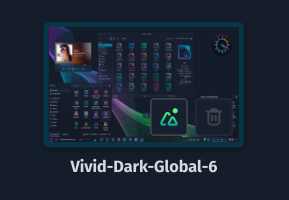
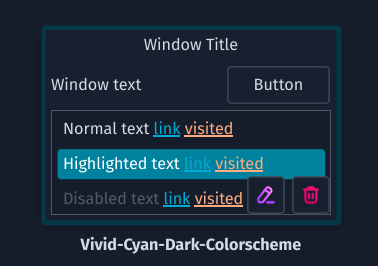


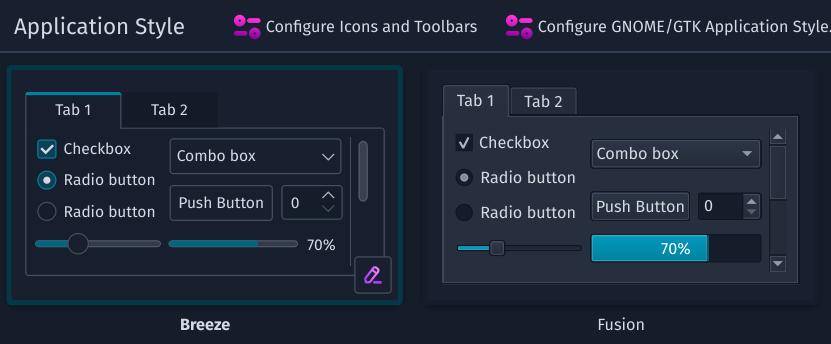
I attempted to update Kvantum from version 1.0.10-3 to kvantum-git 1.0.10r53, although I’m uncertain if it was a wise decision.
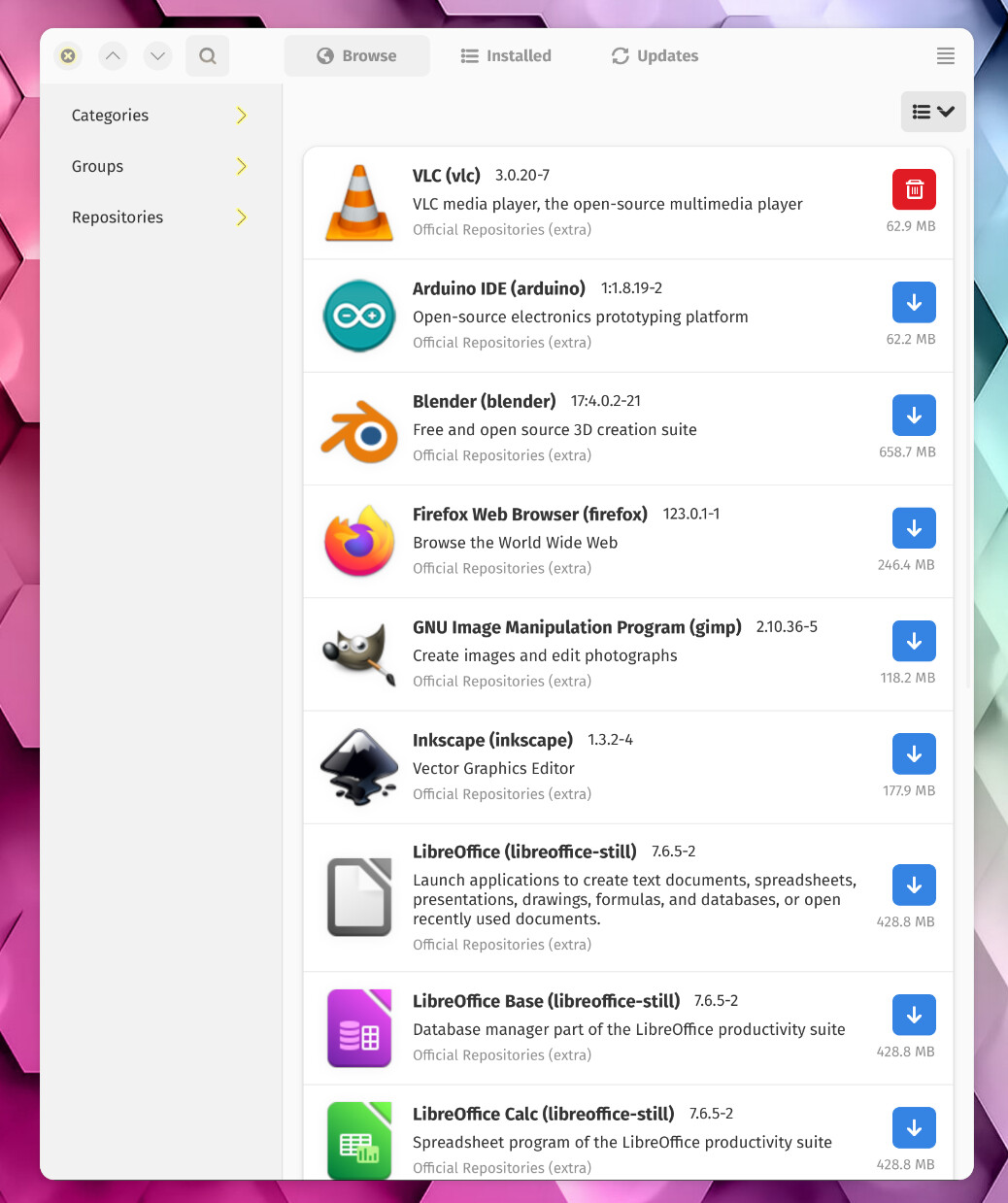
The issues I’m facing primarily revolve around GTK applications not adhering to the theme properly, resulting in poorly rendered fonts. Despite trying various guides suggested on forums, I haven’t found a solution that works consistently.
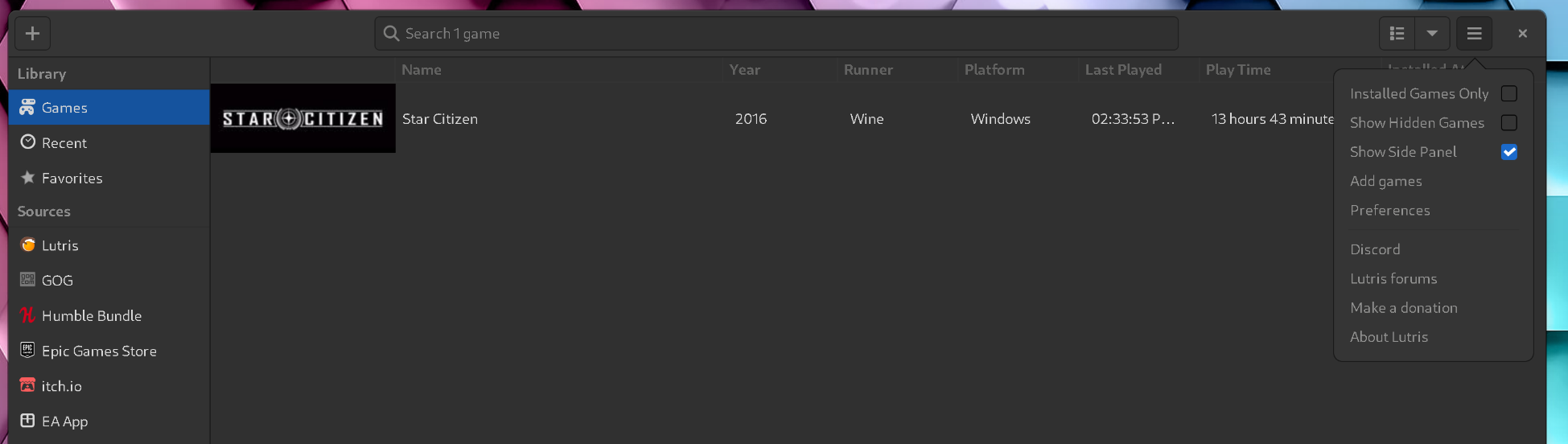

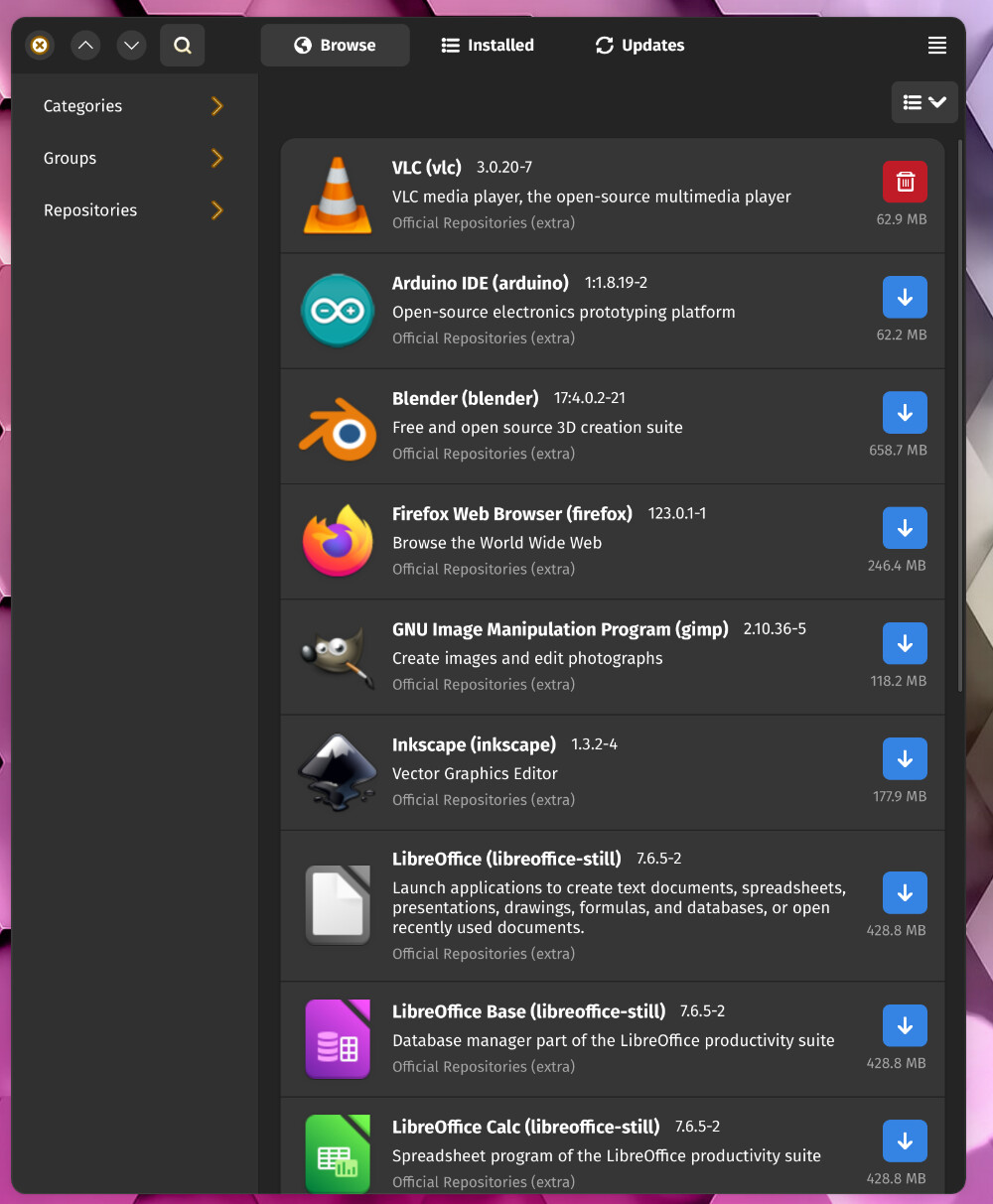
I experimented with command-line instructions provided by others on the forum, which temporarily fixed the theme for applications like Lutris. However, upon reboot, the system reverts to the default grey theme. Some applications, such as Bottle, Pacman, and Spectacle, display the theme in white after applying these commands :
systemctl --user import-environment WAYLAND_DISPLAY XDG_CURRENT_DESKTOP

dbus-update-activation-environment --systemd WAYLAND_DISPLAY XDG_CURRENT_DESKTOP=compositor_name

/usr/lib/xdg-desktop-portal --replace


When executing the third command, I encountered errors in the CLI:
╭─polychromatik@Garuda in ~
╰─λ /usr/lib/xdg-desktop-portal --replace

(/usr/lib/xdg-desktop-portal:88668): xdg-desktop-portal-WARNING **: 13:41:20.264: Failed to create background monitor: Failed to own background monitor D-Bus name

(/usr/lib/xdg-desktop-portal:88668): xdg-desktop-portal-WARNING **: 13:41:20.264: No skeleton to export

(/usr/lib/xdg-desktop-portal:88668): xdg-desktop-portal-WARNING **: 13:41:27.113: A backend call failed: No such method 'CreateMonitor' in interface 'org.freedesktop.impl.portal.Inhibit' at object path '/org/freedesktop/portal/desktop' (signature 'ooss')

** (/usr/lib/xdg-desktop-portal:88668): WARNING **: 13:41:27.114: Failed to close session implementation: GDBus.Error:org.freedesktop.DBus.Error.UnknownObject: No such object path '/org/freedesktop/portal/desktop/session/1_79/gtk1128039424'
Regarding applications like Lutris, forcing the CLI window to close applies the theme changes, but it reverts upon reboot.
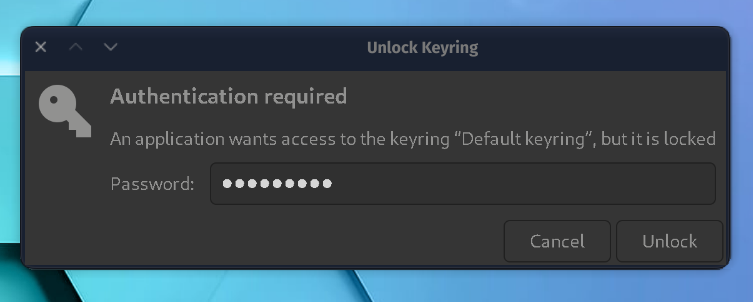
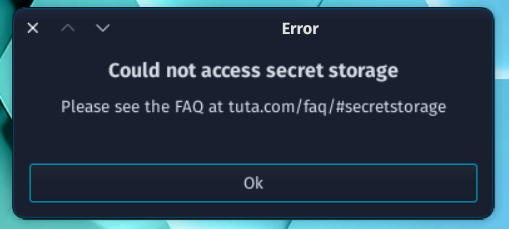
Moreover, I’m experiencing issues with Tutanota Desktop and Mailspring. Although gnome-keyring and libsecret are installed, Tutanota prompts me to unlock gnome-keyring with a password, but afterward, it encounters errors regarding secret storage.

Mailspring, on the other hand, fails to store my password even after attempting to reconnect my account.

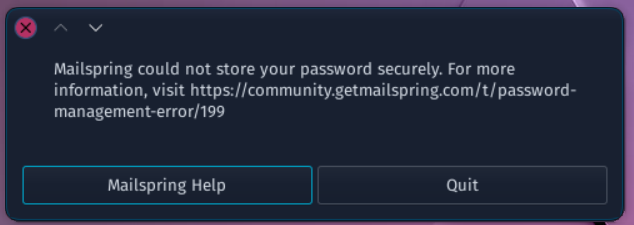
I’m eager to restore the functionality I had with KDE5. I appreciate Garuda Linux and the Dr460nized theme. One positive aspect I’ve noticed is the improved contrast of icons with the vivid-dark-global-6 theme, particularly in the top menu and dock.

However, I find the color highlight in the top menu of the vivid-dark-global-6 theme less appealing.

In an attempt to troubleshoot, I installed the latest Garuda ISO from 16-03-24 on another SSD. However, the system fails to boot after selecting the disk from the GRUB menu.
Thank to the Garuda team for this fantastic distribution !
 Missing information requested in the template may result in not receiving assistance

