I think you’re approaching the merging of .pacnew files incorrectly, and it belies a fundamental misunderstanding of what these files are and what you, as the end-user - and effectively system administrator, need to do to ensure a safe, secure, and optimal system experience.
First, I think it’s important to understand that when .pacnew files are created, it’s because usually the package either has new configuration features, or there’s a change in how settings are processed, or something similar. The .pacnew is basically a suggestion, or updated configuration settings, from the package maintainers on how to update the settings and configuration options for the specific package.
Now, in cases where it’s a brand new machine, it’s probably safe to automatically just overwrite the configuration, however, in a system that’s already running, it’s important to not wholesale overwrite the configuration file since you may have settings that are specific to your system and overwriting the file without reviewing can very likely break your system in a way that you do not expect.
Now, while the Garuda team did a great job implementing certain hooks to aid in the merge process, that’s specific to Garuda configuration needs only - not your end-user configuration changes.
A user must review this properly and decide what changes to implement. Again to the credit of the Garuda team, they have a far more elegant and useful method by which you can review the changes and decide on how to synchronize the two files so that they’re identical, which means any of your settings are preserved, and any new changes coming from the .pacnew file are incorporated into your existing settings file.
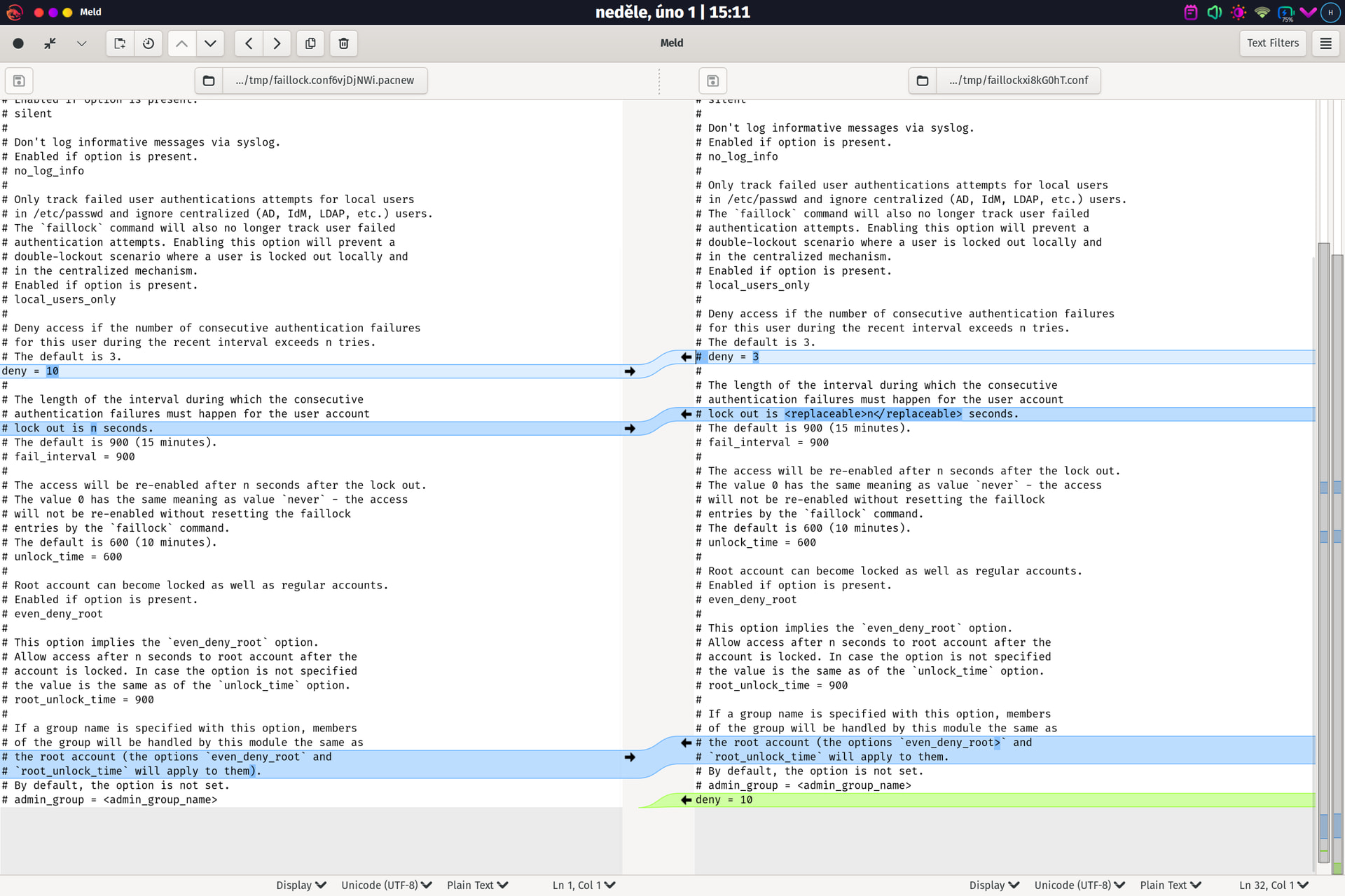
When merging these files, Garuda Rani automatically loads meld, which is a GUI program which highlights differences between any two files. In cases where lines are identified in blue, it means that both files have similar lines, but there’s a conflict between them. In those cases, decide which of the two (new, or original file) should persist and overwrite the one you wish to no longer use. In cases where the identified change is green, it means this is a new line that doesn’t exist in the original file and you can decide if you want it included or not.
I hope this, at least, helps demystify why this is important, and what the program is showing you to help you make informed decisions.
Of course, if there’s a setting you do not understand, Google is an excellent tool to help uncover more information about it. I will also caution you and future readers to, at least at this time of writing, avoid any suggestions or explanations by any AI as these answers cannot be fully trusted unless you already know what you’re doing, which makes the AI answer useless. Lastly, you’re always welcome to post on the forum here and there are many active folks on the forums who are eager to help.
Good luck with your merging!
 gles because of privacy.