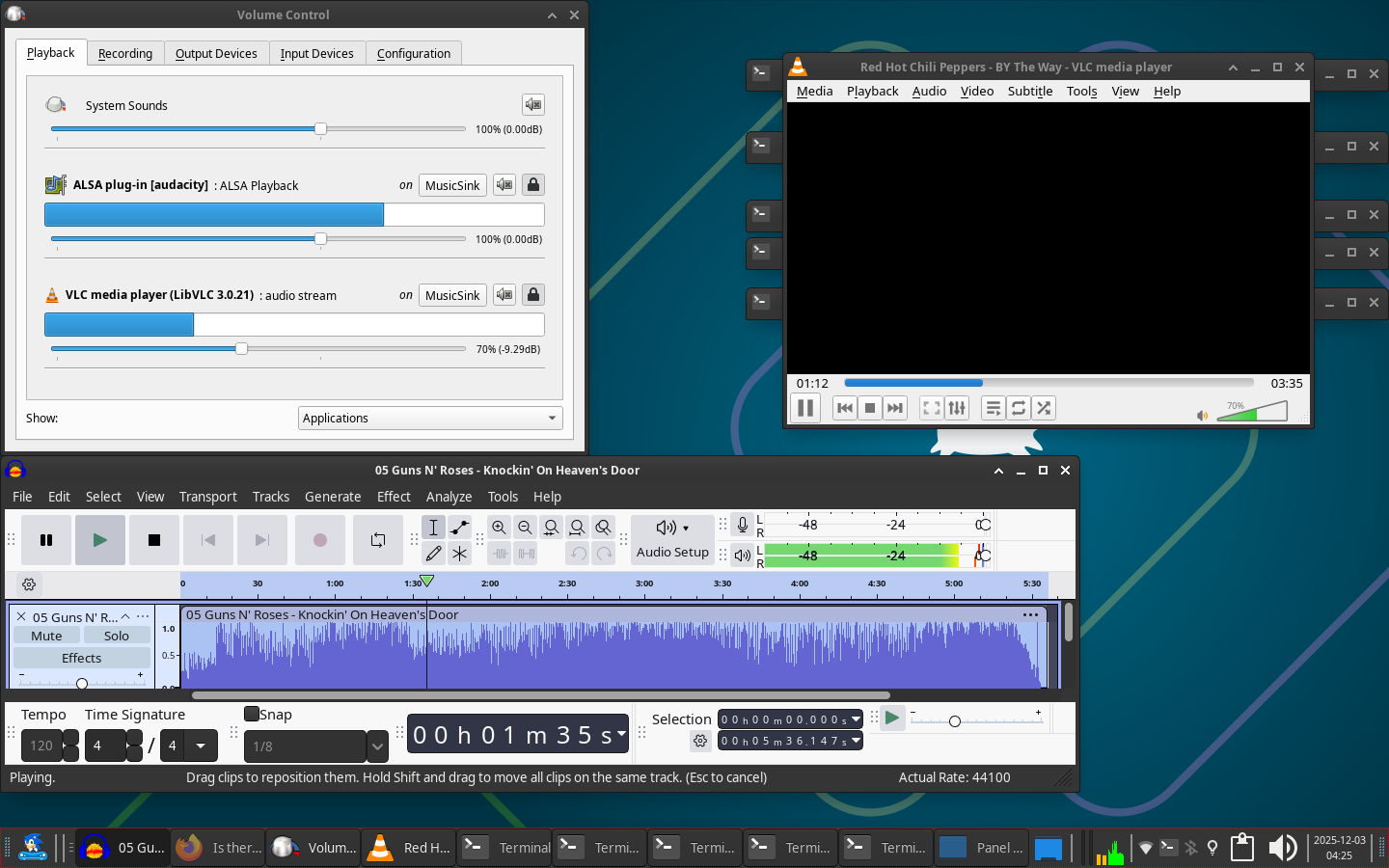
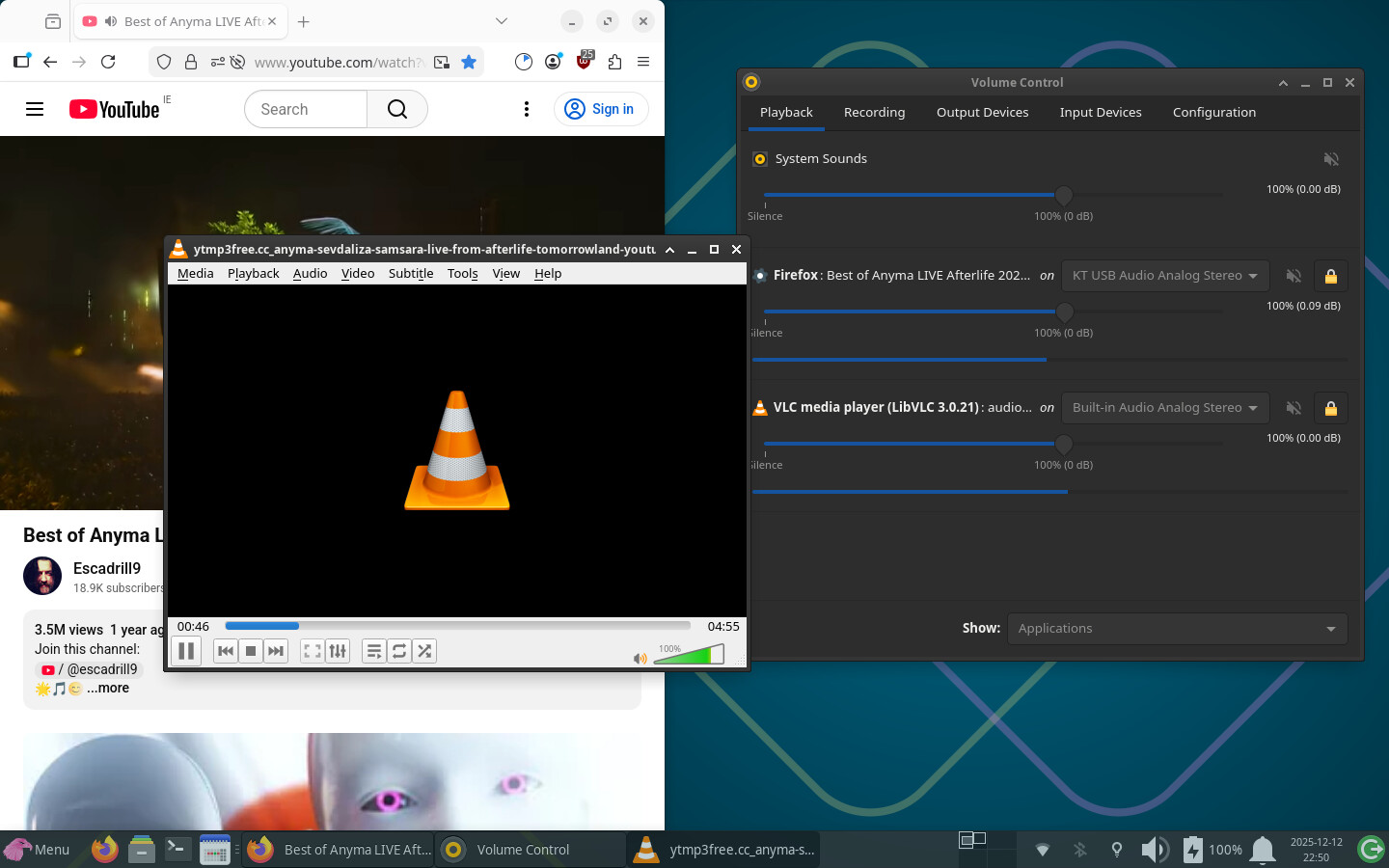
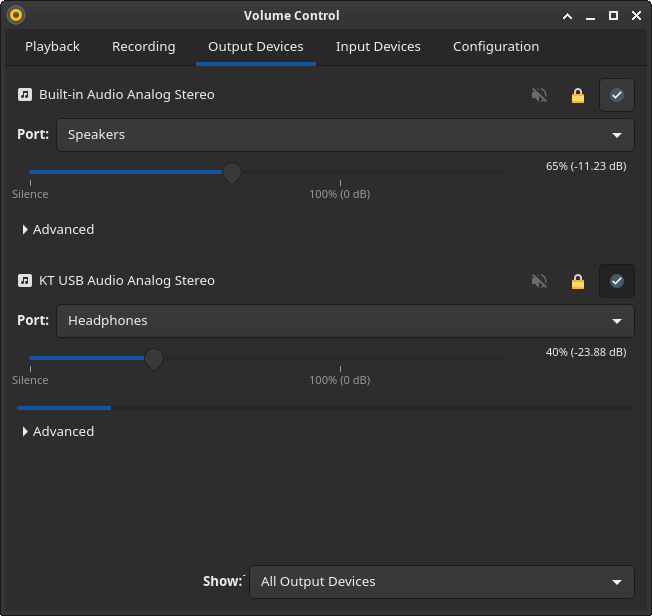
Is there a way for pipewire device ID‎s and/or routing to be static, or at least persistent within a session under Wayland?

I’ve been using Garuda for some months now, and I’ve completely adapted to it, except for one issue regarding audio devices and sources. I use PipeWire and Wayland, as I refer many times in this text.

I’m a wannabe streamer, kinda. I’m into manually setting up my audio devices so it’s easy to manage and pass it to OBS, it just makes things easier for when I’m live and have to configure things on the fly, without delay.

My problem currently is: whenever I pause some audio stream, say, from VLC, it completely resets the audio routing to only sound in my default audio device (currently an easyeffects sink). If a game crashes, I need to spend an entire minute rerouting its audio stream so it’s modular enough for me to easily control within OBS.

Is there any solution for this issue? Would it be a fix if I swapped to X11 but kept all applications to force use Xwayland? I just want to route my audio in a way that’s convenient to me, is that so hard?

How can anyone help you if you don’t provide enough information?

Post the terminal output from garuda-inxi, as requested in the template for your post. This output is essential for receiving assistance on this forum.

Format it as a code block by clicking the preformatted text button (</>), or put three tildes (~) above and below the output text.

5 Likes
**╭─louwu**@**LoUwULinux** in \~ 
**╰─λ** garuda-inxi 
**System:** 
**Kernel:** 6.17.8-arch1-1-znver2 **arch:** x86_64 **bits:** 64 **compiler:** gcc **v:** 15.2.1 
**clocksource:** tsc **avail:** hpet,acpi_pm 
**parameters:** BOOT_IMAGE=/@/boot/vmlinuz-linux-znver2 
root=UUID=271fabf3-fa73-4289-9ef0-c00c6f528dc5 rw rootflags=subvol=@ 
quiet loglevel=3 splash 
**Desktop:** KDE Plasma **v:** 6.5.3 **tk:** Qt **v:** N/A **info:** frameworks **v:** 6.20.0 
**wm:** kwin_wayland **tools:** **avail:** swayidle,swaylock **vt:** 1 **dm:** SDDM 
**Distro:** Garuda **base:** Arch Linux 
**Machine:** 
**Type:** Desktop **Mobo:** Gigabyte **model:** B450 GAMING X 
**serial:** <superuser required> **uuid:** <superuser required> **UEFI:** American 
Megatrends LLC. **v:** F65b **date:** 09/20/2023 
**CPU:** 
**Info:** **model:** AMD Ryzen 5 3600 **bits:** 64 **type:** MT MCP **arch:** Zen 2 **gen:** 2 
**level:** v3 **note:** check **built:** 2020-22 **process:** TSMC n7 (7nm) 
**family:** 0x17 (23) **model-id:** 0x71 (113) **stepping:** 0 **microcode:** 0x8701034 
**Topology:** **cpus:** 1x **dies:** 1 **clusters:** 1 **cores:** 6 **threads:** 12 **tpc:** 2 
**smt:** enabled **cache:** **L1:** 384 KiB **desc:** d-6x32 KiB; i-6x32 KiB **L2:** 3 MiB 
**desc:** 6x512 KiB **L3:** 32 MiB **desc:** 2x16 MiB 
**Speed (MHz):** **avg:** 3943 **min/max:** 558/4208 **boost:** enabled **scaling:** 
**driver:** amd-pstate-epp **governor:** performance **cores:** **1:** 3943 **2:** 3943 **3:** 3943 
**4:** 3943 **5:** 3943 **6:** 3943 **7:** 3943 **8:** 3943 **9:** 3943 **10:** 3943 **11:** 3943 **12:** 3943 
**bogomips:** 86241 
**Flags-basic:** avx avx2 ht lm nx pae sse sse2 sse3 sse4_1 sse4_2 sse4a 
ssse3 svm 
**Vulnerabilities:** <filter> 
**Graphics:** 
**Device-1:** NVIDIA GA104 \[GeForce RTX 3060\] **vendor:** Micro-Star MSI 
**driver:** nvidia **v:** 580.105.08 **alternate:** nouveau,nvidia_drm 
**non-free:** 550-580.xx+ **status:** current (as of 2025-08; EOL\~2026-12-xx) 
**arch:** Ampere **code:** GAxxx **process:** TSMC n7 (7nm) **built:** 2020-2023 **pcie:** 
**gen:** 3 **speed:** 8 GT/s **lanes:** 16 **link-max:** **gen:** 4 **speed:** 16 GT/s **ports:** 
**active:** DP-1,HDMI-A-1 **empty:** DP-2,DP-3 **bus-ID:** 07:00.0 **chip-ID:** 10de:2487 
**class-ID:** 0300 
**Device-2:** Lenovo FHD Webcam **driver:** snd-usb-audio,uvcvideo **type:** USB 
**rev:** 2.0 **speed:** 480 Mb/s **lanes:** 1 **mode:** 2.0 **bus-ID:** 1-5:3 **chip-ID:** 17ef:4831 
**class-ID:** 0102 **serial:** <filter> 
**Display:** wayland **server:** X.org **v:** 1.21.1.20 **with:** Xwayland **v:** 24.1.9 
**compositors:** **1:** Gamescope **2:** kwin_wayland **driver:** **X:** **loaded:** N/A 
**unloaded:** nvidia **gpu:** nv_platform,nvidia,nvidia-nvswitch **display-ID:** 0 
**Monitor-1:** DP-1 **model:** LG (GoldStar) HDR WFHD **serial:** <filter> **built:** 2018 
**res:** 2560x1080 **dpi:** 81 **gamma:** 1.2 **size:** 798x334mm (31.42x13.15") 
**diag:** 869mm (34.2") **modes:** **max:** 2560x1080 **min:** 640x480 
**Monitor-2:** HDMI-A-1 **model:** Dell E1709W **serial:** <filter> **built:** 2010 
**res:** 1440x900 **dpi:** 99 **gamma:** 1.2 **size:** 370x230mm (14.57x9.06") 
**diag:** 436mm (17.2") **ratio:** 16:10 **modes:** **max:** 1440x900 **min:** 640x480 
**API:** EGL **v:** 1.5 **hw:** **drv:** nvidia **platforms:** **device:** 0 **drv:** nvidia **device:** 2 
**drv:** swrast **gbm:** **drv:** nvidia **surfaceless:** **drv:** nvidia **wayland:** **drv:** nvidia 
**x11:** **drv:** nvidia **inactive:** device-1 
**API:** OpenGL **v:** 4.6.0 **compat-v:** 4.5 **vendor:** nvidia mesa **v:** 580.105.08 
**glx-v:** 1.4 **direct-render:** yes **renderer:** NVIDIA GeForce RTX 3060/PCIe/SSE2 
**memory:** 11.72 GiB **display-ID:** :1.0 
**API:** Vulkan **v:** 1.4.328 **layers:** 21 **device:** 0 **type:** discrete-gpu 
**name:** NVIDIA GeForce RTX 3060 **driver:** nvidia **v:** 580.105.08 
**device-ID:** 10de:2487 **surfaces:** N/A **device:** 1 **type:** cpu **name:** llvmpipe 
(LLVM 21.1.5 256 bits) **driver:** mesa llvmpipe **v:** 25.2.7-arch1.1 (LLVM 
21.1.5) **device-ID:** 10005:0000 **surfaces:** N/A 
**Info:** **Tools:** **api:** clinfo, eglinfo, glxinfo, vulkaninfo 
**de:** kscreen-console,kscreen-doctor **gpu:** corectrl, lact, nvidia-settings, 
nvidia-smi **wl:** nwg-displays, swaymsg, wayland-info 
**x11:** xdpyinfo, xprop, xrandr 
**Audio:** 
**Device-1:** NVIDIA GA104 High Definition Audio **vendor:** Micro-Star MSI 
**driver:** snd_hda_intel **v:** kernel **pcie:** **gen:** 3 **speed:** 8 GT/s **lanes:** 16 
**link-max:** **gen:** 4 **speed:** 16 GT/s **bus-ID:** 07:00.1 **chip-ID:** 10de:228b 
**class-ID:** 0403 
**Device-2:** Lenovo FHD Webcam **driver:** snd-usb-audio,uvcvideo **type:** USB 
**rev:** 2.0 **speed:** 480 Mb/s **lanes:** 1 **mode:** 2.0 **bus-ID:** 1-5:3 **chip-ID:** 17ef:4831 
**class-ID:** 0102 **serial:** <filter> 
**Device-3:** Texas Instruments PCM2902 Audio Codec 
**driver:** hid-generic,snd-usb-audio,usbhid **type:** USB **rev:** 1.1 **speed:** 12 Mb/s 
**lanes:** 1 **mode:** 1.1 **bus-ID:** 3-1:2 **chip-ID:** 08bb:2902 **class-ID:** 0300 
**API:** ALSA **v:** k6.17.8-arch1-1-znver2 **status:** kernel-api **with:** aoss 
**type:** oss-emulator **tools:** alsactl,alsamixer,amixer 
**Server-1:** sndiod **v:** N/A **status:** off **tools:** aucat,midicat,sndioctl 
**Server-2:** PipeWire **v:** 1.4.9 **status:** active **with:** **1:** pipewire-pulse 
**status:** active **2:** wireplumber **status:** active **3:** pipewire-alsa **type:** plugin 
**4:** pw-jack **type:** plugin **tools:** pactl,pw-cat,pw-cli,wpctl 
**Network:** 
**Device-1:** Realtek RTL8111/8168/8211/8411 PCI Express Gigabit Ethernet 
**vendor:** Gigabyte **driver:** r8169 **v:** kernel **pcie:** **gen:** 1 **speed:** 2.5 GT/s 
**lanes:** 1 **port:** f000 **bus-ID:** 04:00.0 **chip-ID:** 10ec:8168 **class-ID:** 0200 
**IF:** eno1 **state:** up **speed:** 1000 Mbps **duplex:** full **mac:** <filter> 
**Info:** **services:** NetworkManager, smbd, systemd-timesyncd 
**Bluetooth:** 
**Device-1:** Cambridge Silicon Radio Bluetooth Dongle (HCI mode) **driver:** btusb 
**v:** 0.8 **type:** USB **rev:** 2.0 **speed:** 12 Mb/s **lanes:** 1 **mode:** 1.1 **bus-ID:** 3-3:3 
**chip-ID:** 0a12:0001 **class-ID:** e001 
**Report:** hciconfig **ID:** hci0 **rfk-id:** 0 **state:** down 
**bt-service:** enabled,running **rfk-block:** **hardware:** no **software:** no 
**address:** <filter> 
**Info:** **acl-mtu:** 310:10 **sco-mtu:** 64:8 **link-policy:** rswitch hold sniff park 
**link-mode:** peripheral accept 
**Drives:** 
**Local Storage:** **total:** 2.62 TiB **used:** 1.83 TiB (69.8%) 
**SMART Message:** Unable to run smartctl. Root privileges required. 
**ID-1:** /dev/nvme0n1 **maj-min:** 259:0 **vendor:** A-Data **model:** SX6000LNP 
**size:** 238.47 GiB **block-size:** **physical:** 512 B **logical:** 512 B **speed:** 31.6 Gb/s 
**lanes:** 4 **tech:** SSD **serial:** <filter> **fw-rev:** V9002s45 **temp:** 42.9 C 
**scheme:** GPT 
**ID-2:** /dev/sda **maj-min:** 8:0 **vendor:** Samsung **model:** HD103SJ 
**size:** 931.51 GiB **block-size:** **physical:** 512 B **logical:** 512 B **speed:** 3.0 Gb/s 
**tech:** HDD **rpm:** 7200 **serial:** <filter> **fw-rev:** 0001 **scheme:** GPT 
**ID-3:** /dev/sdb **maj-min:** 8:16 **vendor:** Western Digital 
**model:** WD10EURX-63FH1Y0 **size:** 931.51 GiB **block-size:** **physical:** 4096 B 
**logical:** 512 B **speed:** 6.0 Gb/s **tech:** N/A **serial:** <filter> **fw-rev:** 1A01 
**scheme:** GPT 
**ID-4:** /dev/sdc **maj-min:** 8:32 **vendor:** Kingston **model:** SA400S37120G 
**size:** 111.79 GiB **block-size:** **physical:** 512 B **logical:** 512 B **speed:** 6.0 Gb/s 
**tech:** SSD **serial:** <filter> **fw-rev:** B1E1 **scheme:** GPT 
**ID-5:** /dev/sdd **maj-min:** 8:48 **vendor:** Hitachi **model:** HTS547550A9E384 
**size:** 465.76 GiB **block-size:** **physical:** 4096 B **logical:** 512 B **speed:** 3.0 Gb/s 
**tech:** HDD **rpm:** 5400 **serial:** <filter> **fw-rev:** A50A **scheme:** MBR 
**Partition:** 
**ID-1:** / **raw-size:** 238.18 GiB **size:** 238.18 GiB (100.00%) 
**used:** 205.44 GiB (86.3%) **fs:** btrfs **dev:** /dev/nvme0n1p2 **maj-min:** 259:2 
**ID-2:** /boot/efi **raw-size:** 300 MiB **size:** 299.4 MiB (99.80%) 
**used:** 664 KiB (0.2%) **fs:** vfat **dev:** /dev/nvme0n1p1 **maj-min:** 259:1 
**ID-3:** /home **raw-size:** 238.18 GiB **size:** 238.18 GiB (100.00%) 
**used:** 205.44 GiB (86.3%) **fs:** btrfs **dev:** /dev/nvme0n1p2 **maj-min:** 259:2 
**ID-4:** /var/log **raw-size:** 238.18 GiB **size:** 238.18 GiB (100.00%) 
**used:** 205.44 GiB (86.3%) **fs:** btrfs **dev:** /dev/nvme0n1p2 **maj-min:** 259:2 
**ID-5:** /var/tmp **raw-size:** 238.18 GiB **size:** 238.18 GiB (100.00%) 
**used:** 205.44 GiB (86.3%) **fs:** btrfs **dev:** /dev/nvme0n1p2 **maj-min:** 259:2 
**Swap:** 
**Kernel:** **swappiness:** 133 (default 60) **cache-pressure:** 100 (default) **zswap:** no 
**ID-1:** swap-1 **type:** zram **size:** 31.26 GiB **used:** 23.74 GiB (75.9%) 
**priority:** 100 **comp:** zstd **avail:** lzo-rle,lzo,lz4,lz4hc,deflate,842 
**dev:** /dev/zram0 
**Sensors:** 
**System Temperatures:** **cpu:** 66.2 C **mobo:** 41.0 C 
**Fan Speeds (rpm):** N/A 
**Info:** 
**Memory:** **total:** 32 GiB **available:** 31.26 GiB **used:** 24.91 GiB (79.7%) 
**Processes:** 637 **Power:** **uptime:** 3d 19m **states:** freeze,mem,disk **suspend:** deep 
**avail:** s2idle **wakeups:** 0 **hibernate:** platform **avail:** shutdown, reboot, 
suspend, test_resume **image:** 12.42 GiB **services:** org_kde_powerdevil, 
power-profiles-daemon, upowerd **Init:** systemd **v:** 258 **default:** graphical 
**tool:** systemctl 
**Packages:** 2552 **pm:** pacman **pkgs:** 2548 **libs:** 602 **tools:** octopi,paru **pm:** rpm 
**pkgs:** 4 **Compilers:** **clang:** 21.1.6 **gcc:** 15.2.1 **Shell:** Bash **v:** 5.3.3 
**default:** fish **v:** 4.2.1 **running-in:** konsole **inxi:** 3.3.39 
**Garuda (2.11.1-1):** 
**System install date:**     2025-04-23 
**Garuda release:**          250308 
**Last full system update:** 2025-11-23 
**Is partially upgraded:**   No 
**Relevant software:**       snapper NetworkManager dracut nvidia-utils nvidia-open-dkms garuda-hardware-profile-nvidia garuda-hardware-profile-standard garuda-
hardware-profile-standard-x11 
**Windows dual boot:**       Probably (Run as root to verify) 
**Failed units:**            plymouth-start.service 
--- System Health Check Report --- 
25/26 checks run in 1.81 seconds ⌛  
Powered by garuda-health 🦅e

Sorry for the delay, life is way too busy and I got caught up in it, but here it is.
Please post the full output of garuda-inxi, the last part is missing. Thanks.

  • After rebooting, post the FULL output of garuda-inxi in the body of the post (not linked externally, or collapsed with the “hide details” feature)
3 Likes

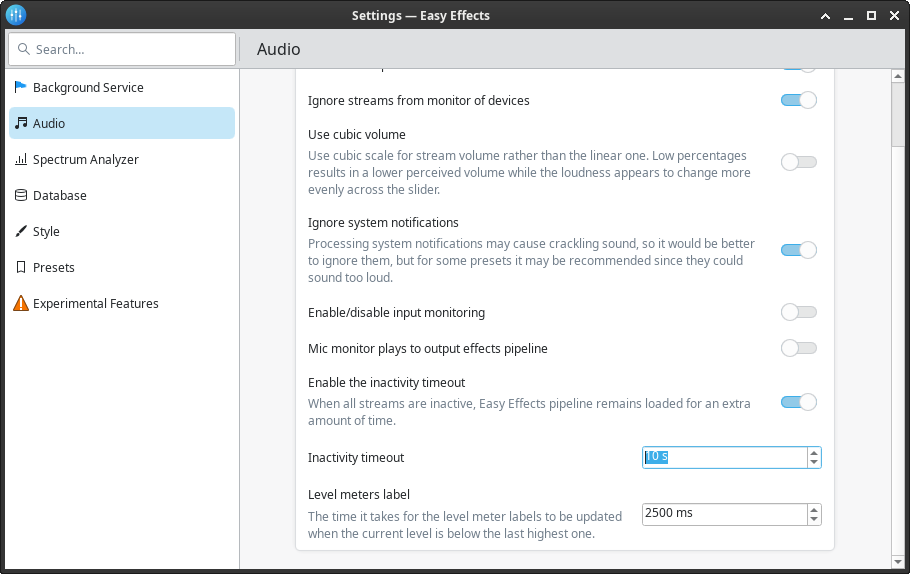
does it chance if you do disable it or ingrease the time?


╭─louwu@LoUwULinux in ~
╰─λ garuda-inxi
System:
Kernel: 6.17.8-arch1-1-znver2 arch: x86_64 bits: 64 compiler: gcc v: 15.2.1
clocksource: tsc avail: hpet,acpi_pm
parameters: BOOT_IMAGE=/@/boot/vmlinuz-linux-znver2
root=UUID=271fabf3-fa73-4289-9ef0-c00c6f528dc5 rw rootflags=subvol=@
quiet loglevel=3 splash
Desktop: KDE Plasma v: 6.5.3 tk: Qt v: N/A info: frameworks v: 6.20.0
wm: kwin_wayland tools: avail: swayidle,swaylock vt: 1 dm: SDDM
Distro: Garuda base: Arch Linux
Machine:
Type: Desktop Mobo: Gigabyte model: B450 GAMING X
serial: <superuser required> uuid: <superuser required> UEFI: American
Megatrends LLC. v: F65b date: 09/20/2023
CPU:
Info: model: AMD Ryzen 5 3600 bits: 64 type: MT MCP arch: Zen 2 gen: 2
level: v3 note: check built: 2020-22 process: TSMC n7 (7nm)
family: 0x17 (23) model-id: 0x71 (113) stepping: 0 microcode: 0x8701034
Topology: cpus: 1x dies: 1 clusters: 1 cores: 6 threads: 12 tpc: 2
smt: enabled cache: L1: 384 KiB desc: d-6x32 KiB; i-6x32 KiB L2: 3 MiB
desc: 6x512 KiB L3: 32 MiB desc: 2x16 MiB
Speed (MHz): avg: 3917 min/max: 558/4208 boost: enabled scaling:
driver: amd-pstate-epp governor: performance cores: 1: 3917 2: 3917 3: 3917
4: 3917 5: 3917 6: 3917 7: 3917 8: 3917 9: 3917 10: 3917 11: 3917 12: 3917
bogomips: 86234
Flags-basic: avx avx2 ht lm nx pae sse sse2 sse3 sse4_1 sse4_2 sse4a
ssse3 svm
Vulnerabilities: <filter>
Graphics:
Device-1: NVIDIA GA104 [GeForce RTX 3060] vendor: Micro-Star MSI
driver: nvidia v: 580.105.08 alternate: nouveau,nvidia_drm
non-free: 550-580.xx+ status: current (as of 2025-08; EOL~2026-12-xx)
arch: Ampere code: GAxxx process: TSMC n7 (7nm) built: 2020-2023 pcie:
gen: 3 speed: 8 GT/s lanes: 16 link-max: gen: 4 speed: 16 GT/s ports:
active: DP-1,HDMI-A-1 empty: DP-2,DP-3 bus-ID: 07:00.0 chip-ID: 10de:2487
class-ID: 0300
Device-2: Lenovo FHD Webcam driver: snd-usb-audio,uvcvideo type: USB
rev: 2.0 speed: 480 Mb/s lanes: 1 mode: 2.0 bus-ID: 1-5:3 chip-ID: 17ef:4831
class-ID: 0102 serial: <filter>
Display: wayland server: X.org v: 1.21.1.20 with: Xwayland v: 24.1.9
compositors: 1: Gamescope 2: kwin_wayland driver: X: loaded: N/A
unloaded: nvidia gpu: nv_platform,nvidia,nvidia-nvswitch display-ID: 0
Monitor-1: DP-1 model: LG (GoldStar) HDR WFHD serial: <filter> built: 2018
res: 2560x1080 dpi: 81 gamma: 1.2 size: 798x334mm (31.42x13.15")
diag: 869mm (34.2") modes: max: 2560x1080 min: 640x480
Monitor-2: HDMI-A-1 model: Dell E1709W serial: <filter> built: 2010
res: 1440x900 dpi: 99 gamma: 1.2 size: 370x230mm (14.57x9.06")
diag: 436mm (17.2") ratio: 16:10 modes: max: 1440x900 min: 640x480
API: EGL v: 1.5 hw: drv: nvidia platforms: device: 0 drv: nvidia device: 2
drv: swrast gbm: drv: nvidia surfaceless: drv: nvidia wayland: drv: nvidia
x11: drv: nvidia inactive: device-1
API: OpenGL v: 4.6.0 compat-v: 4.5 vendor: nvidia mesa v: 580.105.08
glx-v: 1.4 direct-render: yes renderer: NVIDIA GeForce RTX 3060/PCIe/SSE2
memory: 11.72 GiB display-ID: :1.0
API: Vulkan v: 1.4.328 layers: 21 device: 0 type: discrete-gpu
name: NVIDIA GeForce RTX 3060 driver: nvidia v: 580.105.08
device-ID: 10de:2487 surfaces: N/A device: 1 type: cpu name: llvmpipe
(LLVM 21.1.5 256 bits) driver: mesa llvmpipe v: 25.2.7-arch1.1 (LLVM
21.1.5) device-ID: 10005:0000 surfaces: N/A
Info: Tools: api: clinfo, eglinfo, glxinfo, vulkaninfo
de: kscreen-console,kscreen-doctor gpu: corectrl, lact, nvidia-settings,
nvidia-smi wl: nwg-displays, swaymsg, wayland-info
x11: xdpyinfo, xprop, xrandr
Audio:
Device-1: NVIDIA GA104 High Definition Audio vendor: Micro-Star MSI
driver: snd_hda_intel v: kernel pcie: gen: 3 speed: 8 GT/s lanes: 16
link-max: gen: 4 speed: 16 GT/s bus-ID: 07:00.1 chip-ID: 10de:228b
class-ID: 0403
Device-2: Lenovo FHD Webcam driver: snd-usb-audio,uvcvideo type: USB
rev: 2.0 speed: 480 Mb/s lanes: 1 mode: 2.0 bus-ID: 1-5:3 chip-ID: 17ef:4831
class-ID: 0102 serial: <filter>
Device-3: Texas Instruments PCM2902 Audio Codec
driver: hid-generic,snd-usb-audio,usbhid type: USB rev: 1.1 speed: 12 Mb/s
lanes: 1 mode: 1.1 bus-ID: 3-1:2 chip-ID: 08bb:2902 class-ID: 0300
API: ALSA v: k6.17.8-arch1-1-znver2 status: kernel-api with: aoss
type: oss-emulator tools: alsactl,alsamixer,amixer
Server-1: sndiod v: N/A status: off tools: aucat,midicat,sndioctl
Server-2: PipeWire v: 1.4.9 status: active with: 1: pipewire-pulse
status: active 2: wireplumber status: active 3: pipewire-alsa type: plugin
4: pw-jack type: plugin tools: pactl,pw-cat,pw-cli,wpctl
Network:
Device-1: Realtek RTL8111/8168/8211/8411 PCI Express Gigabit Ethernet
vendor: Gigabyte driver: r8169 v: kernel pcie: gen: 1 speed: 2.5 GT/s
lanes: 1 port: f000 bus-ID: 04:00.0 chip-ID: 10ec:8168 class-ID: 0200
IF: eno1 state: up speed: 1000 Mbps duplex: full mac: <filter>
Info: services: NetworkManager, smbd, systemd-timesyncd
Bluetooth:
Device-1: Cambridge Silicon Radio Bluetooth Dongle (HCI mode) driver: btusb
v: 0.8 type: USB rev: 2.0 speed: 12 Mb/s lanes: 1 mode: 1.1 bus-ID: 3-3:3
chip-ID: 0a12:0001 class-ID: e001
Report: hciconfig ID: hci0 rfk-id: 0 state: down
bt-service: enabled,running rfk-block: hardware: no software: no
address: <filter>
Info: acl-mtu: 310:10 sco-mtu: 64:8 link-policy: rswitch hold sniff park
link-mode: peripheral accept
Drives:
Local Storage: total: 2.62 TiB used: 1.83 TiB (69.8%)
SMART Message: Unable to run smartctl. Root privileges required.
ID-1: /dev/nvme0n1 maj-min: 259:0 vendor: A-Data model: SX6000LNP
size: 238.47 GiB block-size: physical: 512 B logical: 512 B speed: 31.6 Gb/s
lanes: 4 tech: SSD serial: <filter> fw-rev: V9002s45 temp: 42.9 C
scheme: GPT
ID-2: /dev/sda maj-min: 8:0 vendor: Samsung model: HD103SJ
size: 931.51 GiB block-size: physical: 512 B logical: 512 B speed: 3.0 Gb/s
tech: HDD rpm: 7200 serial: <filter> fw-rev: 0001 scheme: GPT
ID-3: /dev/sdb maj-min: 8:16 vendor: Western Digital
model: WD10EURX-63FH1Y0 size: 931.51 GiB block-size: physical: 4096 B
logical: 512 B speed: 6.0 Gb/s tech: N/A serial: <filter> fw-rev: 1A01
scheme: GPT
ID-4: /dev/sdc maj-min: 8:32 vendor: Kingston model: SA400S37120G
size: 111.79 GiB block-size: physical: 512 B logical: 512 B speed: 6.0 Gb/s
tech: SSD serial: <filter> fw-rev: B1E1 scheme: GPT
ID-5: /dev/sdd maj-min: 8:48 vendor: Hitachi model: HTS547550A9E384
size: 465.76 GiB block-size: physical: 4096 B logical: 512 B speed: 3.0 Gb/s
tech: HDD rpm: 5400 serial: <filter> fw-rev: A50A scheme: MBR
Partition:
ID-1: / raw-size: 238.18 GiB size: 238.18 GiB (100.00%)
used: 205.29 GiB (86.2%) fs: btrfs dev: /dev/nvme0n1p2 maj-min: 259:2
ID-2: /boot/efi raw-size: 300 MiB size: 299.4 MiB (99.80%)
used: 664 KiB (0.2%) fs: vfat dev: /dev/nvme0n1p1 maj-min: 259:1
ID-3: /home raw-size: 238.18 GiB size: 238.18 GiB (100.00%)
used: 205.29 GiB (86.2%) fs: btrfs dev: /dev/nvme0n1p2 maj-min: 259:2
ID-4: /var/log raw-size: 238.18 GiB size: 238.18 GiB (100.00%)
used: 205.29 GiB (86.2%) fs: btrfs dev: /dev/nvme0n1p2 maj-min: 259:2
ID-5: /var/tmp raw-size: 238.18 GiB size: 238.18 GiB (100.00%)
used: 205.29 GiB (86.2%) fs: btrfs dev: /dev/nvme0n1p2 maj-min: 259:2
Swap:
Kernel: swappiness: 133 (default 60) cache-pressure: 100 (default) zswap: no
ID-1: swap-1 type: zram size: 31.26 GiB used: 24 KiB (0.0%) priority: 100
comp: zstd avail: lzo-rle,lzo,lz4,lz4hc,deflate,842 dev: /dev/zram0
Sensors:
System Temperatures: cpu: 67.4 C mobo: 42.0 C
Fan Speeds (rpm): N/A
Info:
Memory: total: 32 GiB available: 31.26 GiB used: 12.36 GiB (39.5%)
Processes: 540 Power: uptime: 9m states: freeze,mem,disk suspend: deep
avail: s2idle wakeups: 0 hibernate: platform avail: shutdown, reboot,
suspend, test_resume image: 12.42 GiB services: org_kde_powerdevil,
power-profiles-daemon, upowerd Init: systemd v: 258 default: graphical
tool: systemctl
Packages: 2552 pm: pacman pkgs: 2548 libs: 602 tools: octopi,paru pm: rpm
pkgs: 4 Compilers: clang: 21.1.6 gcc: 15.2.1 Shell: Bash v: 5.3.3
default: fish v: 4.2.1 running-in: konsole inxi: 3.3.39
Garuda (2.11.1-1):
System install date:     2025-04-23
Garuda release:          250308
Last full system update: 2025-11-23
Is partially upgraded:   No
Relevant software:       snapper NetworkManager dracut nvidia-utils nvidia-open-dkms garuda-hardware-profile-nvidia garuda-hardware-profile-standard garuda-hardware-profile-standard-x11
Windows dual boot:       Probably (Run as root to verify)
Failed units:
--- System Health Check Report ---
25/26 checks run in 1.55 seconds ⌛
Powered by garuda-health 🦅

--- LOW ---
- Deprecated/Outdated/Removed packages should be removed: steam-native-runtime (fix available)
- Old Btrfs snapshots found that can be deleted (fix available)

Run garuda-health --fix to apply fixes.

Actually, that seems to have helped it.

It isn’t the solution I was looking for, but at least when I change VLC tracks, it no longer auto resets to default configs. Closing a window and reopening it still resets it, however, which is the other half of my problem.

So there you can check maybe Pipeweaver

paru -S pipeweaver-git

start over the terminal the daemon

pipeweaver-daemon

then see to create/manage here the routings or add new configurations in the browser

(http://localhost:14565/)

thats all what i can say because i dont stream any games . Good luck :smiley: ( i know it has a 10s restore savings but not how to increase it)
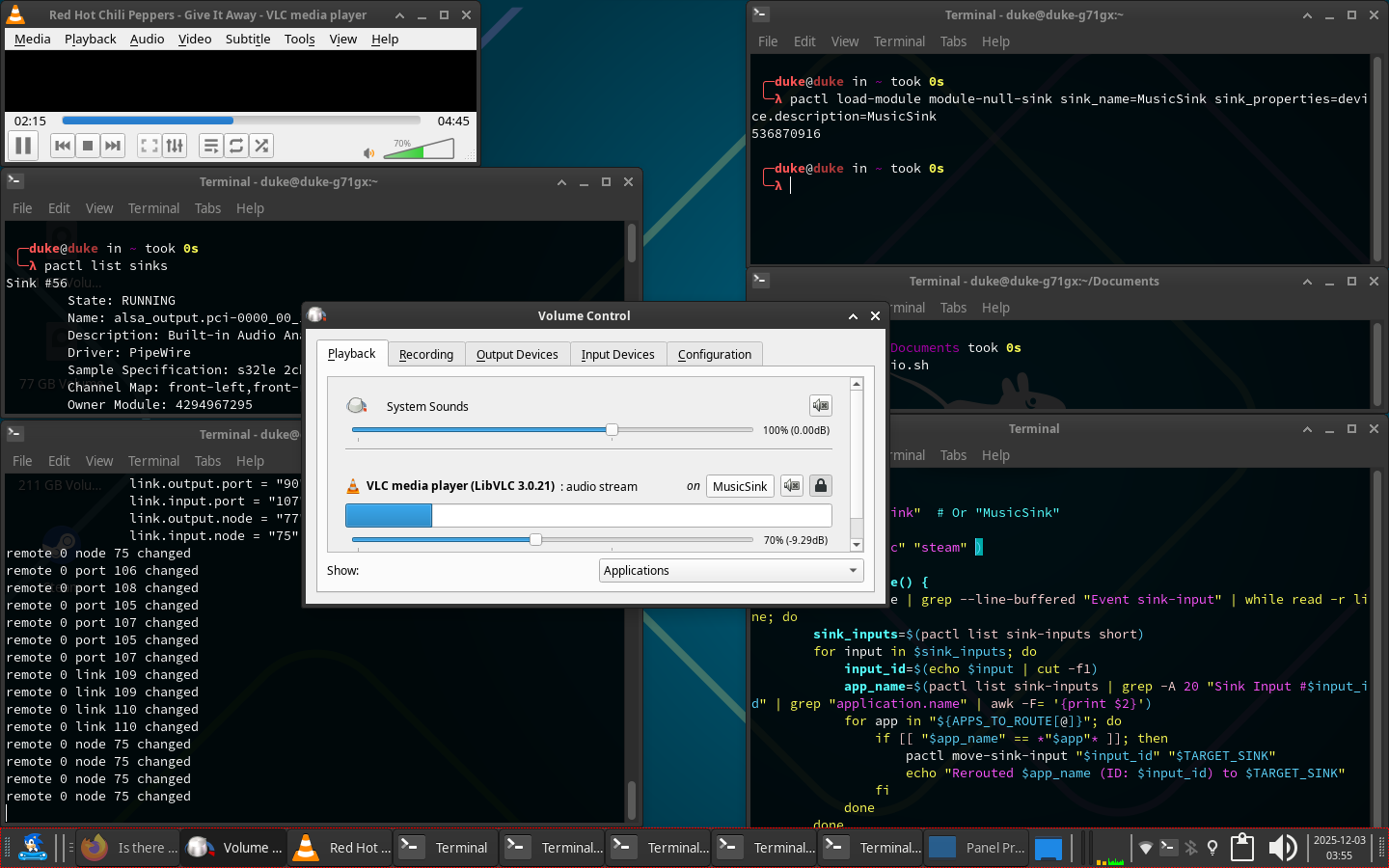
I don’t mean streamed games, I mean games I’m actually running natively, and will change their ID, and thus changing how it’s tracked by OBS, every time I close it and reopen it.

It’s all native, or as native as Proton can be, I assume it’s an issue with wayland, and not the games themselves.

yes it is more restricted with their rules. Yuo already said it right its better to use X11 for it. I cant say much about wireplumber configs because its newer now. If i remember correctly i created 2 extra sinks and pointed my windows to the sinks created a startup script and did it systemwide. But this with Alsa and not pipewire/wireplumber.

1 Like

That’s actually a good idea. Will look into it in the near future.

Thank you for the idea, I should’ve thought of that myself.

I have it done on my XFCE with Alsa and have the config script also saved but didnt tested it again, after OBS stopped working with the old Nvidia Card. I will try to open it and see what is it doing and send a Screenshot may you see something important :wink:

so far it still work but i dont know if it this what you liked and cant test with OBS :wink: (X11-LTS Kernel)( it runs with pipewire too loool)

or 2 Audio inputs on same sink

May just create the sinks and once played route it to your named sinks should work and after a crash open it again route itself to them again :man_shrugging:

Name the Sinks like you want it replace “GameSink”

pactl load-module module-null-sink sink_name=GameSink sink_properties=device.description=GameSink

after a reboot there gone so you have to do it again in the Terminal or create a script file and make it executable and add it in the autostart. ( System Settings → Autostart)

  1. Create a file " you-name-it.sh" safe it where it suits you! ( Dolphin->Right Click)
  2. open it wit Kate and place inside #!/bin/bashenterpactl load-module module-null-sink sink_name=GameSink sink_properties=device.description=GameSink and safe it and close it.
  3. Make it executable right click on File Properties → Permissions-> Allow this File to run as Programm
  4. System Settings → Autostart → + sign add it your file.
  5. reboot and it should run already
1 Like

Question: how do I route stuff to it?

I know Wayland will for sure hate it, sonusmix isn’t consistent with its routing, but if I can force it, it might work fine enough.

you can use pavucontrol for it but to be clear again. this is only virtual routing for OBS recordings ther you add the Gamesink as audio input. If you want it to specific Device output you need to route it on other way. You didnt descriped it how you want route it at all.

Did you use external usb audio devices ? Any extra Devices ?

Device-3: Texas Instruments PCM2902 Audio Codec????what ports it uses like line-out,aux etc

what is your output from

wpctl status

I have a fancy (really cheap) audio interface with a good (even cheaper) condenser mic hooked up to it. It has 2 stereo input channels and one monitor output (as well as another output in the back, I assume for passthrough), and a DisplayPort monitor that I use sometimes to have audio without headphones.

Honestly, I can just keep switching the easyeffects sink towards the monitor or interface whenever I want to swap, but it’d be cool to be able to bypass easyeffects for just the music to be outputted into the monitor, everything else like games, or system noises to be kept headphones exclusive. I can take the compromise of the former solution, tho.

Other than that, I really don’t have much to add, other than voicemeeter’s workflow is actually a blessing, it’s really easy and intuitive to use, and I wish Linux had something like that for Wayland (I know pulsemeeter and sonusmix exist, I use sonusmix, but Wayland just doesn’t like cooperating with either).

thx :wink:

issue actually is for me wireplumber/pipewire anyway! There is such good Software anyway but my USB Audio Drive died so i cant test routing. Also sice it is just implemented i couldnt get it work right because of limitations . I tested in on KDE Wayland and it crashed anyway even if i did pkill command. Did you try hdajackretask too ? i use now a rasperry for such tasks over my 3D Printer setup so ist completly diff to yours. i get a new usb audio card at next to test it . The actually problem is also the limitation of realtek cards in genaral on linux. i could use on winblows 2 audio streams for back output and front outputput but since wireplumper didnt accept my .lua file anymore ( error warning in Terminal) its way harder to get all done. I didnt read the new documentation off it and its a shame it was working with 4 version but since 5er one not. It would be easier to use a stream server or second Pc for it. I will see if i can get sort it with new Usb routing on it but for now i have to stay how it is just audio pro and restask sourround sound aux.

So update :wink:

got my new usb device no issues at all can play with same sink or Settings 2 diff audio streams even on internal Speaker. Just a issue with my headphone jack2 but i will sort it to create a new profile for wireblumber. If i got it solved i will update the Post too. But doc reading and testing take TIME.


This topic was automatically closed 14 days after the last reply. New replies are no longer allowed.