How do I indicate the image of a new marker that I add in inbuilt startpage of Firedragon?
If I specify an https link to the image (the website logo), it changes it to chrome://branding/content/about-logo.png
How do I indicate the image of a new marker that I add in inbuilt startpage of Firedragon?
If I specify an https link to the image (the website logo), it changes it to chrome://branding/content/about-logo.png
To clarify, is this the startpage or the inbuilt startpage of Firedragon? It sounds like 2., and both are slightly different.
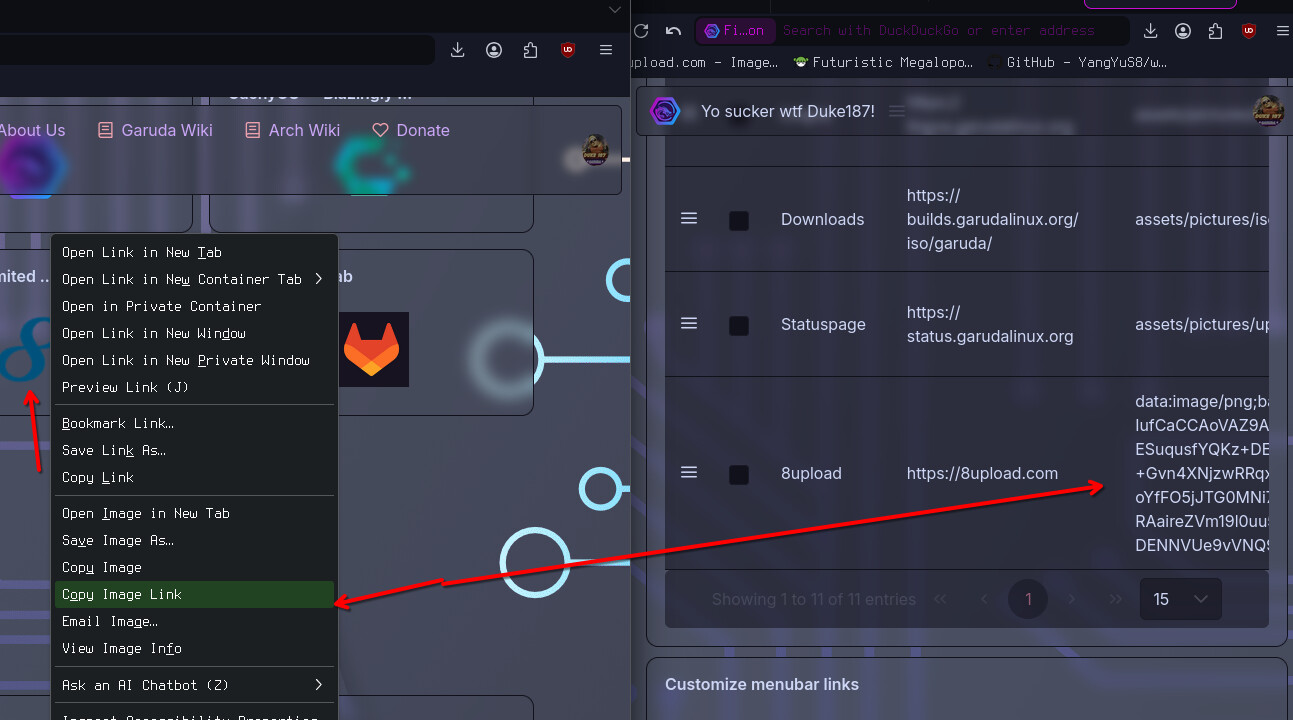
sounds like the inbuild one.had the same issue but fixed like this lol. Did you try to right click on the already openend website copy location and this in the icon settings?
I refer to the inbuilt startpage of Firedragon.
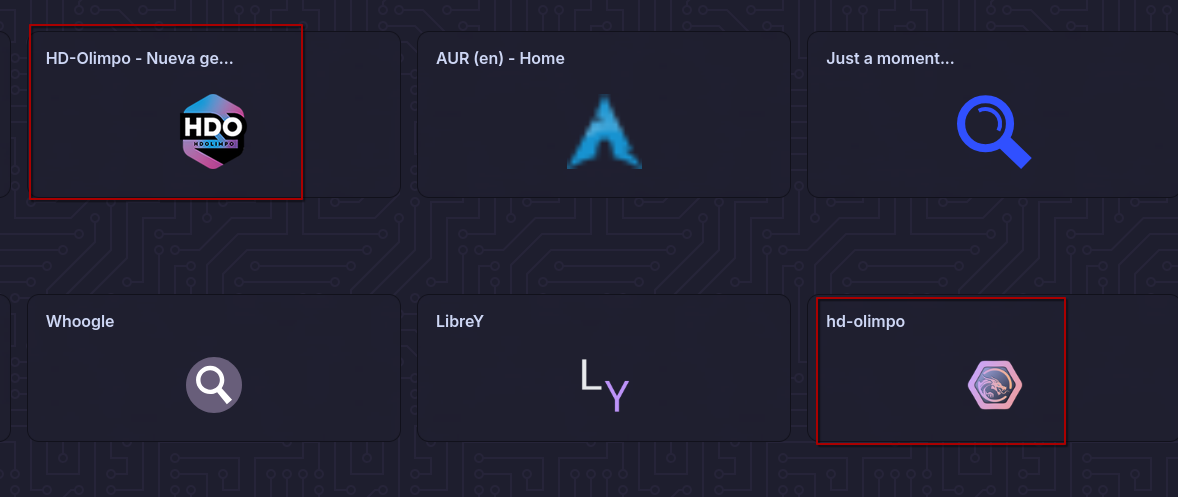
Here you can see that the same page is added above with the correct icon, but the one I added manually below I cannot change the icon.
I’ve tried the copy link image way but it doesn’t work for me. When I exit and enter again in settings the icon is changed again to chrome://branding/content/about-logo.png.
I have recorded a video in webm format: https://drive.google.com/file/d/1g0u7K-h8gkeQ_tzAmrO2MBQOe2GhBsgL/view?usp=sharing
Did you removed it and added it completly new? Maybe a bug with the theme or something with js. did you get any error if you try to open it anyway?
This topic was automatically closed 2 days after the last reply. New replies are no longer allowed.