I can’t seem to find - that new start page settings, firedragon’s settings or the firedragon hub - anything that will just close a window when I close its last tab. I have other windows open that I want to keep open, sometimes I do stuff on a new window, go closing its tabs… and I miss when I could just close the last tab, get rid of that window, and continue doing what I was doing on the other windows.
hi,
did you see the 3 colored dots ? didnt work for you? or i press ALT+F4. But yeah i know what you mean it isnt like before 
I like to just ctrl+w my last tab and that should make the window go away =(
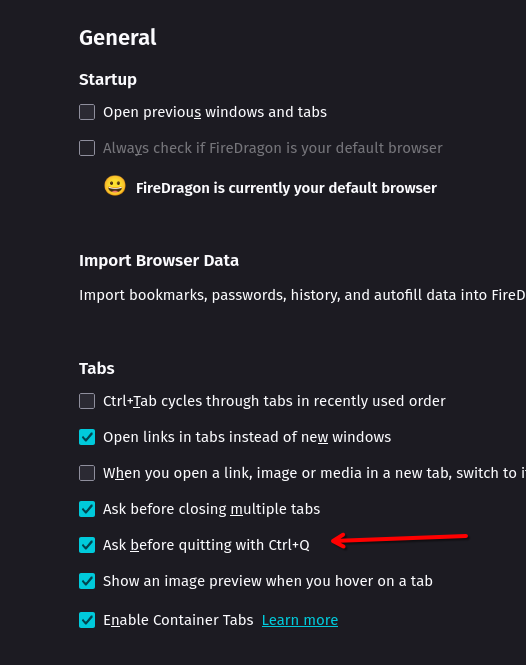
that’ll exit FireDragon, I have other windows I like =)
There, I made some amends to OP =p
everyone is working others. i use other browsers too and jyst swap with alt+tab
I’m not talking about switching to other browsers, I just want to know if there’s anything I can configure to bring back the old behavior of: close last tab of a window, kill that window, instead of opening a new tab on that window.
good morning. well i dont work much with it mostly visit the Forum with it. may i got you wrong . But maybe you mean this here:
3 Likes
I don’t know if my search skills are the problem or if the search engine here is the problem, but I swear I looked around and found nothing >.<
thanks, yeah, that solved it!
1 Like
no problem maybe both  i have some issue too and was on this topic and think that will help you . Good it helped you
1 Like
This topic was automatically closed 2 days after the last reply. New replies are no longer allowed.