I am running the Garuda Broadwing Hyprland spin and it is a great project, but I do not want to see the Welcome module every time I log in. How do I disable it? I commented out the line exec-once = garuda-welcome in my hyprland config but this did not work. I then checked the several autostart files on my system and could not find the offending file. From what I can tell, it is not launched as a systemd service either so I am stumped. I love the project but I really do not want to see the welcome screen at every login. Any ideas? Thanks in advance.

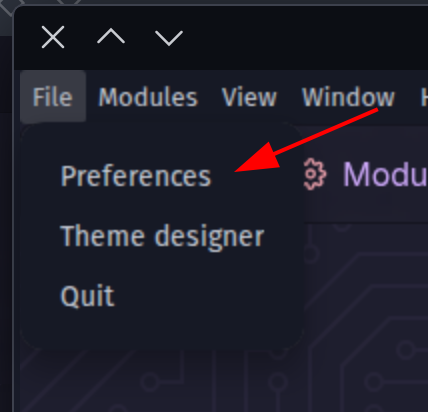
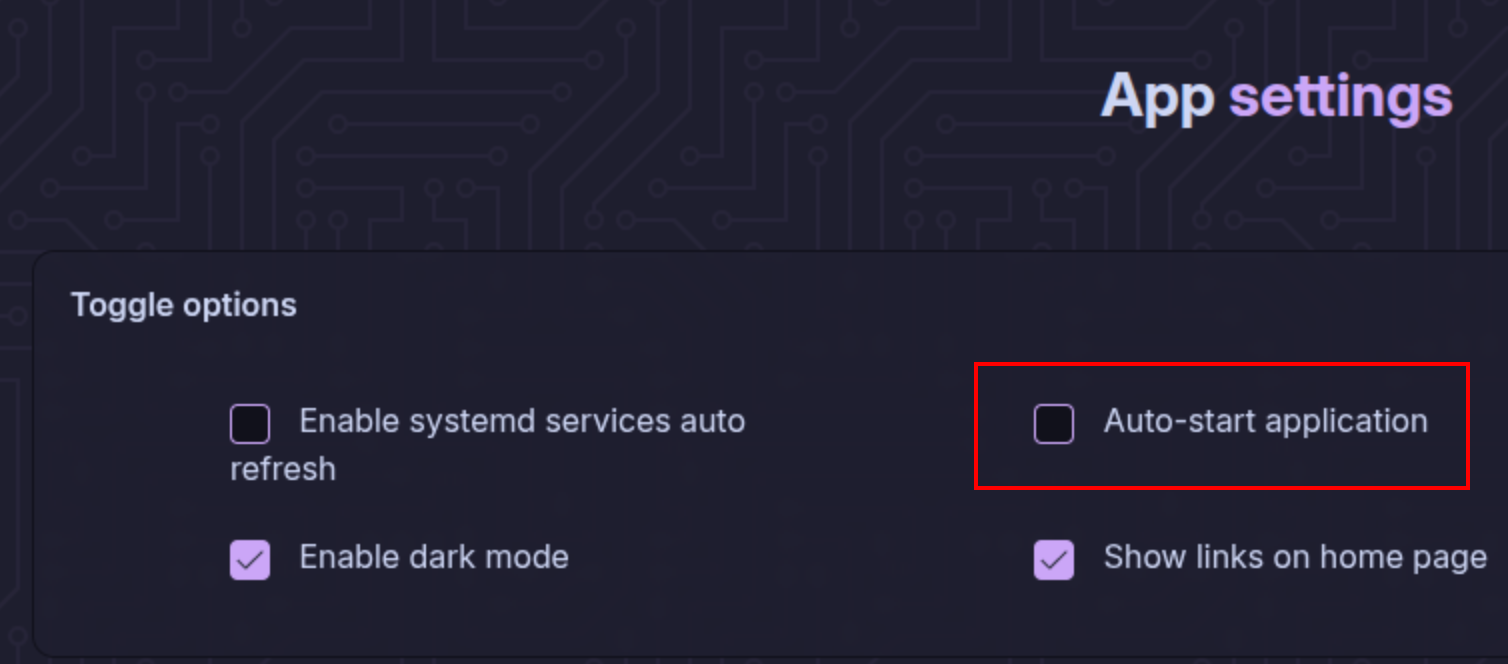
3 Likes
You should check : .config/autostart
there you will find a file :
org.garudalinux.rani.desktop
you can either remove or comment all the lines of the file , like this :
# [Desktop Entry]
# Encoding=UTF-8
# Name=Garuda's Rani
# Name[de]=Garuda's Rani
# Comment=Feature rich system assistant
# Comment[de]=Feature reicher Systemassistent
# Exec=garuda-rani
# Terminal=false
# Type=Application
# Keywords=update;package;performance;powersave;systemd;services;configuration
# Icon=garuda-rani
# Categories=GNOME;GTK;System;Garuda-Setup;
# NoDisplay=false
I hope this will solve the issue .. 
2 Likes
This topic was automatically closed 14 days after the last reply. New replies are no longer allowed.