I finally got back to this topic and used @RUanauR 's suggestion to do this with conky.
I installed conky, created the custom config file from the default, then modified the copy to strip out all the various system monitoring items and just get some text displayed from random files, I added a single file with one quote rather than spend the time figuring out how to parse a single file holding multiple quotes due to my lazyness, but if I was to improve this, I would make it so I could read a random quote from a single file.
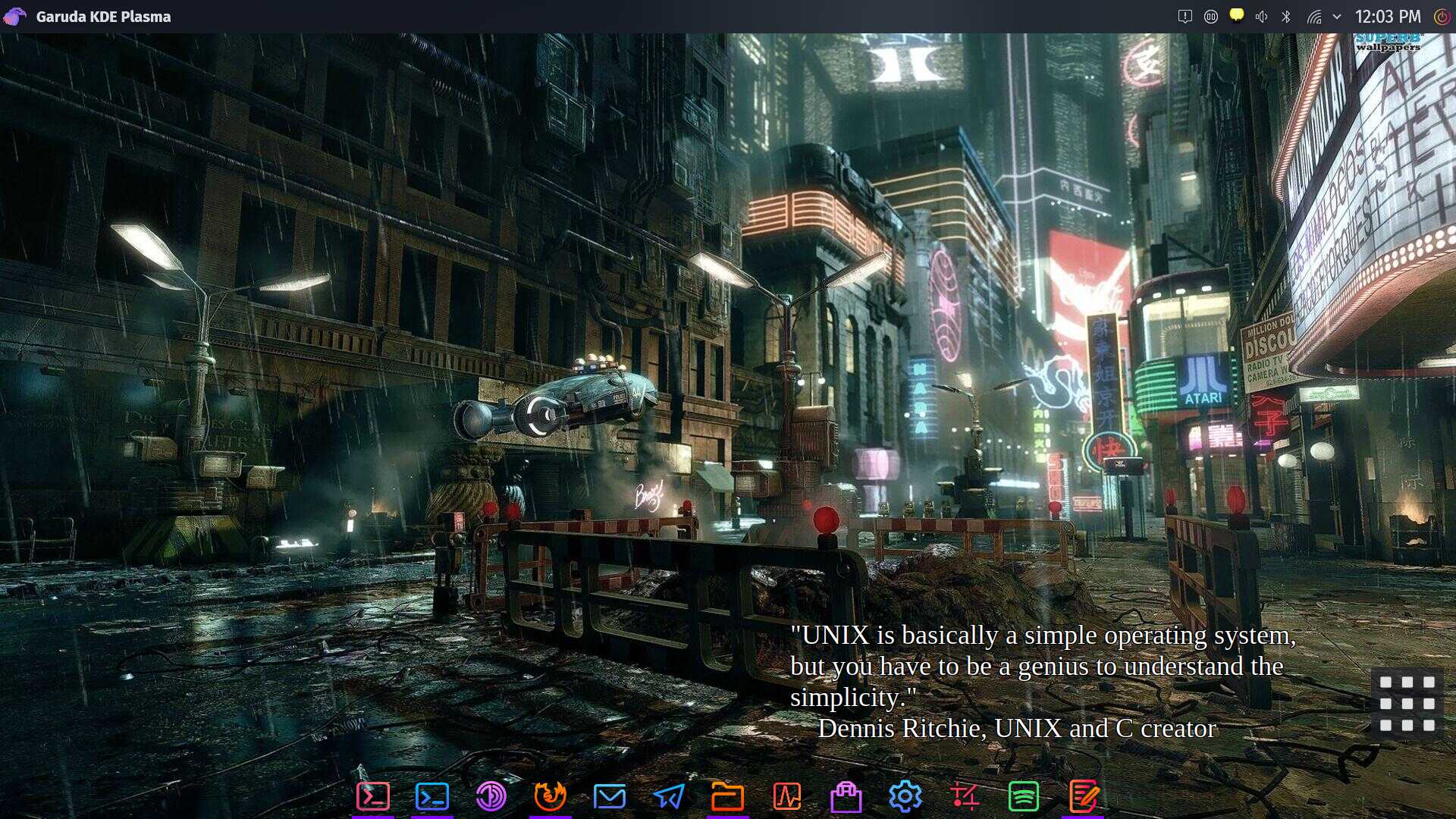
Here is a screenshot:
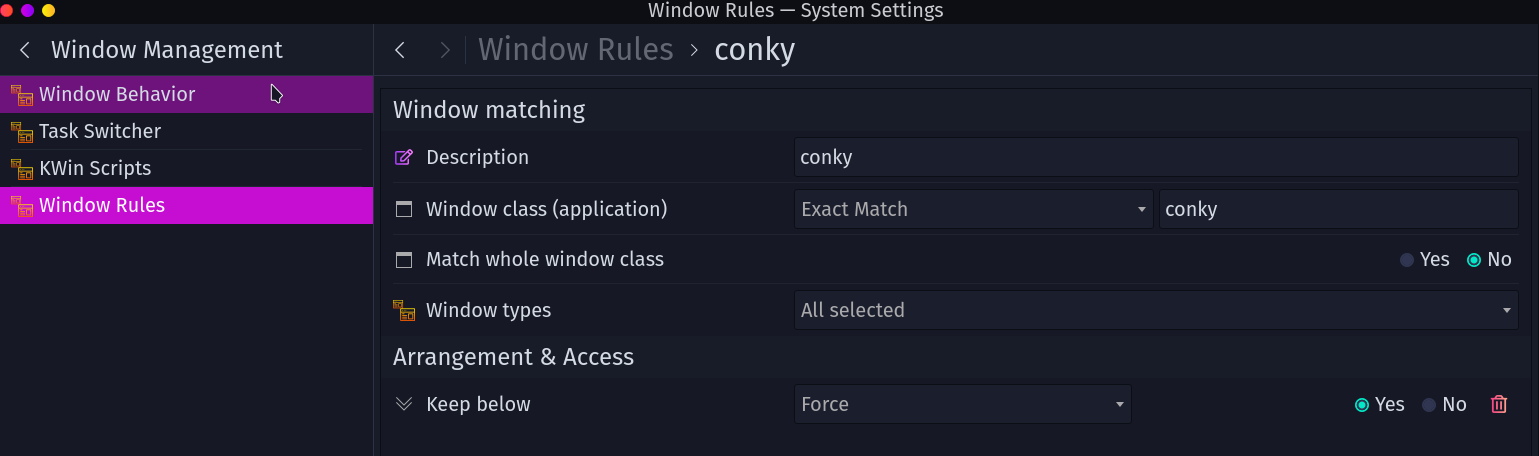
Here's my config file, you'll see that I just pick random files in my config directory ending with *txt to display using conky refresh rate of 10. The only tricky part was to change the window to a dock and then add a window rule for conky, to "force" the window "always below". The variables that aren't indented below are the ones I modified or added from the default. The text section I completely replaced with my one liner to display the quote.
conky.config = {
    alignment = 'bottom_right',
    background = false,
    border_width = 1,
    cpu_avg_samples = 2,
    default_color = 'white',
 default_outline_color = 'black',
 default_shade_color = 'blue',
    double_buffer = true,
    draw_borders = false,
    draw_graph_borders = true,
 draw_outline = true,
 draw_shades = true,
    extra_newline = false,
 font = 'Liberation Serif:size=27',
 gap_x = 200,
 gap_y = 100,
    minimum_height = 5,
 minimum_width = 70,
    net_avg_samples = 2,
    no_buffers = true,
    out_to_console = false,
    out_to_ncurses = false,
    out_to_stderr = false,
    out_to_x = true,
    own_window = true,
--added next two lines for transparency  Dale
 own_window_transparent = true,
 own_window_argb_visual = true,
--only need next line if we want partial transparency, and update own_window_transparent to false
 own_window_argb_value = 50,
    own_window_class = 'Conky',
    --own_window_type = 'desktop',
 own_window_type = 'dock',
    show_graph_range = false,
    show_graph_scale = false,
    stippled_borders = 0,
 update_interval = 10.0,
    uppercase = false,
    use_spacer = 'none',
    use_xft = true,
}

conky.text = [[
${exec cat < `ls ~/.config/conky/*txt | shuf -n 1`}
]]
Here is the window rule, I used the built in window rules from system settings in KDE.
edit: forgot to mention, @Bro , I did first look for a KDE plasmoid/widget and came up empty, I never found anything remotely like what I wanted.
I also forgot to mention, I used dark colors for outline and shade colors and turned both of those on so the quotes still show up as readable even on lighter colored wallpapers.