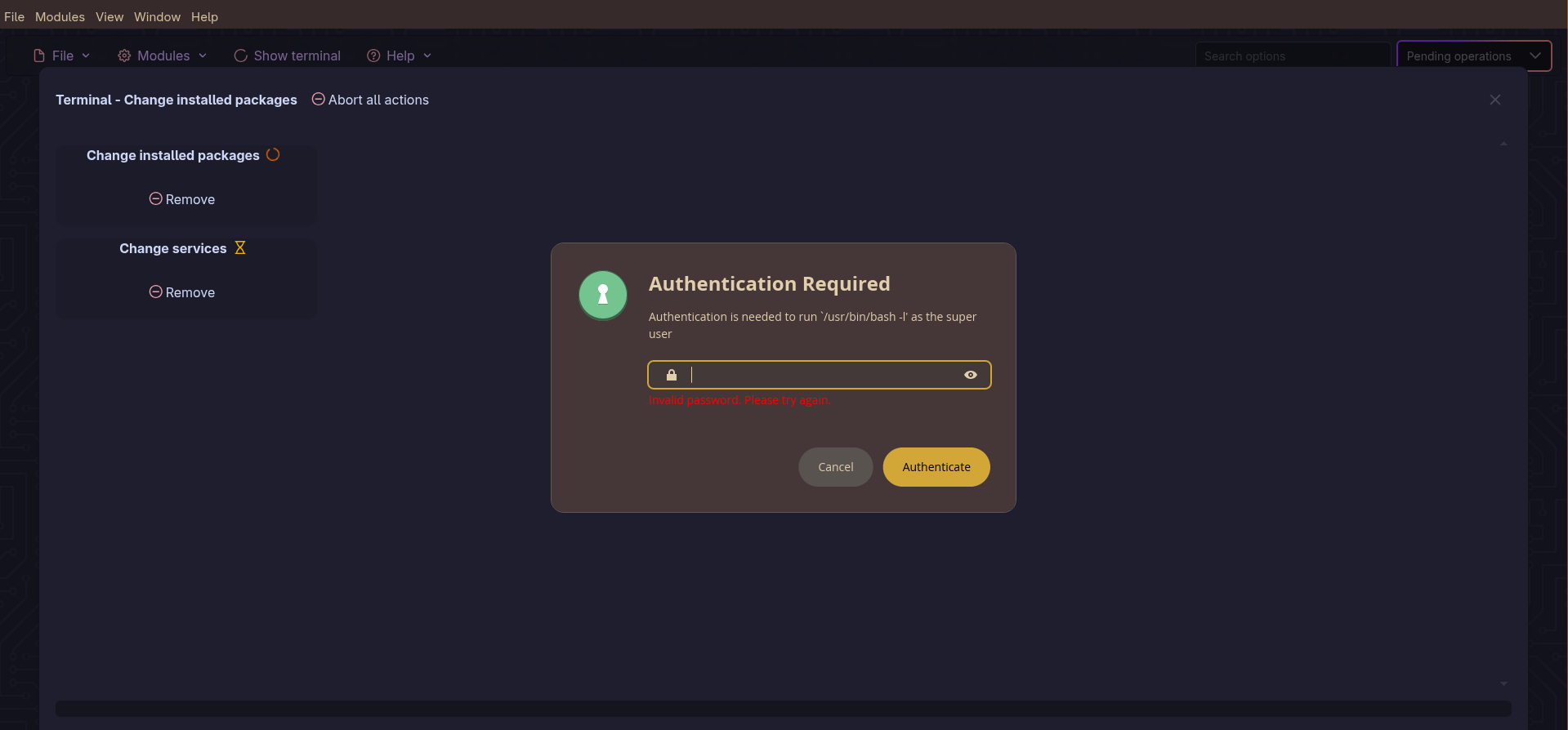
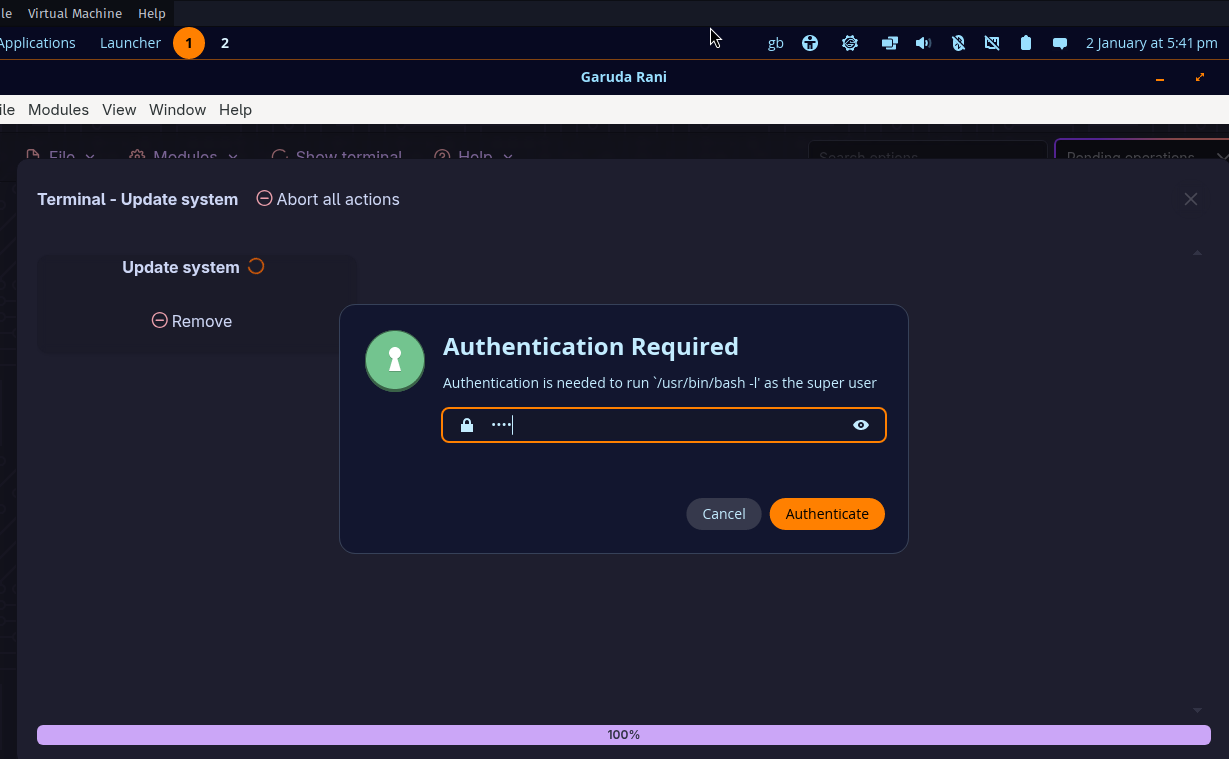
Hi, folks. I recently installed Garuda with a Cosmic desktop. It’s running just fine, but I’m having issues inputting the password when prompted. Nothing is displayed, and even if I type anything, it’s not being typed in (if that explanation makes sense).
See the screenshot here:
Any info and help are appreciated.
p.s. I tried searching for a similar post before creating a new one.
1 Like
nepti
1 January 2026 19:23
2
Please follow the topic template and post your garuda-inxi.
After rebooting, post the FULL output of garuda-inxi in the body of the post (not linked externally, or collapsed with the “hide details” feature)
Format terminal output (including your garuda-inxi) as a code block by clicking the preformatted text button (</> ), or put three tildes (~) above and below the text
1 Like
 ╭─branja@gumi in ~
 ╰─λ garuda-inxi
System:
  Kernel: 6.18.2-zen2-1-zen arch: x86_64 bits: 64 compiler: gcc v: 15.2.1
    clocksource: tsc avail: hpet,acpi_pm
    parameters: BOOT_IMAGE=/@/boot/vmlinuz-linux-zen
    root=UUID=6dd34da7-0832-4d24-8f45-cf906de9ff91 rw rootflags=subvol=@
    quiet loglevel=3
  Desktop: Cosmic v: N/A tk: Iced vt: 1 lm: greetd Distro: Garuda
    base: Arch Linux
Machine:
  Type: Laptop System: HP product: HP EliteBook 835 G7 Notebook PC v: SBKPF
    serial: <superuser required> Chassis: type: 10 serial: <superuser required>
  Mobo: HP model: 8760 v: KBC Version 07.40.00 serial: <superuser required>
    part-nu: 8RN38AV uuid: <superuser required> Firmware: UEFI vendor: HP
    v: S77 Ver. 01.17.01 date: 06/07/2024
Battery:
  ID-1: BAT0 charge: 34.4 Wh (80.6%) condition: 42.7/53 Wh (80.5%)
    volts: 12.06 min: 11.55 model: Hewlett-Packard Primary type: Li-ion
    serial: <filter> charging: status: discharging cycles: 464
CPU:
  Info: model: AMD Ryzen 3 PRO 4450U with Radeon Graphics bits: 64
    type: MT MCP arch: Zen 2 gen: 2 level: v3 note: check built: 2020-22
    process: TSMC n7 (7nm) family: 0x17 (23) model-id: 0x60 (96) stepping: 1
    microcode: 0x860010D
  Topology: cpus: 1x dies: 1 clusters: 1 cores: 4 threads: 8 tpc: 2
    smt: enabled cache: L1: 256 KiB desc: d-4x32 KiB; i-4x32 KiB L2: 2 MiB
    desc: 4x512 KiB L3: 4 MiB desc: 1x4 MiB
  Speed (MHz): avg: 1397 min/max: 1400/2500 boost: enabled scaling:
    driver: acpi-cpufreq governor: schedutil cores: 1: 1397 2: 1397 3: 1397
    4: 1397 5: 1397 6: 1397 7: 1397 8: 1397 bogomips: 39923
  Flags-basic: avx avx2 ht lm nx pae sse sse2 sse3 sse4_1 sse4_2 sse4a
    ssse3 svm
  Vulnerabilities: <filter>
Graphics:
  Device-1: Advanced Micro Devices [AMD/ATI] Renoir [Radeon Vega Series /
    Radeon Mobile Series] vendor: Hewlett-Packard driver: amdgpu v: kernel
    arch: GCN-5 code: Vega process: GF 14nm built: 2017-20 pcie: gen: 3
    speed: 8 GT/s lanes: 16 ports: active: eDP-1 empty: DP-1,DP-2,HDMI-A-1
    bus-ID: 03:00.0 chip-ID: 1002:1636 class-ID: 0300 temp: 36.0 C
  Device-2: Chicony HP HD Camera driver: uvcvideo type: USB rev: 2.0
    speed: 480 Mb/s lanes: 1 mode: 2.0 bus-ID: 3-4:2 chip-ID: 04f2:b6c0
    class-ID: 0e02
  Display: wayland server: Xwayland v: 24.1.9 compositor: cosmic-comp
    driver: gpu: amdgpu display-ID: 1
  Monitor-1: eDP-1 model: AU Optronics 0x4e8b built: 2020 res: 1920x1080
    dpi: 166 gamma: 1.2 size: 293x165mm (11.54x6.5") diag: 336mm (13.2")
    ratio: 16:9 modes: max: 1920x1080 min: 640x480
  API: EGL Message: EGL data requires eglinfo. Check --recommends.
  Info: Tools: x11: xprop
Audio:
  Device-1: Advanced Micro Devices [AMD/ATI] Renoir/Cezanne HDMI/DP Audio
    driver: snd_hda_intel v: kernel pcie: gen: 3 speed: 8 GT/s lanes: 16
    bus-ID: 03:00.1 chip-ID: 1002:1637 class-ID: 0403
  Device-2: Advanced Micro Devices [AMD] Audio Coprocessor
    vendor: Hewlett-Packard driver: N/A alternate: snd_pci_acp3x,
    snd_rn_pci_acp3x, snd_pci_acp5x, snd_pci_acp6x, snd_acp_pci,
    snd_rpl_pci_acp6x, snd_pci_ps, snd_sof_amd_renoir, snd_sof_amd_rembrandt,
    snd_sof_amd_vangogh, snd_sof_amd_acp63, snd_sof_amd_acp70 pcie: gen: 3
    speed: 8 GT/s lanes: 16 bus-ID: 03:00.5 chip-ID: 1022:15e2 class-ID: 0480
  Device-3: Advanced Micro Devices [AMD] Ryzen HD Audio
    vendor: Hewlett-Packard driver: snd_hda_intel v: kernel pcie: gen: 3
    speed: 8 GT/s lanes: 16 bus-ID: 03:00.6 chip-ID: 1022:15e3 class-ID: 0403
  API: ALSA v: k6.18.2-zen2-1-zen status: kernel-api
    tools: alsactl,alsamixer,amixer
  Server-1: PipeWire v: 1.4.9 status: active with: 1: pipewire-pulse
    status: active 2: wireplumber status: active 3: pipewire-alsa type: plugin
    4: pw-jack type: plugin tools: pactl,pw-cat,pw-cli,wpctl
Network:
  Device-1: Intel Wi-Fi 6 AX200 driver: iwlwifi v: kernel pcie: gen: 2
    speed: 5 GT/s lanes: 1 bus-ID: 01:00.0 chip-ID: 8086:2723 class-ID: 0280
  IF: wlp1s0 state: up mac: <filter>
  Info: services: NetworkManager, systemd-timesyncd, wpa_supplicant
Bluetooth:
  Device-1: Intel AX200 Bluetooth driver: btusb v: 0.8 type: USB rev: 2.0
    speed: 12 Mb/s lanes: 1 mode: 1.1 bus-ID: 1-3:2 chip-ID: 8087:0029
    class-ID: e001
  Report: btmgmt ID: hci0 rfk-id: 0 state: up address: <filter> bt-v: 5.2
    lmp-v: 11 status: discoverable: no pairing: no class-ID: 6c010c
Drives:
  Local Storage: total: 465.76 GiB used: 21.98 GiB (4.7%)
  SMART Message: Required tool smartctl not installed. Check --recommends
  ID-1: /dev/nvme0n1 maj-min: 259:0 vendor: Samsung model: SSD 980 PRO 500GB
    size: 465.76 GiB block-size: physical: 512 B logical: 512 B speed: 63.2 Gb/s
    lanes: 4 tech: SSD serial: <filter> fw-rev: 5B2QGXA7 temp: 31.9 C
    scheme: GPT
Partition:
  ID-1: / raw-size: 465.47 GiB size: 465.47 GiB (100.00%)
    used: 21.98 GiB (4.7%) fs: btrfs dev: /dev/nvme0n1p2 maj-min: 259:2
  ID-2: /boot/efi raw-size: 300 MiB size: 299.4 MiB (99.80%)
    used: 664 KiB (0.2%) fs: vfat dev: /dev/nvme0n1p1 maj-min: 259:1
  ID-3: /home raw-size: 465.47 GiB size: 465.47 GiB (100.00%)
    used: 21.98 GiB (4.7%) fs: btrfs dev: /dev/nvme0n1p2 maj-min: 259:2
  ID-4: /var/log raw-size: 465.47 GiB size: 465.47 GiB (100.00%)
    used: 21.98 GiB (4.7%) fs: btrfs dev: /dev/nvme0n1p2 maj-min: 259:2
  ID-5: /var/tmp raw-size: 465.47 GiB size: 465.47 GiB (100.00%)
    used: 21.98 GiB (4.7%) fs: btrfs dev: /dev/nvme0n1p2 maj-min: 259:2
Swap:
  Kernel: swappiness: 133 (default 60) cache-pressure: 100 (default) zswap: no
  ID-1: swap-1 type: zram size: 30.67 GiB used: 0 KiB (0.0%) priority: 100
    comp: zstd avail: lzo-rle,lzo,lz4,lz4hc,deflate,842 dev: /dev/zram0
Sensors:
  System Temperatures: cpu: 37.2 C mobo: N/A gpu: amdgpu temp: 36.0 C
  Fan Speeds (rpm): N/A
Info:
  Memory: total: 32 GiB note: est. available: 30.68 GiB used: 1.76 GiB (5.7%)
  Processes: 328 Power: uptime: 6m states: freeze,mem,disk suspend: s2idle
    wakeups: 0 hibernate: platform avail: shutdown, reboot, suspend, test_resume
    image: 12.26 GiB services: power-profiles-daemon,upowerd Init: systemd
    v: 259 default: graphical tool: systemctl
  Packages: 1163 pm: pacman pkgs: 1143 libs: 339 tools: paru pm: flatpak
    pkgs: 20 Compilers: gcc: 15.2.1 Shell: Bash v: 5.3.9 default: fish v: 4.3.2
    running-in: cosmic-term inxi: 3.3.40
Garuda (2.11.1-1):
  System install date:     2026-01-01
  Garuda release:          251104
  Last full system update: 2026-01-01
  Is partially upgraded:   No
  Relevant software:       snapper NetworkManager dracut garuda-hardware-profile-standard
  Windows dual boot:       No/Undetected
  Failed units:
--- System Health Check Report ---
25/26 checks run in 1.22 seconds ⌛
Powered by garuda-health 🦅

✅ System health check passed. No issues found.
Hey, I too have this problem with cosmic, but i’m on cachyos, this thread came up while searching “cosmic desktop cant type password when auth requested”
wired i just tested in a vm and it works…
may a problem with the Authentication.Service on their bug issue website someone had posted a issue too.
Something in the most recent version of polkit has broken COSMIC’s GUI polkit implementation. A temporary workaround would be to downgrade polkit for now.
sudo downgrade polkit
Downgrade from 127-3 to 127-2 until the issue gets fixed upstream to restore functionality.
8 Likes
thx for the info. it did was working if the system was fresh booted. I read a post it comes up if pam authentication come back from sleep mode. now i checked Rani again and same issue happening. The downgrade helped
1 Like
system
4 January 2026 23:37
10
This topic was automatically closed 2 days after the last reply. New replies are no longer allowed.