Flydigi Apex 5 Controller not working properly (recognised as keyboard and mouse)

Hey folks,

it’s been a while, since I started a thread here, but I guess with new hardware come new issues. :person_shrugging:

First of all I’m still a casual linux user, who gets around with a lot of help or workarounds form the web. If I miss something or did something wrong, please point it out and describe what I can to do to make it better :smiley:

I bought a new “Apex 5” Controller from “Flydigi”. :tada:
The controller works fine on Windows 10, but on Garuda it works not so well.
Neither with a wired connection, nor the wireless connection via dongle works for me.
I got the bluetooth option, but I don’t want to game on a bluetooth controller anymore!

First a few infos about my current system.

output of “garuda-inxi”

System:
Kernel: 6.16.5-arch1-1-znver5 arch: x86_64 bits: 64 compiler: gcc v: 15.2.1
clocksource: tsc avail: hpet,acpi_pm
parameters: BOOT_IMAGE=/@/boot/vmlinuz-linux-znver5
root=UUID=4c540af8-ebb4-4e0d-bd9f-cc2d0e674a6c rw rootflags=subvol=@
quiet splash acpi_enforce_resources=lax
Desktop: KDE Plasma v: 6.4.4 tk: Qt v: N/A info: frameworks v: 6.17.0
wm: kwin_wayland vt: 1 dm: SDDM Distro: Garuda base: Arch Linux
Machine:
Type: Desktop System: Gigabyte product: B650E AORUS STEALTH ICE v: -CF-WCP
serial: <superuser required>
Mobo: Gigabyte model: B650E AORUS STEALTH ICE v: x.x
serial: <superuser required> uuid: <superuser required> UEFI: American
Megatrends LLC. v: F3 date: 08/23/2024
CPU:
Info: model: AMD Ryzen 7 7800X3D bits: 64 type: MT MCP arch: Zen 4 gen: 4
level: v4 note: check built: 2022+ process: TSMC n5 (5nm) family: 0x19 (25)
model-id: 0x61 (97) stepping: 2 microcode: 0xA60120A
Topology: cpus: 1x dies: 1 clusters: 1 cores: 8 threads: 16 tpc: 2
smt: enabled cache: L1: 512 KiB desc: d-8x32 KiB; i-8x32 KiB L2: 8 MiB
desc: 8x1024 KiB L3: 96 MiB desc: 1x96 MiB
Speed (MHz): avg: 3605 min/max: 426/5053 boost: enabled scaling:
driver: amd-pstate-epp governor: powersave cores: 1: 3605 2: 3605 3: 3605
4: 3605 5: 3605 6: 3605 7: 3605 8: 3605 9: 3605 10: 3605 11: 3605 12: 3605
13: 3605 14: 3605 15: 3605 16: 3605 bogomips: 134139
Flags-basic: avx avx2 ht lm nx pae sse sse2 sse3 sse4_1 sse4_2 sse4a
ssse3 svm
Vulnerabilities: <filter>
Graphics:
Device-1: Advanced Micro Devices [AMD/ATI] Navi 31 [Radeon RX 7900 XT/7900
XTX/7900 GRE/7900M] vendor: Sapphire NITRO+ driver: amdgpu v: kernel
arch: RDNA-3 code: Navi-3x process: TSMC n5 (5nm) built: 2022+ pcie:
gen: 4 speed: 16 GT/s lanes: 16 ports: active: DP-1,HDMI-A-1
empty: DP-2,HDMI-A-2,Writeback-1 bus-ID: 03:00.0 chip-ID: 1002:744c
class-ID: 0300
Device-2: Advanced Micro Devices [AMD/ATI] Raphael vendor: Gigabyte
driver: amdgpu v: kernel arch: RDNA-2 code: Navi-2x process: TSMC n7 (7nm)
built: 2020-22 pcie: gen: 4 speed: 16 GT/s lanes: 16 ports: active: none
empty: DP-3, DP-4, HDMI-A-3, HDMI-A-4, Writeback-2 bus-ID: 13:00.0
chip-ID: 1002:164e class-ID: 0300 temp: 37.0 C
Display: wayland server: X.org v: 1.21.1.18 with: Xwayland v: 24.1.8
compositor: kwin_wayland driver: X: loaded: amdgpu
unloaded: modesetting,radeon alternate: fbdev,vesa dri: radeonsi
gpu: amdgpu d-rect: 4480x2520 display-ID: 0
Monitor-1: DP-1 pos: bottom-r model: AOC Q32G1WG4 serial: <filter>
built: 2019 res: mode: 2560x1440 hz: 144 scale: 100% (1) dpi: 93 gamma: 1.2
size: 697x393mm (27.44x15.47") diag: 800mm (31.5") ratio: 16:9 modes:
max: 2560x1440 min: 720x400
Monitor-2: HDMI-A-1 pos: primary,top-left model: VA279 serial: <filter>
built: 2019 res: mode: 1920x1080 hz: 75 scale: 178% (1.78) to: 1080x1920
dpi: 82 gamma: 1.2 size: 598x336mm (23.54x13.23") diag: 686mm (27")
ratio: 16:9 modes: max: 1920x1080 min: 720x400
API: EGL v: 1.5 hw: drv: amd radeonsi platforms: device: 0 drv: radeonsi
device: 1 drv: radeonsi device: 2 drv: swrast gbm: drv: radeonsi
surfaceless: drv: radeonsi wayland: drv: radeonsi x11: drv: radeonsi
API: OpenGL v: 4.6 compat-v: 4.5 vendor: amd mesa v: 25.2.2-arch1.1
glx-v: 1.4 direct-render: yes renderer: AMD Radeon RX 7900 XTX (radeonsi
navi31 LLVM 20.1.8 DRM 3.64 6.16.5-arch1-1-znver5) device-ID: 1002:744c
memory: 23.44 GiB unified: no display-ID: :1.0
API: Vulkan v: 1.4.321 layers: 13 device: 0 type: discrete-gpu name: AMD
Radeon RX 7900 XTX (RADV NAVI31) driver: mesa radv v: 25.2.2-arch1.1
device-ID: 1002:744c surfaces: N/A device: 1 type: integrated-gpu name: AMD
Radeon Graphics (RADV RAPHAEL_MENDOCINO) driver: mesa radv
v: 25.2.2-arch1.1 device-ID: 1002:164e surfaces: N/A device: 2 type: cpu
name: llvmpipe (LLVM 20.1.8 256 bits) driver: mesa llvmpipe
v: 25.2.2-arch1.1 (LLVM 20.1.8) device-ID: 10005:0000 surfaces: N/A
Info: Tools: api: clinfo, eglinfo, glxinfo, vulkaninfo
de: kscreen-console,kscreen-doctor gpu: corectrl wl: wayland-info
x11: xdpyinfo, xprop, xrandr
Audio:
Device-1: Advanced Micro Devices [AMD/ATI] Navi 31 HDMI/DP Audio
driver: snd_hda_intel v: kernel pcie: gen: 4 speed: 16 GT/s lanes: 16
bus-ID: 03:00.1 chip-ID: 1002:ab30 class-ID: 0403
Device-2: Advanced Micro Devices [AMD/ATI] Radeon High Definition Audio
[Rembrandt/Strix] driver: snd_hda_intel v: kernel pcie: gen: 4
speed: 16 GT/s lanes: 16 bus-ID: 13:00.1 chip-ID: 1002:1640 class-ID: 0403
Device-3: Advanced Micro Devices [AMD] Family 17h/19h/1ah HD Audio
vendor: Gigabyte driver: snd_hda_intel v: kernel pcie: gen: 4 speed: 16 GT/s
lanes: 16 bus-ID: 13:00.6 chip-ID: 1022:15e3 class-ID: 0403
Device-4: Trust USB microphone driver: hid-generic,snd-usb-audio,usbhid
type: USB rev: 1.1 speed: 12 Mb/s lanes: 1 mode: 1.1 bus-ID: 7-1.1:3
chip-ID: 145f:02d9 class-ID: 0300 serial: <filter>
API: ALSA v: k6.16.5-arch1-1-znver5 status: kernel-api with: aoss
type: oss-emulator tools: N/A
Server-1: PipeWire v: 1.4.7 status: active with: 1: pipewire-pulse
status: active 2: wireplumber status: active 3: pipewire-alsa type: plugin
4: pw-jack type: plugin tools: pactl,pw-cat,pw-cli,wpctl
Network:
Device-1: MEDIATEK vendor: Foxconn driver: mt7925e v: kernel pcie: gen: 2
speed: 5 GT/s lanes: 1 port: N/A bus-ID: 09:00.0 chip-ID: 14c3:7925
class-ID: 0280
IF: wlp9s0 state: down mac: <filter>
Device-2: Realtek RTL8125 2.5GbE vendor: Gigabyte driver: r8169 v: kernel
modules: r8125 pcie: gen: 2 speed: 5 GT/s lanes: 1 port: e000
bus-ID: 0a:00.0 chip-ID: 10ec:8125 class-ID: 0200
IF: enp10s0 state: up speed: 1000 Mbps duplex: full mac: <filter>
Info: services: NetworkManager, smbd, systemd-timesyncd, wpa_supplicant
Bluetooth:
Device-1: Foxconn / Hon Hai Wireless_Device driver: btusb v: 0.8 type: USB
rev: 2.1 speed: 480 Mb/s lanes: 1 mode: 2.0 bus-ID: 1-9:8 chip-ID: 0489:e124
class-ID: e001 serial: <filter>
Report: btmgmt ID: hci0 rfk-id: 0 state: up address: N/A
Drives:
Local Storage: total: 2.75 TiB used: 1.77 TiB (64.3%)
SMART Message: Unable to run smartctl. Root privileges required.
ID-1: /dev/nvme0n1 maj-min: 259:0 vendor: Samsung model: SSD 960 PRO 1TB
size: 953.87 GiB block-size: physical: 512 B logical: 512 B speed: 31.6 Gb/s
lanes: 4 tech: SSD serial: <filter> fw-rev: 1B6QCXP7 temp: 31.9 C
scheme: GPT
ID-2: /dev/nvme1n1 maj-min: 259:7 vendor: Samsung
model: SSD 970 EVO Plus 1TB size: 931.51 GiB block-size: physical: 512 B
logical: 512 B speed: 31.6 Gb/s lanes: 4 tech: SSD serial: <filter>
fw-rev: 2B2QEXM7 temp: 32.9 C scheme: GPT
ID-3: /dev/nvme2n1 maj-min: 259:3 vendor: Samsung
model: SSD 970 EVO Plus 1TB size: 931.51 GiB block-size: physical: 512 B
logical: 512 B speed: 31.6 Gb/s lanes: 4 tech: SSD serial: <filter>
fw-rev: 3B2QEXM7 temp: 30.9 C scheme: GPT
Partition:
ID-1: / raw-size: 953.57 GiB size: 953.57 GiB (100.00%)
used: 703 GiB (73.7%) fs: btrfs dev: /dev/nvme0n1p2 maj-min: 259:2
ID-2: /boot/efi raw-size: 300 MiB size: 299.4 MiB (99.80%)
used: 26.3 MiB (8.8%) fs: vfat dev: /dev/nvme0n1p1 maj-min: 259:1
ID-3: /home raw-size: 953.57 GiB size: 953.57 GiB (100.00%)
used: 703 GiB (73.7%) fs: btrfs dev: /dev/nvme0n1p2 maj-min: 259:2
ID-4: /var/log raw-size: 953.57 GiB size: 953.57 GiB (100.00%)
used: 703 GiB (73.7%) fs: btrfs dev: /dev/nvme0n1p2 maj-min: 259:2
ID-5: /var/tmp raw-size: 953.57 GiB size: 953.57 GiB (100.00%)
used: 703 GiB (73.7%) fs: btrfs dev: /dev/nvme0n1p2 maj-min: 259:2
Swap:
Kernel: swappiness: 133 (default 60) cache-pressure: 100 (default) zswap: no
ID-1: swap-1 type: zram size: 61.91 GiB used: 0 KiB (0.0%) priority: 100
comp: zstd avail: lzo-rle,lzo,lz4,lz4hc,deflate,842 dev: /dev/zram0
Sensors:
System Temperatures: cpu: 41.2 C mobo: 41.0 C
Fan Speeds (rpm): N/A
GPU: device: amdgpu temp: 39.0 C mem: 35.0 C fan: 0 watts: 19.00
device: amdgpu temp: 37.0 C
Info:
Memory: total: 64 GiB note: est. available: 61.91 GiB used: 5.41 GiB (8.7%)
Processes: 427 Power: uptime: 15m states: freeze,mem,disk suspend: deep
avail: s2idle wakeups: 0 hibernate: platform avail: shutdown, reboot,
suspend, test_resume image: 24.73 GiB services: org_kde_powerdevil,
power-profiles-daemon, upowerd Init: systemd v: 257 default: graphical
tool: systemctl
Packages: pm: pacman pkgs: 1982 libs: 575 tools: octopi,paru Compilers:
clang: 20.1.8 gcc: 15.2.1 Shell: Bash v: 5.3.3 default: fish v: 4.0.2
running-in: konsole inxi: 3.3.39
Garuda (2.8.2-2):
System install date:     2025-01-12
Last full system update: 2025-09-07
Is partially upgraded:   No
Relevant software:       snapper NetworkManager dracut
Windows dual boot:       Probably (Run as root to verify)
Failed units:
--- System Health Check Report ---
22/23 checks run in 0.72 seconds ⌛
Powered by garuda-health 🦅

✅ System health check passed. No issues found.

I did a bit of research on the web and searched for similar topics here in this forum, but my controller does not work…

Other people around the world got the controller working, but I still got issues.

Summary of things I tried but didn’t work for me
  1. Of course I tried updating Garuda nd my whole system :wink:
  2. As a second try I thought it was a simple “generic controller” issue, so I searched the forum and found this: Attempting to get xbox one controller to function
    Like this person I tried a different kernel, but got the same problem.
  3. I searched for similar problems and got to the list of supported device from xinput
    linux/drivers/input/joystick/xpad.c at master · torvalds/linux · GitHub
    through this post in the Arch Wiki XInput gamepad not recognised, how to recompile xpad driver? / Kernel & Hardware / Arch Linux Forums
  4. Then I found this Reddit post: https://www.reddit.com/r/Controller/comments/1mbkce6/flydigi_apex_5_linux/
    There was an pull request for the xpad Linux Kernel Driver mentioned, where they said It was included to an update, and I got that confirmed:
    Add suport for Flydigi Apex 5 · Issue #326 · paroj/xpad · GitHub
    So I went on and installed xpad 0.4 with the method mentioned on the GitHub page
    GitHub - paroj/xpad: Linux Kernel Driver for the Xbox/ Xbox 360/ Xbox One Controllers
    But still the same issue.
  5. Others got the Apex 4 working, so I tried to give it a shot for my research, but they “suddenly got it working”. So no help with this information.
    https://www.reddit.com/r/Controller/comments/1btrz2f/flydigi_apex_4_dongle_issue/
  6. I found this post where they broke something while trying something new and got it working again while reversing their change
    Controller detected as a mouse - #7 by pioucraft
  7. Oh and on Reddit I also found someone with a similar problem, but on this time on Ubuntu. Because I didn’t found a “/boot/cmdline.txt” on Garuda I didn’t trust my linux skills to search for something similiar and brake my system with something random like the guy on 6.
    https://www.reddit.com/r/GyroGaming/comments/swhyl2/anyone_else_use_flydigi_apex_2_on_linux/

I know that this is not an xbox controller, but because of the xpad and xpadneo support of other controllers I tried to give it a shot. Now I can confirm, that a xbox driver doesn’t work for the Apex 5 :sweat_smile:

output of “xboxdrv –debug”
xboxdrv 0.8.14 
Copyright © 2008-2011 Ingo Ruhnke <``grumbel@gmail.com``>
Licensed under GNU GPL version 3 or later <``http://gnu.org/licenses/gpl.html``>
This program comes with ABSOLUTELY NO WARRANTY.
This is free software, and you are welcome to redistribute it under certain conditions; see the file
COPYING for details.
-- [ ERROR ] ------------------------------------------------------
No Xbox or Xbox360 controller found

I read somewhere that I can use multiple kernels to get the controller working, but no fix for me.

output of “dkms status”
hid-xpadneo/v0.9.7, 6.12.45-1-lts, x86_64: installed 
hid-xpadneo/v0.9.7, 6.16.4-zen1-1-zen, x86_64: built (Built modules are missing in the kernel modules 
folder) 
hid-xpadneo/v0.9.7, 6.16.5-arch1-1, x86_64: installed 
hid-xpadneo/v0.9.7, 6.16.5-arch1-1-znver5, x86_64: installed 
hid-xpadneo/v0.9.7, 6.16.5-zen1-1-zen, x86_64: installed 
r8125/9.016.01, 6.12.45-1-lts, x86_64: installed 
r8125/9.016.01, 6.15.7-zen1-1-zen, x86_64: installed (Original modules exist) (Built modules are missi
ng in the kernel modules folder) 
r8125/9.016.01, 6.16.4-zen1-1-zen, x86_64: built (Built modules are missing in the kernel modules fold
er) 
r8125/9.016.01, 6.16.5-arch1-1, x86_64: installed 
r8125/9.016.01, 6.16.5-arch1-1-znver5, x86_64: installed 
r8125/9.016.01, 6.16.5-zen1-1-zen, x86_64: installed 
vboxhost/7.2.0_OSE, 6.12.45-1-lts, x86_64: installed 
vboxhost/7.2.0_OSE, 6.16.4-zen1-1-zen, x86_64: built (Built modules are missing in the kernel modules 
folder) 
vboxhost/7.2.0_OSE, 6.16.5-arch1-1, x86_64: installed 
vboxhost/7.2.0_OSE, 6.16.5-arch1-1-znver5, x86_64: installed 
vboxhost/7.2.0_OSE, 6.16.5-zen1-1-zen, x86_64: installed 
xpad/0.4, 6.16.5-arch1-1-znver5, x86_64: installed (Original modules exist)

If I check my USB devices I can see that the Apex 5 is immediately recognized. Please note that I also got the Charging Dock 2 (CD2) for this controller, so you can see this dock in here too.

output of “lsusb”
Bus 001 Device 001: ID 1d6b:0002 Linux Foundation 2.0 root hub
Bus 001 Device 002: ID 0bda:5411 Realtek Semiconductor Corp. RTS5411 Hub
Bus 001 Device 003: ID 1a86:8091 QinHeng Electronics USB HUB
**Bus 001 Device 004: ID 37d7:2501 Flydigi Flydigi APEX5 Wireless
Bus 001 Device 005: ID 37d7:6001 flydigi Flydigi CD2**
Bus 001 Device 006: ID 048d:5711 Integrated Technology Express, Inc. GIGABYTE Device
Bus 001 Device 007: ID 1a40:0201 Terminus Technology Inc. FE 2.1 7-port Hub
Bus 001 Device 008: ID 0489:e124 Foxconn / Hon Hai Wireless_Device
Bus 001 Device 009: ID 0416:7373 Winbond Electronics Corp. LianLi-GA_II-Trinity-R_v0.7
Bus 001 Device 010: ID 0cf2:a102 ENE Technology, Inc. LianLi-SL-infinity-v1.4
Bus 002 Device 001: ID 1d6b:0003 Linux Foundation 3.0 root hub
Bus 002 Device 002: ID 0bda:0411 Realtek Semiconductor Corp. Hub
Bus 003 Device 001: ID 1d6b:0002 Linux Foundation 2.0 root hub
Bus 004 Device 001: ID 1d6b:0003 Linux Foundation 3.0 root hub
Bus 005 Device 001: ID 1d6b:0002 Linux Foundation 2.0 root hub
Bus 006 Device 001: ID 1d6b:0003 Linux Foundation 3.0 root hub
Bus 007 Device 001: ID 1d6b:0002 Linux Foundation 2.0 root hub
Bus 007 Device 002: ID 05e3:0608 Genesys Logic, Inc. Hub
Bus 007 Device 003: ID 145f:02d9 Trust Trust USB microphone
Bus 007 Device 004: ID 1a40:0101 Terminus Technology Inc. Hub
Bus 007 Device 005: ID 1b1c:1b13 Corsair Vengeance K70RGB keyboard
Bus 007 Device 006: ID 1532:005c Razer USA, Ltd DeathAdder Elite
Bus 008 Device 001: ID 1d6b:0003 Linux Foundation 3.0 root hub

As you can see here, the controller is recognized a keyboard and a mouse.

a part of the output of “libinput list-devices”
Device:                  Flydigi Flydigi APEX5 Wireless Keyboard Kernel:                  /dev/input/event2 Id:                      usb:37d7:2501 Group:                   4 Seat:                    seat0, default Capabilities:            keyboard Tap-to-click:            n/a Tap-and-drag:            n/a Tap button map:          n/a Tap drag lock:           n/a Left-handed:             n/a Nat.scrolling:           n/a Middle emulation:        n/a Calibration:             n/a Scroll methods:          none Scroll button:           n/a Scroll button lock:      n/a Click methods:           none Clickfinger button map:  n/a Disable-w-typing:        n/a Disable-w-trackpointing: n/a Accel profiles:          n/a Rotation:                0.0 Area rectangle:          n/a 
Device:                  Flydigi Flydigi APEX5 Wireless Mouse Kernel:                  /dev/input/event3 Id:                      usb:37d7:2501 Group:                   4 Seat:                    seat0, default Capabilities:            pointer Tap-to-click:            n/a Tap-and-drag:            n/a Tap button map:          n/a Tap drag lock:           n/a Left-handed:             disabled Nat.scrolling:           disabled Middle emulation:        disabled Calibration:             n/a Scroll methods:          button Scroll button:           BTN_MIDDLE Scroll button lock:      disabled Click methods:           none Clickfinger button map:  n/a Disable-w-typing:        n/a Disable-w-trackpointing: n/a Accel profiles:          flat *adaptive custom Rotation:                0.0 Area rectangle:          n/a

Right now my brain is melting because it seems, that I can’t get this controller working on Garuda (and maybe because I’m no linux expert…)

Maybe a few of you can help me to get the Flydigi Apex 5 working on Garuda.
Aaaand maybe this post can help future people to get their Apex 5 working on Garuda as well :wink:

Greetz
0point0

Hi ,

TL:DR

Did you try to reconfigure it with AntiMicrX? Connect it via cable an try it :wink:

Install it with this Terminal command

sudo pacman -S antimicrox

there it should be regognized and you can setup your buttons too.

good luck

Hey Duke187,

thanks for the fast reply!

I got my controller connected via wire and installed AnitMicroX.

AntiMicroX doesn’t find any joysticks.

Didnt read all sry i will take a look into it but this helped me mostly with my Controllers :wink:

a quick fix would be great, but sadly this didn’t work for me.

output of “antimicrox”
\[22:19:54.514\] 🐞DEBUG  Found settings file: /home/XXX/.config/antimicrox/antimicrox_settings.ini (f
ile /src/main.cpp:181) 
Selecting uinput as a default event generator.\[22:19:54.514\] 🟢INFO     uinput is default for wayland 
\[22:19:54.515\] ⚪VERBOSE        AntiMicroX version: 3.5.1 Package: 3.5.1 Type: Release (file /src/comm
on.cpp:205) 
\[22:19:54.515\] ⚪VERBOSE        SDL version: 2.32.56 (Compiled with: 2.30.52) (file /src/common.cpp:21
5) 
\[22:19:54.515\] ⚪VERBOSE        Host OS: garuda Version: unknown Architecture: x86_64 (file /src/commo
n.cpp:217) 
\[22:19:54.515\] 🐞DEBUG  Socket's state:  QLocalSocket::UnconnectedState 
\[22:19:54.515\] 🐞DEBUG  Server name:  "" 
\[22:19:54.515\] 🐞DEBUG  Socket descriptor:  -1 
\[22:19:54.515\] 🐞DEBUG  The connection hasn't been established: 
error text ->  QLocalSocket::ServerNotFoundError 
error text 2 -> "QLocalSocket::connectToServer: Invalid name" 
\[22:19:54.515\] 🐞DEBUG  Socket is not valid 
\[22:19:54.515\] 🐞DEBUG  Socket's state:  QLocalSocket::UnconnectedState 
\[22:19:54.515\] 🐞DEBUG  Server name:  "" 
\[22:19:54.515\] 🐞DEBUG  Socket descriptor:  -1 
\[22:19:54.515\] 🐞DEBUG  "/home/XXX/.local/share/antimicrox/icons" 
\[22:19:54.515\] 🐞DEBUG  "/usr/local/share/antimicrox/icons" 
\[22:19:54.515\] 🐞DEBUG  "/usr/share/antimicrox/icons" 
\[22:19:54.515\] 🐞DEBUG  "/home/XXX/.local/share/icons" 
\[22:19:54.515\] 🐞DEBUG  "/usr/local/share/icons" 
\[22:19:54.515\] 🐞DEBUG  "/usr/share/icons" 
\[22:19:54.515\] 🐞DEBUG  Theme name:  "BeautyLine" 
\[22:19:54.515\] 🐞DEBUG  Displays don't have local data: create new instance of X11Extras 
\[22:19:54.516\] 🐞DEBUG  TOTAL:  104 
\[22:19:54.516\] 🟢INFO   "Nutze uinput Gerätedatei /dev/uinput" 
\[22:19:54.516\] 🟢INFO   "Nutze uinput als Ereignisgenerator." 
\[22:19:55.247\] 🐞DEBUG  Loaded 350 game controller mappings from database (file /src/sdleventreader.cp
p:266) 
\[22:19:55.333\] 🐞DEBUG   Application theme has icon named:  "antimicrox"   true 
\[22:19:55.336\] 🐞DEBUG  appWatcher instance set to null pointer 
\[22:19:55.354\] 🐞DEBUG   Application theme has icon named:  "application-exit"   true 
\[22:19:55.354\] 🐞DEBUG   Application theme has icon named:  "view-restore"   true 
\[22:19:55.354\] 🐞DEBUG   Application theme has icon named:  "view-fullscreen"   true 
\[22:19:55.354\] 🐞DEBUG   Application theme has icon named:  "view-refresh"   true 
\[22:19:55.354\] 🐞DEBUG  joystickCount:  0 
\[22:19:55.354\] 🐞DEBUG   Application theme has icon named:  "antimicrox_trayicon"   true 
\[22:19:55.356\] 🐞DEBUG  end of MainWindow::populateTrayIcon function 
\[22:25:43.538\] 🐞DEBUG  REFRESH 
\[22:25:43.538\] 🟢INFO   Refreshing joystick list 
\[22:25:44.500\] 🐞DEBUG  Loaded 350 game controller mappings from database (file /src/sdleventreader.cp
p:266) 
\[22:25:44.605\] 🐞DEBUG   Application theme has icon named:  "application-exit"   true 
\[22:25:44.605\] 🐞DEBUG   Application theme has icon named:  "view-restore"   true 
\[22:25:44.606\] 🐞DEBUG   Application theme has icon named:  "view-fullscreen"   true 
\[22:25:44.606\] 🐞DEBUG   Application theme has icon named:  "view-refresh"   true 
\[22:25:44.606\] 🐞DEBUG  joystickCount:  0 
\[22:25:44.606\] 🐞DEBUG   Application theme has icon named:  "antimicrox_trayicon"   true 
\[22:25:44.609\] 🐞DEBUG  end of MainWindow::populateTrayIcon function 
\[22:38:04.632\] 🟢INFO   "Beende Programm" 
\[22:38:04.738\] 🐞DEBUG  removing main window 
\[22:38:04.740\] ⚪VERBOSE        Closing logger (file /src/logger.cpp:62)

Take your time and maybe you can find another solution :upside_down_face:

1 Like

Btw,

  • After rebooting, post the FULL output of garuda-inxi in the body of the post (not collapsed with the “hide details” feature)
  • Format terminal output (including your garuda-inxi) as a code block by clicking the preformatted text button (</>) , or put three tildes (~) above and below the text

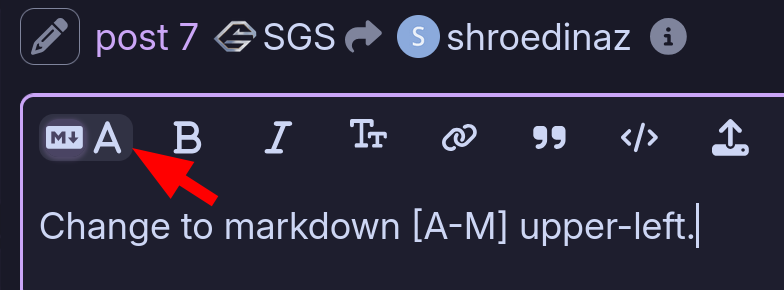
Maybe you must change to markdown [A-M] upper-left.

2 Likes

you did a good job already so there is a hint for me on this maybe :man_shrugging:

if you have the xpad- dkms installed please uninstall it first before you install the patch.

your on the arch znver5 kernel but they wrote cachyos would work so may try to install the cachyos kernel variants.

I also would try a cold boot after the Kernel installs because usage of windows (hijacking Hardware)

linux-cachyos

sudo pacman -S linux-cachyos linux-cachyos-headers

linux-cachyos-lts

sudo pacman -S linux-cachyos-lts linux-cachyos-lts-headers

linux-cachyos-rc

sudo pacman -S linux-cachyos-rc linux-cachyos-rc-headers
[GitHub - paroj/xpad: Linux Kernel Driver for the Xbox/ Xbox 360/ Xbox One Controllers](https://github.com/paroj/xpad)
But still the same issue.

and would try X11 session too.(not wayland sometimes buggy)

just my thinkings i do gaming too :wink:

@SGS
I changed my posts using markdown [A-M].
Thanks for this tip :wink:

@Duke187
I uninstalled xpad and tried these kernels, but still got the same issue (different events this time)

Device:                  Flydigi Flydigi APEX5 Wireless Keyboard
Kernel:                  /dev/input/event18
Id:                      usb:37d7:2501
Group:                   4
Seat:                    seat0, default
Capabilities:            keyboard
Tap-to-click:            n/a
Tap-and-drag:            n/a
Tap button map:          n/a
Tap drag lock:           n/a
Left-handed:             n/a
Nat.scrolling:           n/a
Middle emulation:        n/a
Calibration:             n/a
Scroll methods:          none
Scroll button:           n/a
Scroll button lock:      n/a
Click methods:           none
Clickfinger button map:  n/a
Disable-w-typing:        n/a
Disable-w-trackpointing: n/a
Accel profiles:          n/a
Rotation:                0.0
Area rectangle:          n/a

Device:                  Flydigi Flydigi APEX5 Wireless Mouse
Kernel:                  /dev/input/event23
Id:                      usb:37d7:2501
Group:                   4
Seat:                    seat0, default
Capabilities:            pointer
Tap-to-click:            n/a
Tap-and-drag:            n/a
Tap button map:          n/a
Tap drag lock:           n/a
Left-handed:             disabled
Nat.scrolling:           disabled
Middle emulation:        disabled
Calibration:             n/a
Scroll methods:          button
Scroll button:           BTN_MIDDLE
Scroll button lock:      disabled
Click methods:           none
Clickfinger button map:  n/a
Disable-w-typing:        n/a
Disable-w-trackpointing: n/a
Accel profiles:          flat *adaptive custom
Rotation:                0.0
Area rectangle:          n/a

How do I change from Wayland to X11?
I thought, that Garuda and Arch changed to Wayland and there is no way back :thinking: ?

hi

okay thats very interesting why it is acting like this . did you also tried the wireless mode not bluetooth?

ahm yes since KDE 6.4 you have to install it manually see arch news page.

Plasma 6.4.0 will need manual intervention if you are on X11

2025-06-20

On Plasma 6.4 the wayland session will be the only one installed when the users does not manually specify kwin-x11.

With the recent split of kwin into kwin-wayland and kwin-x11, users running the old X11 session needs to manually install plasma-x11-session, or they will not be able to login. Currently pacman is not able to figure out your personal setup, and it wouldn’t be ok to install plasma-x11-session and kwin-x11 for every one using Plasma.

tldr: Install plasma-x11-session if you are still using x11

I never tried bluetooth.
I only try wired and wireless via USB-dongle.

I installed plasma-x11-session but the issue is the same :confused:

Today I finally got the time to check a bit deeper.

So It seems, that I use wayland.

output of “echo $XDG_SESSION_TYPE“

wayland

So I searched how to switch to x11 and found this article:

I followed the “Step-by-Step: Switching Between Wayland and Xorg” guide and was successfully able to switch to x11.

My Apex 5 Controller is still seen as a keyboard and mouse.

Any other ideas? :thinking:

as Info

3 Likes

Hey gampel and thanks for your input :smiley:

Like I said I’m no expert, so can you explain to me, what bazzite is?
As I understand it, that’s a own gaming-OS.
Or am I wrong and this is another feature I can install to Garuda?

I ask, because your Info says support is not added on this specific OS or feature.

But the research I did said it is working on a version of xpad, a linux kernel driver.
So, as far as I understand it, this solution should work on any linux version.

Can you explain this to me, so I can understand it? :slight_smile:

hi,

lol i had to fix my garuda boot . lol

i would try it this way.

you should have uninstalled the xpad anyway.

  1. Boot the cachyos Kernel first
  2. follow the install on the GitHub - paroj/xpad: Linux Kernel Driver for the Xbox/ Xbox 360/ Xbox One Controllers
  3. reboot and test if you want use it with steam on xbox 360 setup.

i just did tested if its installing here my output. ( i dont have cachy kernel installed but you will see in the output which kernel it will be used.

sudo git clone https://github.com/paroj/xpad.git /usr/src/xpad-0.4
sudo dkms install -m xpad -v 0.4
[sudo] password for duke:
Cloning into '/usr/src/xpad-0.4'...
remote: Enumerating objects: 501, done.
remote: Counting objects: 100% (327/327), done.
remote: Compressing objects: 100% (25/25), done.
remote: Total 501 (delta 317), reused 302 (delta 302), pack-reused 174 (from 2)
Receiving objects: 100% (501/501), 223.85 KiB | 1.96 MiB/s, done.
Resolving deltas: 100% (325/325), done.
Deprecated feature: CLEAN (/usr/src/xpad-0.4/dkms.conf)
Creating symlink /var/lib/dkms/xpad/0.4/source -> /usr/src/xpad-0.4

Sign command: /usr/lib/modules/6.17.0-rc5-1-mainline/build/scripts/sign-file
Signing key: /var/lib/dkms/mok.key
Public certificate (MOK): /var/lib/dkms/mok.pub

Building module(s)... done.
Signing module /var/lib/dkms/xpad/0.4/build/xpad.ko
Found pre-existing /usr/lib/modules/6.17.0-rc5-1-mainline/kernel/drivers/input/joystick/xpad.ko.zst, archiving for uninstallation
Installing /usr/lib/modules/6.17.0-rc5-1-mainline/updates/dkms/xpad.ko.zst
Running depmod... done.
1 Like

Can’t test, no metal.
If you have the xpad modul installed pls uninstall before.
Example: sudo pacman -R xpad (or package_name)
Then the steps from the posted link.

Duke, you was faster :upside_down_face:

2 Likes

I installed the cachyos kernel and checked if I did everything right.

output of “uname -r”

6.17.0-rc4-2-cachyos-rc

And I went on and uninstalled the xpad package.

after a reboot I installed the xpad like mentioned on the previous post, which was the same that I mentioned earlier.

sudo git clone https://github.com/paroj/xpad.git /usr/src/xpad-0.4
sudo dkms install -m xpad -v 0.4

On Garuda Rani I run the “System settings”

On “kernels” it said there are some packages missing.

So I went on and let the Rani install it for me, but got this error:

+ dkms install --no-depmod xpad/0.4 -k 6.16.5.arch1-1
Deprecated feature: CLEAN (/var/lib/dkms/xpad/0.4/source/dkms.conf)

Error! Your kernel headers for kernel 6.16.5.arch1-1 cannot be found at /usr/lib/modules/6.16.5.arch1-1/build or /usr/lib/modules/6.16.5.arch1-1/source.
Please install the linux-headers-6.16.5.arch1-1 package or use the --kernelsourcedir option to tell DKMS where it's located.

The current task has finished.

After a bit of research I found out that you can compile your own kernels, but thats not something I want to do or feel ready for.

So I searched for a “linux-headers” package on Octopi and reinstalled it.
It said that it was reinstalling the missing “linux-headers-6.16.5.arch1-1” package, so that felt right.

After a reboot I looked into “libinput list-devices” but the issue was the same.
It felt weird that nothing changed, so I searched for a way to list all installed packages on my linux.
I found this site an tried the second step.
https://www.baeldung.com/linux/arch-pacman-show-user-installed-packages

Output of the second step:

7zip
acpi
alacritty
alsa-firmware
amd-ucode
amdgpu-fan
antimicrox
appmenu-gtk-module
argyllcms
arj
ark
artemisrgb-git
autorandr
b43-fwcutter
bambustudio-bin
base
base-devel
bash-completion
beautyline
bind
blender
bluedevil
bluetooth-support
bridge-utils
btrfs-assistant
btrfs-progs
bzip2
chaotic-keyring
chaotic-mirrorlist
ckb-next
converseen
corectrl
coreutils
cryptsetup
curlftpfs
dialog
discord
discover
dmidecode
dmraid
dolphin
dolphin-plugins
dosfstools
downgrade
dracut
e2fsprogs
ecryptfs-utils
efibootmgr
element-desktop
elisa
ethtool
evtest
exfatprogs
f2fs-tools
fastfetch
fatresize
fcitx5-configtool
fcitx5-mozc
ffmpegthumbs
file
filesystem
filezilla
findutils
firedragon
firedragon-extension-plasma-integration
firefox
firewalld
freetype2
fscrypt
fuseiso
fwupd
game-devices-udev
garuda-assistant
garuda-boot-options
garuda-browser-settings
garuda-common-settings
garuda-dr460nized
garuda-dracut-support
garuda-fish-config
garuda-gamer
garuda-hardware-profile-standard-x11
garuda-hardware-tool
garuda-hooks
garuda-hotfixes
garuda-icons
garuda-network-assistant
garuda-rani
garuda-setup-assistant
garuda-system-maintenance
garuda-wallpapers
garuda-wallpapers-extra
garuda-welcome
gawk
gcc-libs
gettext
gimp
glibc
gnome-disk-utility
gnu-netcat
goverlay-git
grep
grub
grub-btrfs
grub-garuda
grub-theme-garuda-dr460nized
gstreamer-meta
gvfs-smb
gwenview
gzip
helvum
htop
icoutils
inetutils
inkscape
input-devices-support
inxi
iproute2
iptables-nft
iputils
jfsutils
jhead
kaccounts-providers
kamera
kate
kcalc
kde-gtk-config
kdeconnect
kdegraphics-thumbnailers
kdeplasma-addons
keepassxc
kf6-servicemenus-rootactions
kget
kimageformats5
kinfocenter
kinit
kio-extras
kio-fuse
kio-gdrive
konsole
krdc
krfb
kscreen
ksshaskpass
ktorrent
kvantum
kvantum-qt5
kwallet-pam
kwayland-integration
kwin
lhasa
lib32-gamemode
lib32-mangohud
lib32-pipewire-jack
lib32-vkbasalt
libappindicator-gtk3
libdvdcss
libinput-gestures-qt
libmythes
libreoffice-fresh
libreoffice-fresh-de
libretro-meta
licenses
linux
linux-cachyos
linux-cachyos-headers
linux-cachyos-lts
linux-cachyos-lts-headers
linux-cachyos-rc
linux-cachyos-rc-headers
linux-firmware
linux-steam-integration
linuxconsole
logrotate
lrzip
lsb-release
luanti
luanti-server
lvm2
lzip
lzop
man-db
man-pages
mangohud
mdadm
memtest86+
micro
minecraft-launcher
modem-manager-gui
mpv
mtools
nano
net-tools
networkmanager-support
nfs-utils
nilfs-utils
nmap
noto-fonts
noto-fonts-cjk
noto-fonts-emoji
nss-mdns
ntfs-3g
obs-studio
octopi
okular
openrgb-git
openrgb-plugin-e131-receiver-git
openrgb-plugin-effects-git
openrgb-plugin-hardware-sync-git
openrgb-plugin-visual-map-git
openttd
os-prober-btrfs
pace
pacman
pacman-contrib
partitionmanager
paru
pciutils
performance-tweaks
perl-file-mimeinfo
pipewire-jack
pipewire-support
plasma-applet-window-buttons
plasma-browser-integration
plasma-desktop
plasma-firewall
plasma-nm
plasma-pa
plasma-systemmonitor
plasma-thunderbolt
plasma-x11-session
plasma6-applets-window-title
plasma6-wallpapers-blurredwallpaper
plocate
power-profiles-daemon
powerdevil
powertop
printer-support
procps-ng
proton-ge-custom
protontricks-git
psmisc
putty
qt6-imageformats
qt6-quick3d
quota-tools
r8125-dkms
rate-mirrors
reflector-simple
reiserfsprogs
reshade-shaders-git
resvg
retroarch-autoconfig-udev-git
rsync
ruby
samba-support
sc-controller
scanner-support
sddm
sddm-kcm
sed
shadow
signal-desktop
simple-scan
snapper-support
snapper-tools
sof-firmware
spectacle
spotify
sshfs
steam
steam-native-runtime
streamlink-twitch-gui-bin
sudo
system-config-printer
systemd
systemd-sysvcompat
tar
teams
teamspeak3
telegram-desktop
terminus-font
thunderbird
torbrowser-launcher
traceroute
ttf-dejavu
ttf-fantasque-sans-mono
ttf-fira-sans
ttf-liberation
ttf-ms-fonts
ttf-opensans
ugrep
unace
unarchiver
unarj
unrar
unzip
update-grub
usbimager
usbutils
util-linux
vi
virt-manager-meta
virtualbox-meta
vkbasalt
vlc
warpinator
wget
which
whois
wine-meta
wine-staging
wireless-regdb
wireless_tools
wireplumber
wqy-zenhei
xdg-desktop-portal
xdg-desktop-portal-gtk
xdg-desktop-portal-kde
xdg-user-dirs
xdg-utils
xfsprogs
xorg-server
xorg-xhost
xorg-xinit
xorg-xinput
xorg-xwayland
xsel
xwaylandvideobridge
xz
zip
No support for device type: power_supply

As you can see there is no xpad package to be found, so I tried to forcefully reinstall the xpad package.

sudo git clone https://github.com/paroj/xpad.git /usr/src/xpad-0.4
sudo dkms install -m xpad -v 0.4 --force

and got this outpout:

Schwerwiegend: Zielpfad '/usr/src/xpad-0.4' existiert bereits und ist kein leeres Verzeichnis.
Module xpad/0.4 for kernel 6.17.0-rc4-2-cachyos-rc (x86_64):
Before uninstall, this module version was ACTIVE on this kernel.
Deleting /usr/lib/modules/6.17.0-rc4-2-cachyos-rc/updates/dkms/xpad.ko.zst
Restoring archived original module /usr/lib/modules/6.17.0-rc4-2-cachyos-rc/kernel/drivers/input/joystick/
xpad.ko.zst
Running depmod... done.

Found pre-existing /usr/lib/modules/6.17.0-rc4-2-cachyos-rc/kernel/drivers/input/joystick/xpad.ko.zst, arc
hiving for uninstallation
Installing /usr/lib/modules/6.17.0-rc4-2-cachyos-rc/updates/dkms/xpad.ko.zst
Running depmod... done.

MY console says it installed the xpad package correctly, but on the installed package list, there is no xpad installed.

Do you got any idea why this package is not installed?

Oh and btw. even after a reboot the issue remains the same…
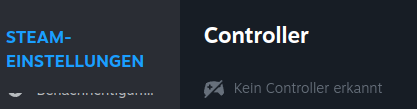
Even Steam does not recognize my controller:

Without this it can’t function.

On which kernel you stay ? I mean it’s not 6.16.5 or ?
This dkms stuff is “obsolete” and this is all useless, reason, over rani you can’t install this stuff. Why you going this way if we write here and posting links.
What is to do, to install the fork from the xpad dkms driver ?
If, pls do this

If xpad is installed
sudo pacman -R xpad
sudo dkms remove -m xpad -v 0.4 --all
sudo rm -rf /usr/src/xpad-0.4

After this step go to /var/lib/dkms/ {module} and delete all the stuff except from the current kernels and other dkms stuff. (default is 6.17.xx / 6.16.7 / 6.16.6 / 6.12.47 , use pacseek or octopi to look which kernel or dkms stuff you have installed.
Then, open Konsole:

sudo git clone https://github.com/paroj/xpad.git /usr/src/xpad-0.4
sudo dkms install -m xpad -v 0.4

Reboot → test = ?
And btw why you have installed the cachyos-rc kernel ?
This kernel is a special nvidia kernel from the cachyos devs.
You have no metal for this, install the default cachyos kernel.
as Info:

Sorry Duke, that was your … :face_with_peeking_eye:

For your dkms error as Info, sometimes fails dkms to remove “older” stuff.

2 Likes

oh my bad sorry i just wrote up my known cachy-os kernel variants didnt think on rc nvidia stuff. but yeah i suggested the pure cachy os kernel first . Youre right in this way shame on me :laughing:

otherwise i read somehere to use the debug info from antimicrox to setup but its unclear for me now so thats why i didnt wrote this stuff.

No prob..
Pls uninstall this kernel over konsole and install default cachyos kernel then install the xpad fork.
sudo pacman -R linux-cachyos-rc linux-cachyos-rc-headers
sudo pacman -S linux-cachyos linux-cachyos-headers

or

Support for this controller will be in the 6.17 kernel.
“In practice, this means that any Linux distribution offering kernel 6.17 or later will be able to recognize the FLYDIGI APEX 5, whether connected via USB or Bluetooth dongle, without complex manual installation. Users will therefore experience a smooth and seamless experience right out of the box, with full access to the controller’s built-in buttons, joysticks, and multimedia features.”

edit:
Wanted to also mention that Steam has also improved their Flydigi Apex controller detection recently, so things should go well once kernel 6.17 is ready with its support (which that kernel version is currently in RC6, so it shouldn’t be much longer).

4 Likes